


Question
Export Live Stream option not available
Hello! Sorry for the noob tech question, but I'm stumped.
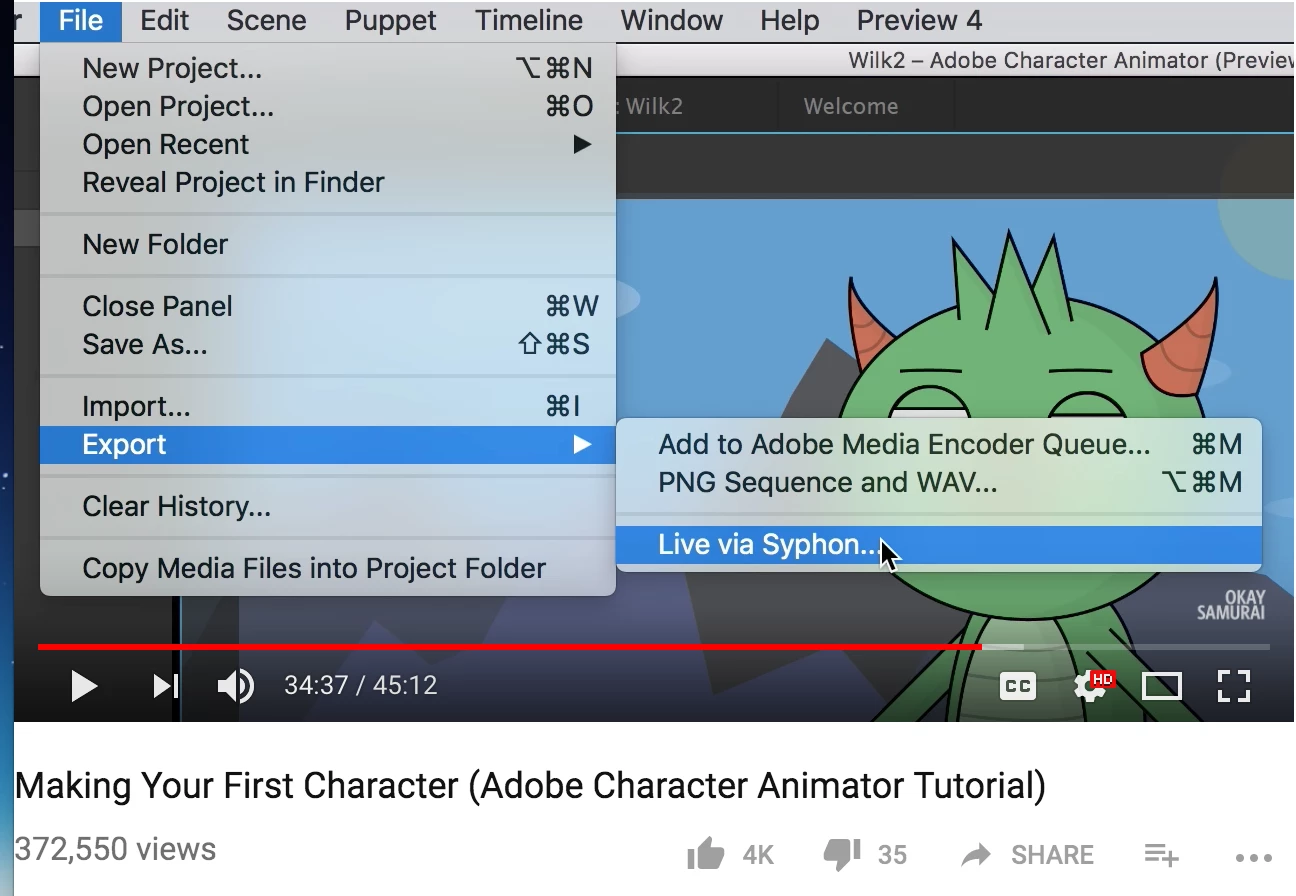
I'm trying to figure out how to stream my puppet and all the tutorials say "No extra Character Animator configuration is necessary" or "Just goto File>Export>Live to Syphon". Well, that option is not there for me. Now what? I only get an "live options" in the file>export dropdown and it just takes me to a web page telling me how easy it is. (Adobe Character Animator Help | Export )
Please help, what am I missing here? I hate getting stuck on Step 1!
Thanks!
Mindy
Mac Laptop, OS Sierra 10.12.6 and CA Beta 6.
attached image was taken from tutorial showing option that isn't there for me.
 AdChoices