


Inspiring
March 14, 2023
Question

Export to MP4 crashing with GPU Error

  • March 14, 2023
  • 2 replies
  • 451 views

100% of the time when I attempt to export a 3 minute (or shorter) video to MP4, I see this error message:
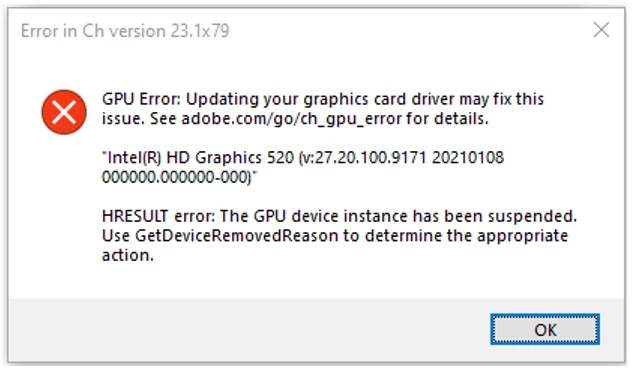
I am not running any other graphics-intensive apps, and I do not have a browser open.

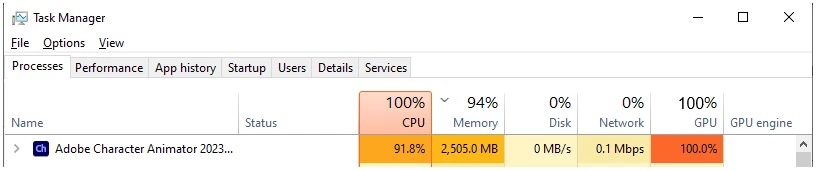
This is what Task Manager says during export:
The driver software is 100% current.
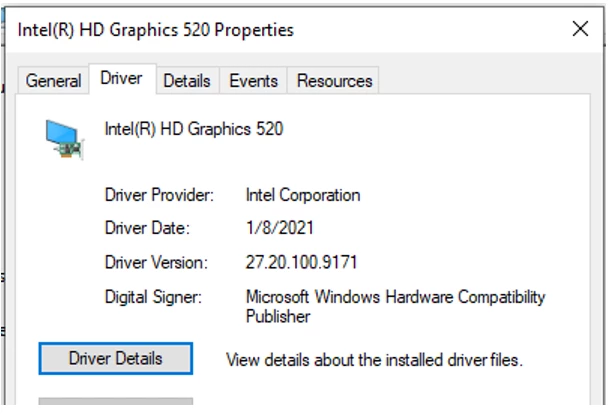
These are the specs in Device Manager:
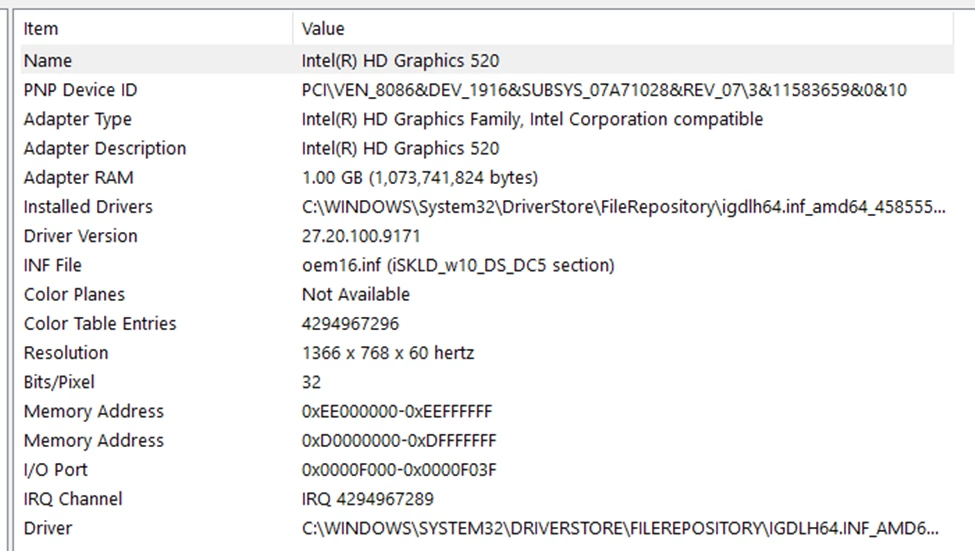
This is the display information:
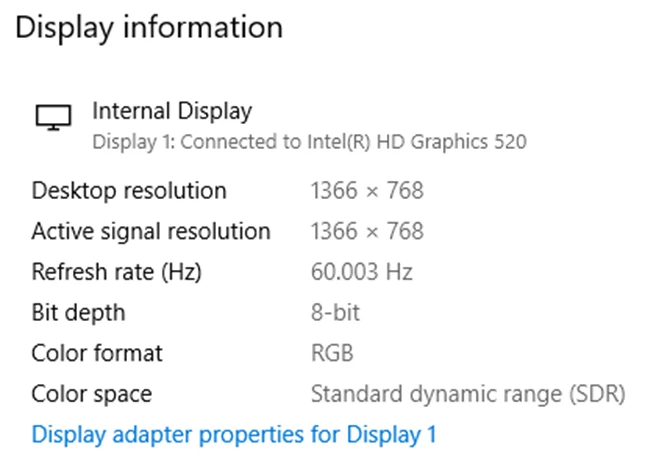
Any help would be appreciated.

Thank you!

This topic has been closed for replies.

2 replies

CoSA_DaveS
Adobe Employee
Adobe Employee
March 14, 2023

I assume you are using Quick Export (button in the upper right or File > Export)?

Does it work when you do File > Export > Video via Adobe Media Encoder, or File > Export > PNG Sequence and WAV...?

Inspiring
March 15, 2023

Yes, I am using Quick Export. For a 150 second video, it takes over two hours to export with Quick Export. 

If I export via Adobe Media Encoder, the time increases to over 6 hours.

That said, tonight before I walk out the door, I will start the Media Encoder export and see what happens when I come to work tomorrow.

Thank you for the response.

Inspiring
March 14, 2023

Sorry, here's more information.

First, the export is going to the local hard drive, not a cloud location.

Second, here is more system information: