Participant
May 17, 2019
Answered

Eye Blink Cycle Layers Help

  • May 17, 2019
  • 2 replies
  • 3532 views

Hello Everyone,

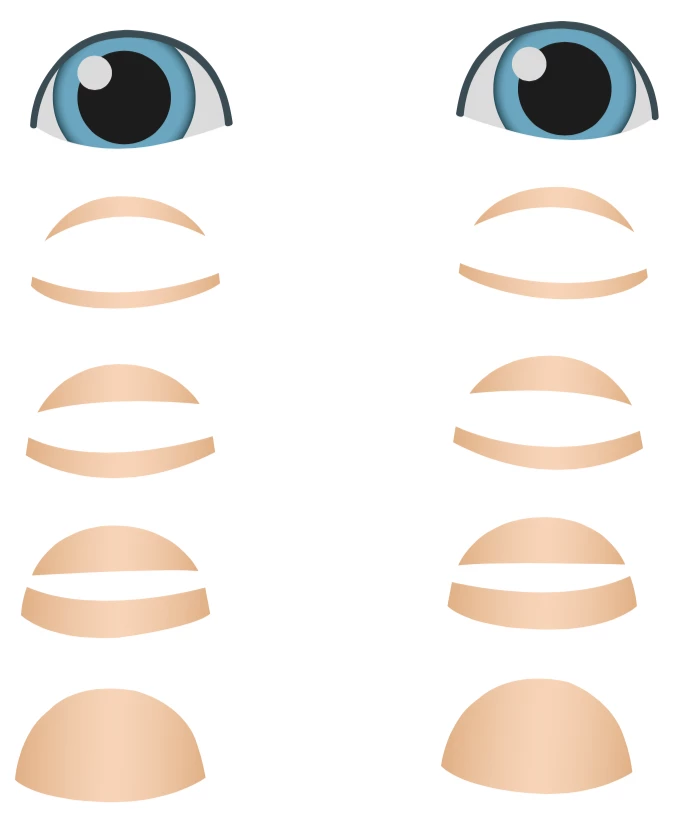
I'm having trouble with the cycle layers for an eye blink. 

I believe I have everything set up right but the blinks are not coming in correctly.

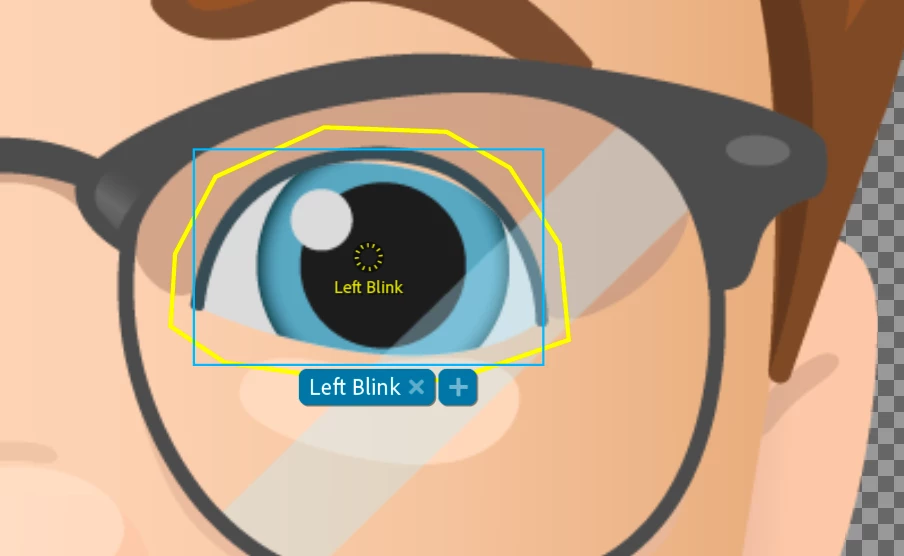
They look like the cancel out the eye. or the full blink happens and the frames of the blink happen on top it.

oksamurai​ Any help would be great! Thanks!

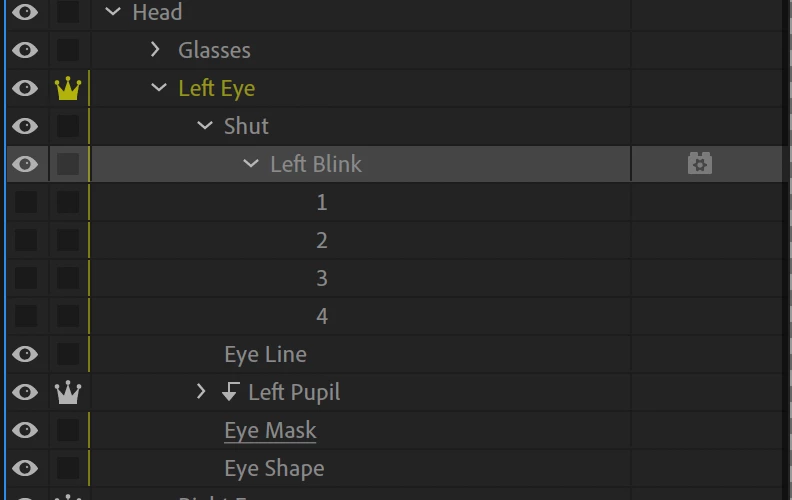
My Set up

    This topic has been closed for replies.
    Correct answer GallardoMN

    Well I guess this is how it always goes, you start asking the question to a person and then you get it to work while they are looking over your files.

    I tried one more method and got it for the blinks to work right.

    It seemed like adding a new layer in AI made the blink work right. 

    Added a "Shut" layer and put the "Left Blink" layer with the 4 frames and it worked.

    2 replies

    alank99101739
    Legend
    May 17, 2019

    Yes. Blinks work by hiding the siblings and displaying the blink layer instead. It assumed it did not need the masks etc. But pushing down into a nested layer, the blink does not hide anything any more (it has no siblings). Because you want all the eyes as per normal (with masks etc), you did not want anything hidden - you just put the blink on top of everything else (higher on the page) so it appeared over the top of the normal eyelids.

    In case useful, this is my write up on eyes. You are doing it differently and there is nothing wrong with what you are doing. Just including in case it helps explain anything better. https://extra-ordinary.tv/2018/04/21/debugging-character-animator-eyess/

    Participant
    May 19, 2019

    Thanks for all the helpful tips and the link of your write up on the eyes for character animate!

    GallardoMNAuthorCorrect answer
    Participant
    May 17, 2019

    Well I guess this is how it always goes, you start asking the question to a person and then you get it to work while they are looking over your files.

    I tried one more method and got it for the blinks to work right.

    It seemed like adding a new layer in AI made the blink work right. 

    Added a "Shut" layer and put the "Left Blink" layer with the 4 frames and it worked.

    oksamurai
    Community Manager
    Community Manager
    May 17, 2019

    Glad you figured it out! Blinks are weird.

    Participant
    May 19, 2019

    Thanks for stopping by and checking out my post.  Your videos have been super helpful! Its great to have someone like you sharing videos that is actually working on the program.