Inspiring
March 27, 2020
Question

Eyeball is moving with the pupils

  • March 27, 2020
  • 2 replies
  • 466 views


hi all,

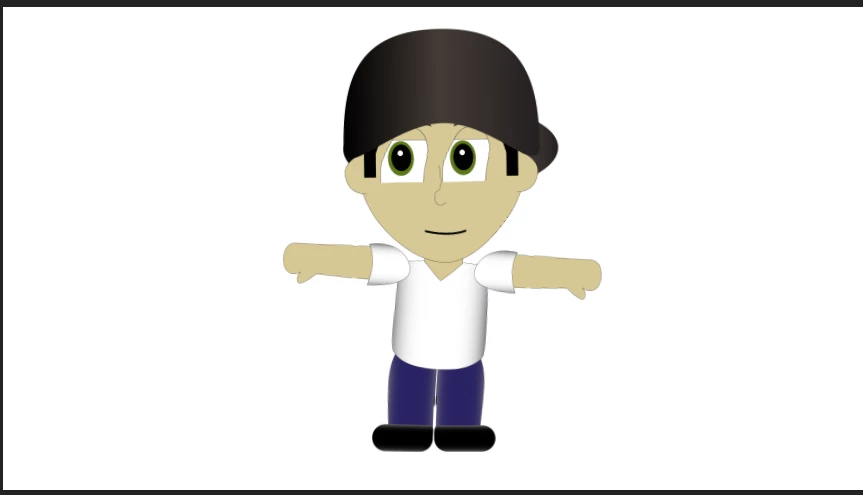
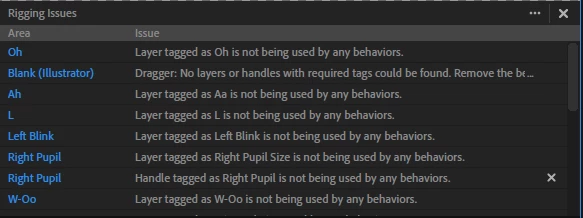
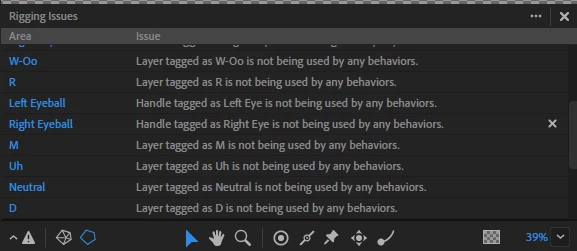
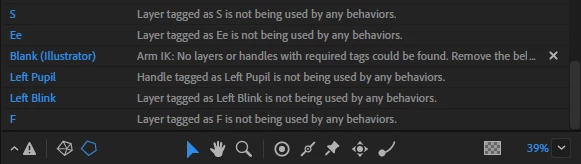
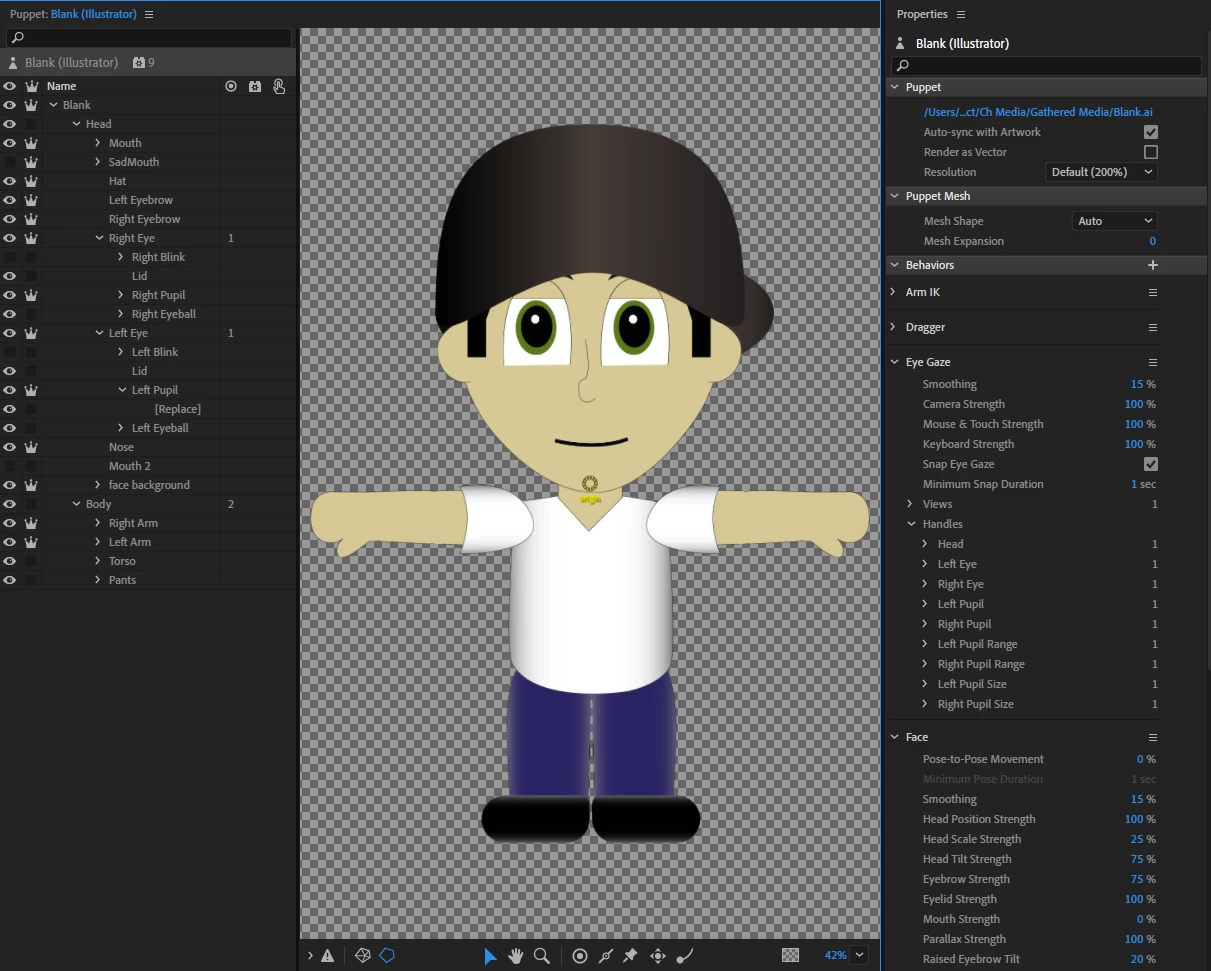
First time experimenting with CA, but I am having some issues.  For some reason when I record my eyeball moves with the pupil slightly.  Id like for the pupil to move as intended within the eyeball, but can't pinpoint the issue.  Any help would be appreciated.  Thanks.  Ive attached some screenshots that will help to illustrate the issue.


-ADrew
This topic is closed to new replies. Start a new post to keep the conversation going.

2 replies

alank99101739
Legend
March 28, 2020

One very important topic to understand is tags vs layers. Layers get tagged by CH and then behaviors look through the layer tree for layers with the tags it's looking for. To reduce work, CH automatically adds tags to layers with known names. Eg if you have a layer called Ah, it gets tagged for the mouth behavior.


What can go wrong causing the warnings at the bottom you included is some behaviors only pick the first layer with the tag. E g you have a Mouth and Sad Mouth. Some behaviors will find them all. Sorry, i can never remember which does which. If you look in behaviors, there are often Views and Handles sections. Expand those and have a look. If it is no bound to the layers you expect, i would go back and look at is Mouth and Sad Mouth both tagged with Mouth. Maybe you need another behavior added to Sad Mouth to make the mouth work on that layer.


I am going to guess something in the eye artwork has a stray tag. Notice the bit about Left Pupil tag not being picked up? I am guessing there is an extra tag so it picked a different layer to what you expected. It's not moving the pupil - it's moving the bottom of the eyeball. Something like that.


A useful tip for debugging is to turn on the mesh icon at the bottom of the scene window. You see a mesh of little triangles all over the puppet. It will stretch the triangles, some parts will stick and not move. Sometimes this can identify parts of the puppet that are not quite right (eg something is moving that you did not expect, something is not stretching that you did, etc)

alank99101739
Legend
March 28, 2020

oh, in case useful, my blog on debugging eyes: https://extra-ordinary.tv/2018/04/21/debugging-character-animator-eyess/