


Participant
April 1, 2020
Answered

Eyebrows Distorting Face Shape

  • April 1, 2020
  • 2 replies
  • 1714 views

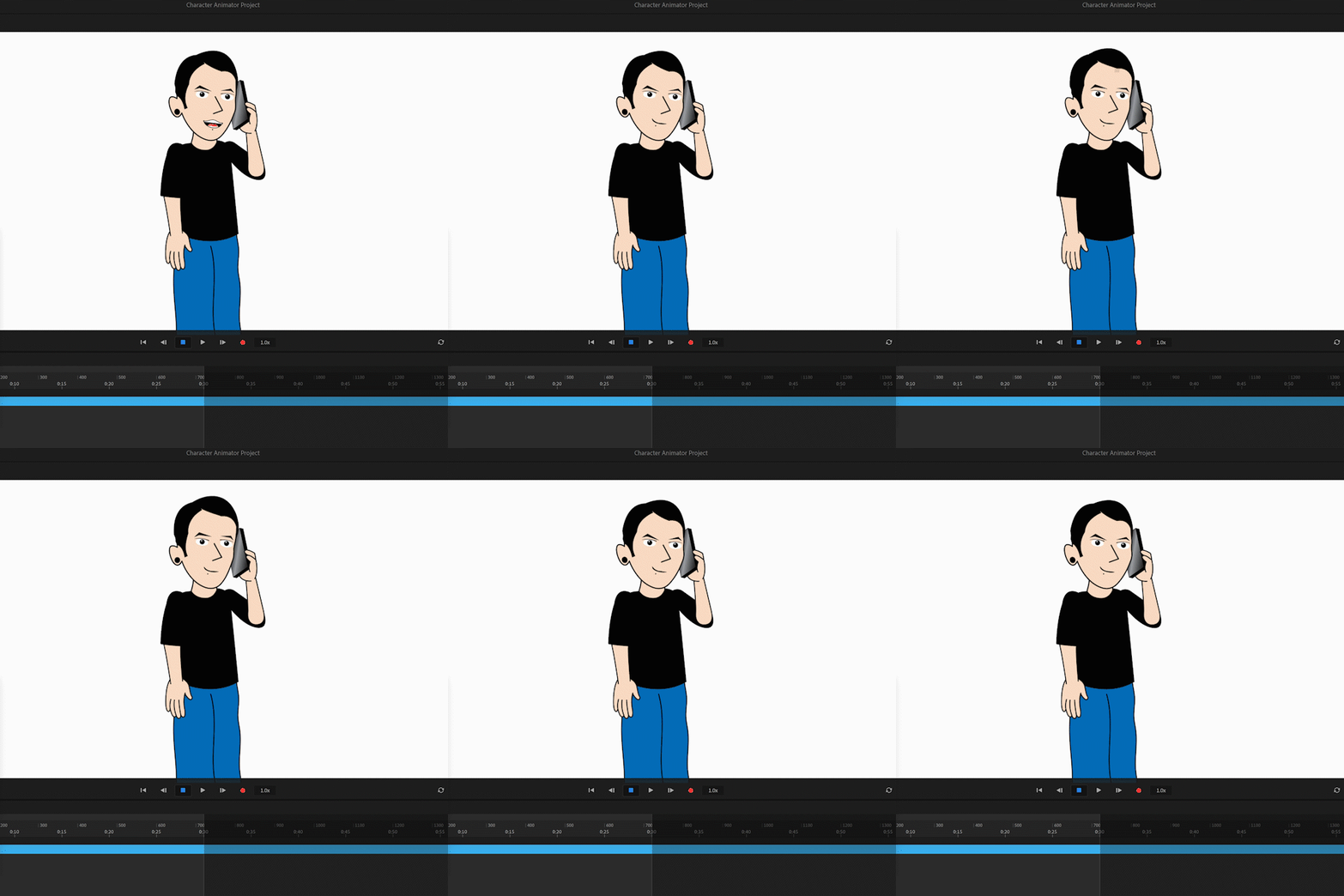
I'm going in circles trying to figure out why the face capture of my eyebrows is distorting the head and other assets. I've made them independently and gone through the tags but I feel Im missing something. Anytime I raise or lower, it distorts. Please help 😞
This topic has been closed for replies.
Correct answer alank99101739

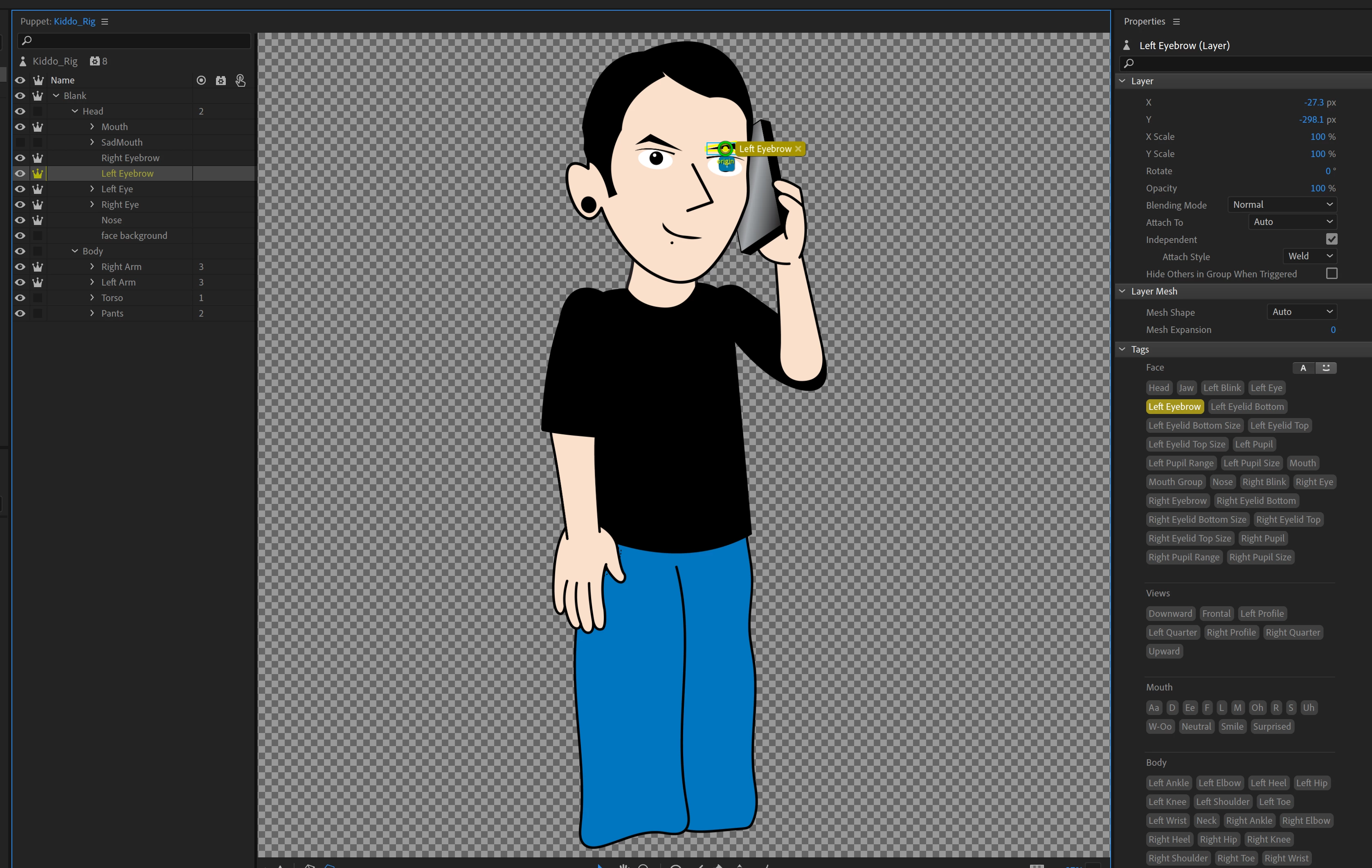
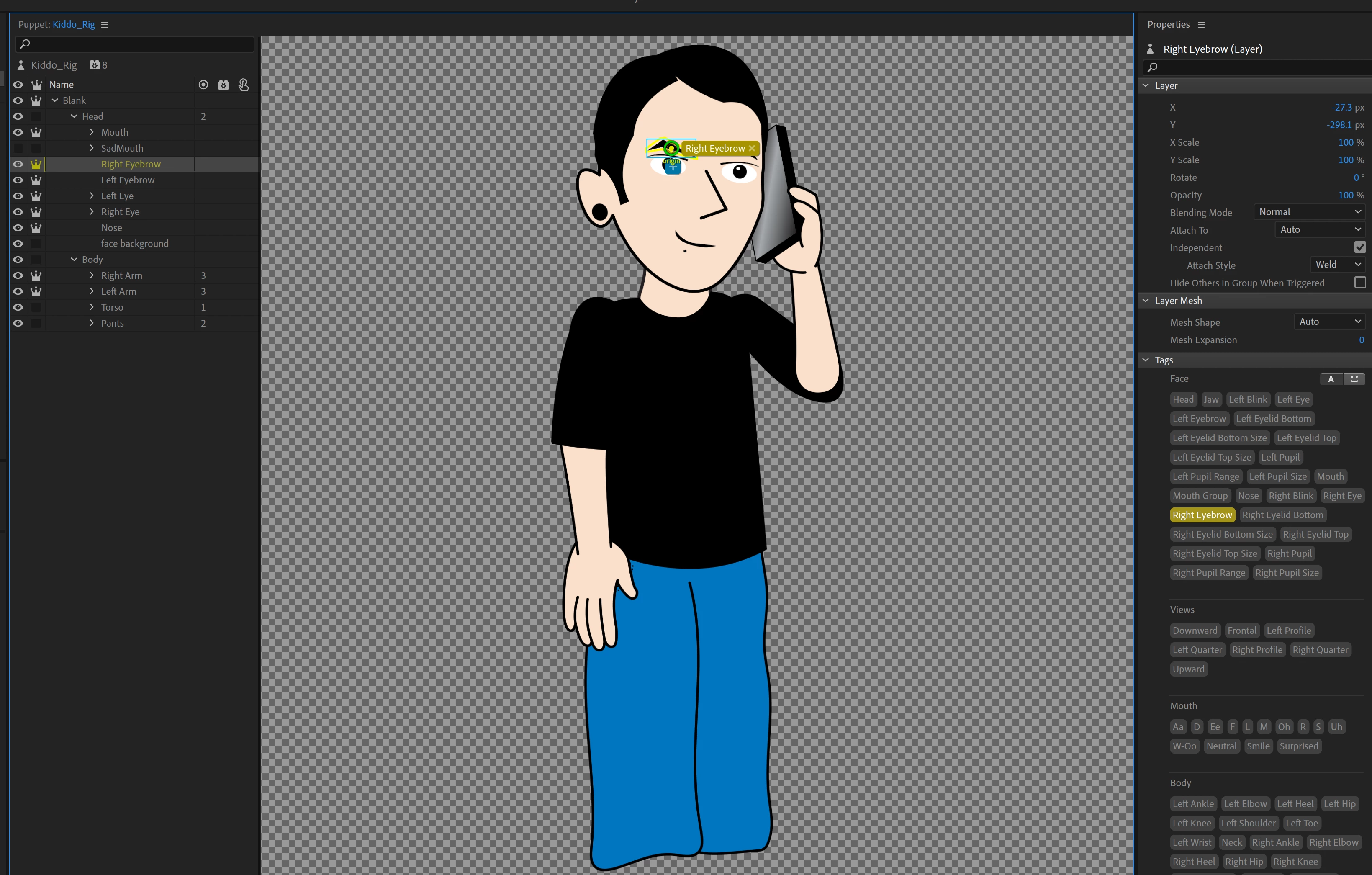
Oh, I forgot to say see how it says Blank/Head:Left Eyebrow? The ":" indicates its a handle, not the sublayer. It should now say Blank/Head/Left Eyebrow meaning its the layer called Left Eyebrow. That is why I started looking for handles (as well as the "2" that was there).

2 replies

alank99101739
Legend
April 2, 2020

Cool, got it. I will show you the steps I went through as hopefully that is as useful as getting it fixed! 😉


First, there is this warning panel. It mentions the eyebrows.

And watching the mesh, the eyebrows did seem stuck. (I will leave the eyeball to you!!)

Next I went to the Face behavior that controls the eyebrows. The Handles section shows which layers CH is really using.

These layers are the Head!! So it has bound to the wrong thing. So next, select the Head layer.

See the number 2 next to "Head"? That means there are two handles on the Head layer. Looking at the image, yes, there are Rigth Eyebrow and Left Eyebrow handles on the Head layer. It is not using your layers - it found these handles first and is using them! Single click on the circles then hit the DEL key to delete them.


Note the "2" has gone next to Head.


I will leave it as an exercise for you to check the Handles section of the Face behavior now and see if it works 😉


alank99101739
alank99101739Correct answer
Legend
April 2, 2020

Oh, I forgot to say see how it says Blank/Head:Left Eyebrow? The ":" indicates its a handle, not the sublayer. It should now say Blank/Head/Left Eyebrow meaning its the layer called Left Eyebrow. That is why I started looking for handles (as well as the "2" that was there).

iamkiddoAuthor
Participant
April 2, 2020

Wow you are a life saver! that worked and I knew it was something so simple I was being oblvious to. One quick question,  sorry for the newb questions, but my behaviors panel looks different than yours, not seeing the exact controls. 


this a settings issue or does that appear by enabling something?


Thanks again!

alank99101739
Legend
April 1, 2020

Looking at the screenshot you seem to be doing everything right. You can try turning on the mesh icon in the scene window - see if it is something other than the eyebrows causing the problem. Otherwise this one might need you to share the puppet (upload to google drive etc and share link here in forums for others to download). 

iamkiddoAuthor
Participant
April 2, 2020

checked the mesh, but still not too sure what its causing the face squishing. Went through the tags, but I gotta be missing something.


https://www.dropbox.com/s/gqkfn2bc6mlxpvh/Kiddo_Rig.puppet?dl=0


Here is the puppet for anyone that can help me from pulling out all my hair lol
