Participating Frequently
August 12, 2020
Answered

Eyebrows not responding to camera if set as independent.

  • August 12, 2020
  • 2 replies
  • 357 views

Hi!

I have a chracter head ready, everything is working except the eyebrows. Eyebrows are not responding to the camera if I set them as independent. I don't know the cause of this problem. I believe the labeling is also done perfectly. I don't know what am I missing. Would you please help me out sort this issue out?


Please help me. 

Thank you.

This topic has been closed for replies.
Correct answer alank99101739

Thanks for the puppet. I found two problems.
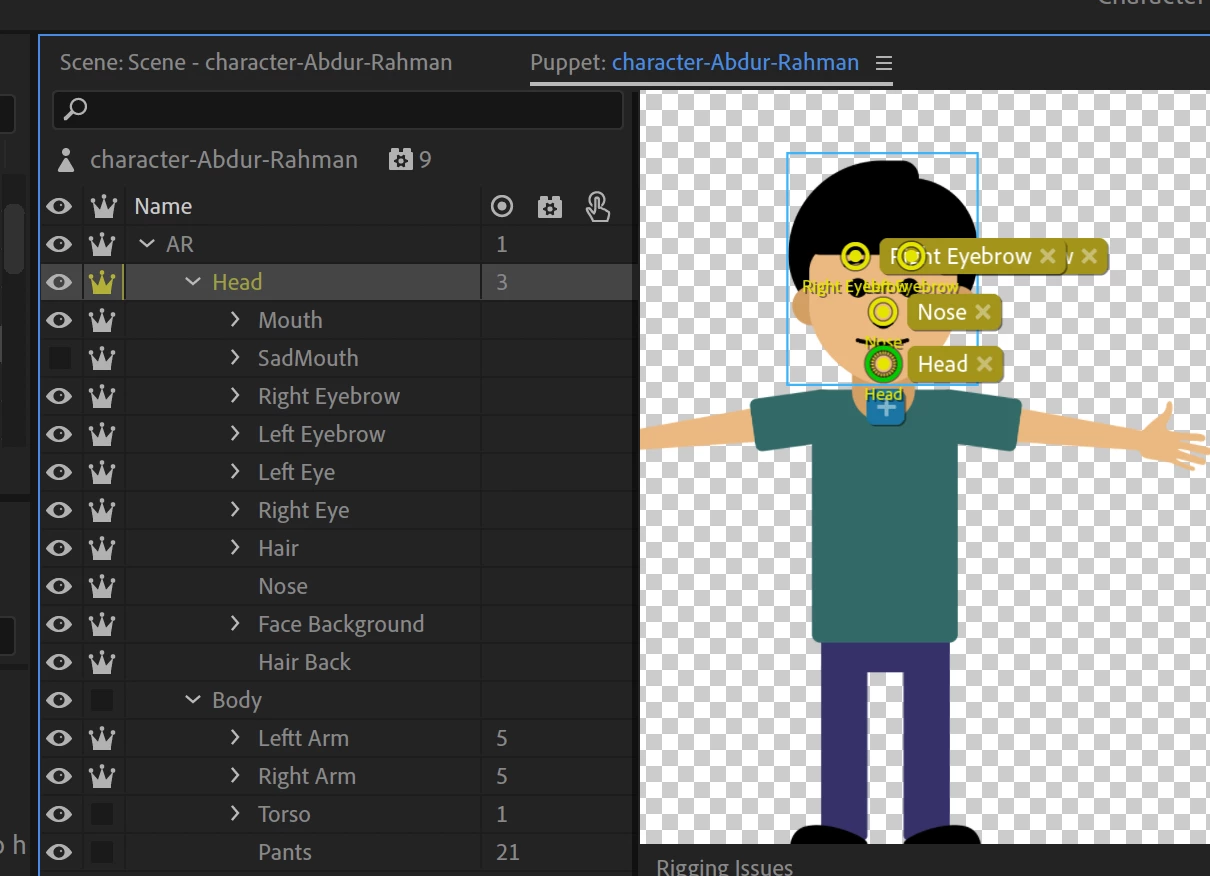
 

Your "Head" layer had handles added for Left Eyebrow and Right Eyebrow (and Nose). I deleted these as the behaviors were attaching to these handles, not the child layers.

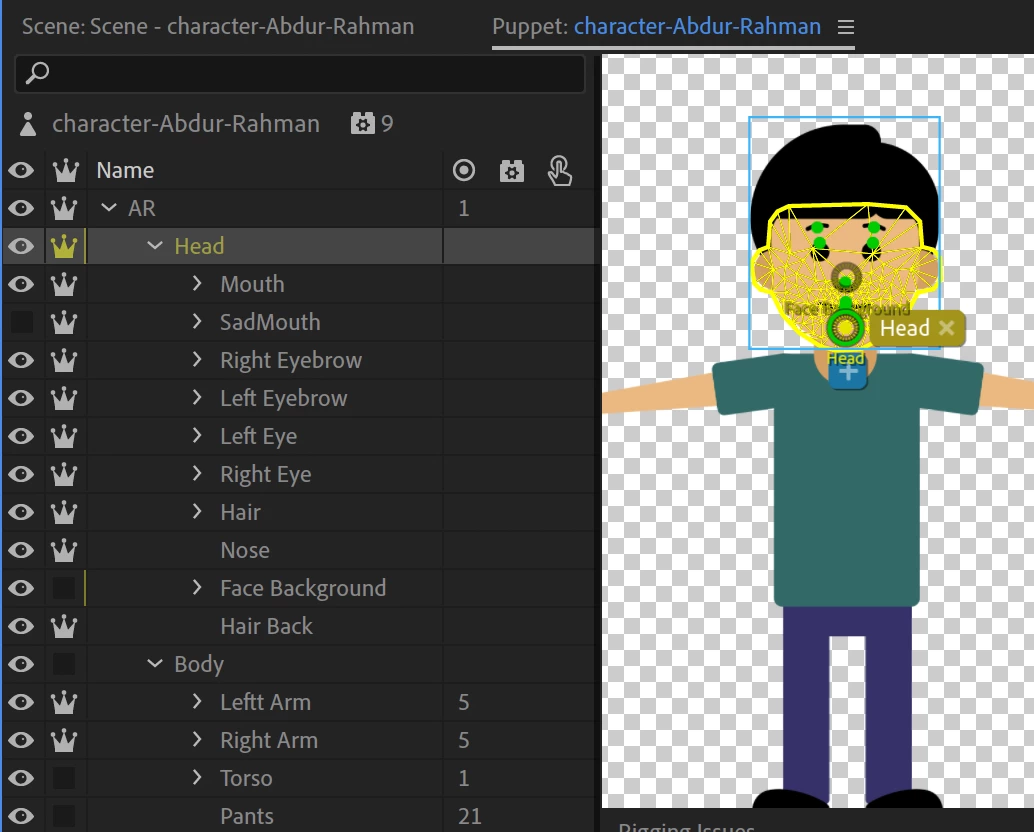
Second, everything is independent! You need *some* artwork in the Head layer for the children to attach to. So I turned independence off the face background. (Might want to turn off the hair independence too maybe.) Notice now the Head layer has a yellow mesh. Before the child meshes had nothing to attach to which can cause problems.
After that, I decreased the Head Position Strength from 100 to 5, so it does not drift away as much (you can try zero too).

I think you will need to do more with the hair. E.g. the rear hair perhaps should not be independent, and the front hair has independent layers inside an independent layer - again, the parent hair layer will have not artwork in it (the mesh will be zero size) which is probbably not what you want. I suggest removing independence from the rear hair and parent front hair layer. Basically avoid independence inside independnce unless at least one child is not independent.


 

2 replies

alank99101739
alank99101739Correct answer
Legend
August 14, 2020

Thanks for the puppet. I found two problems.


Your "Head" layer had handles added for Left Eyebrow and Right Eyebrow (and Nose). I deleted these as the behaviors were attaching to these handles, not the child layers.

Second, everything is independent! You need *some* artwork in the Head layer for the children to attach to. So I turned independence off the face background. (Might want to turn off the hair independence too maybe.) Notice now the Head layer has a yellow mesh. Before the child meshes had nothing to attach to which can cause problems.

After that, I decreased the Head Position Strength from 100 to 5, so it does not drift away as much (you can try zero too).

I think you will need to do more with the hair. E.g. the rear hair perhaps should not be independent, and the front hair has independent layers inside an independent layer - again, the parent hair layer will have not artwork in it (the mesh will be zero size) which is probbably not what you want. I suggest removing independence from the rear hair and parent front hair layer. Basically avoid independence inside independnce unless at least one child is not independent.

 

Participating Frequently
August 14, 2020

Thank you soooo much! I appreciate it! It was real quick. Life saviour!

Participating Frequently
August 14, 2020

Please help me sort this issue out. Here I have attached the puppet file. Thank you.

AR Puppet
