Inspiring
March 20, 2025
Answered

Eyes stopped tracking! Please help!

  • March 20, 2025
  • 1 reply
  • 1061 views

Hi,

When I first started, the eyes were tracking great, and when I open up a new template project those eyes work great too, so it must be something on my end but I can't for the life of me figure out what it is. I thought I tagged everything correctly but what am I missing? Thanks for your help!

Correct answer TheOriginalGC

Oof. I'm not sure how to make it more central than it already is... Google Drive Link below - I'd love for you to take a look. Thanks for your time I really appreciate it!


https://drive.google.com/file/d/14Vs3NCDRchvlfVXtdu13EwWEjklrB4gS/view?usp=sharing


Okay, I think the problem was with the original Photoshop file. When I selected each part of the eye, it was showing the entire mesh and not just the eye. So I selected just the object in PS and inverted the selection (shift+ctrl+I) and deleted EVERYTHING that was outside of the selection. I did that for the blink, the pupil and the eyeball. I saved the file, re-imported it, and it started working. I'll attach the file so you can get back to work with it.


https://drive.google.com/file/d/1ewEWdF215vvmXVKfycOnryCu4pEGysP3/view?usp=sharing


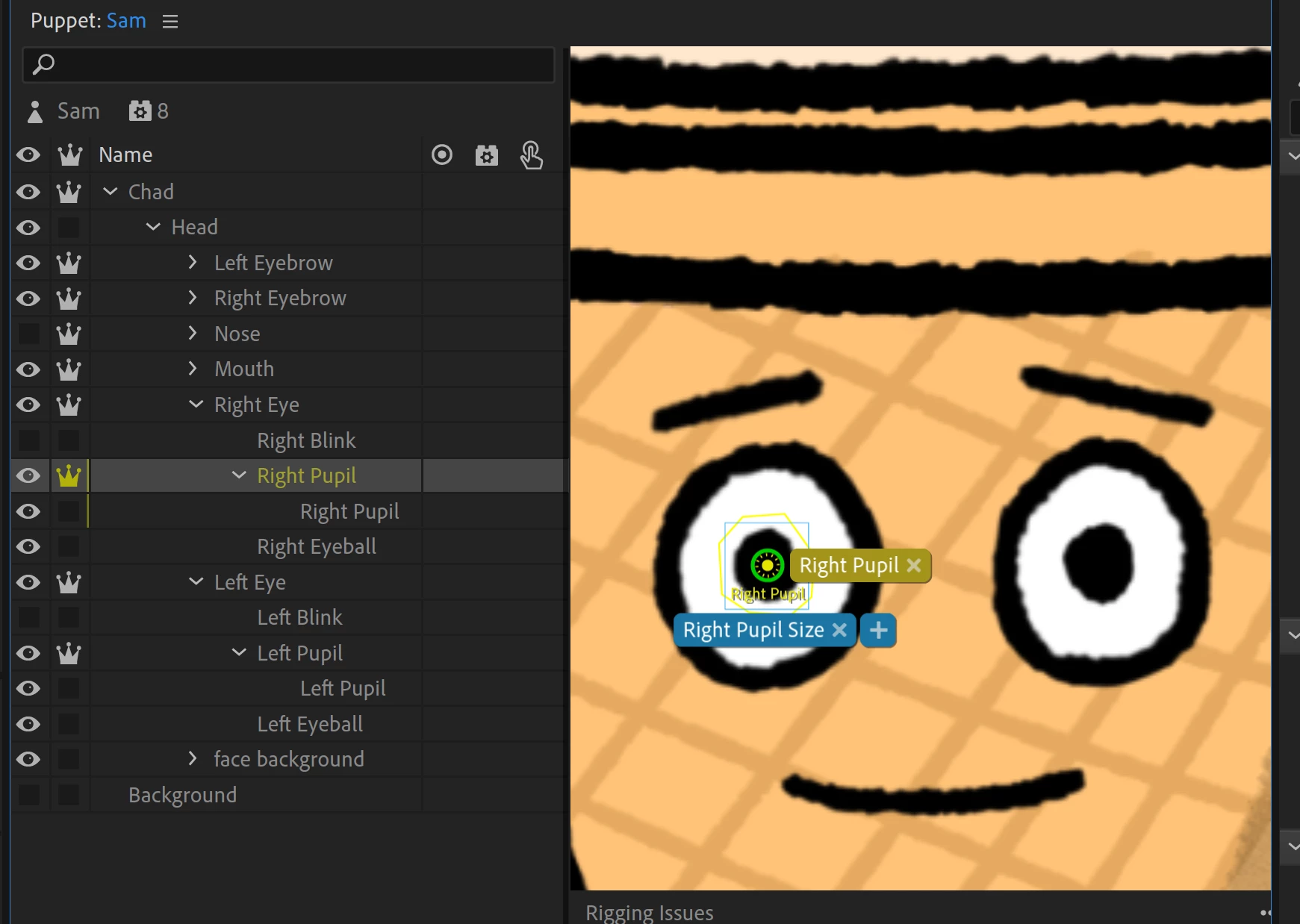
Also, when I re-imported the file, the origin points for the eyebrows and pupils were off. This image shows where the origin point is meant to be. 
1 reply

TheOriginalGC
Community Expert
Community Expert
March 21, 2025

Everything looks right. The only thing I can suggest is to rename the sub layer something else so that the program doesn't think you have extra pupils.

Litwak57Author
Inspiring
March 21, 2025

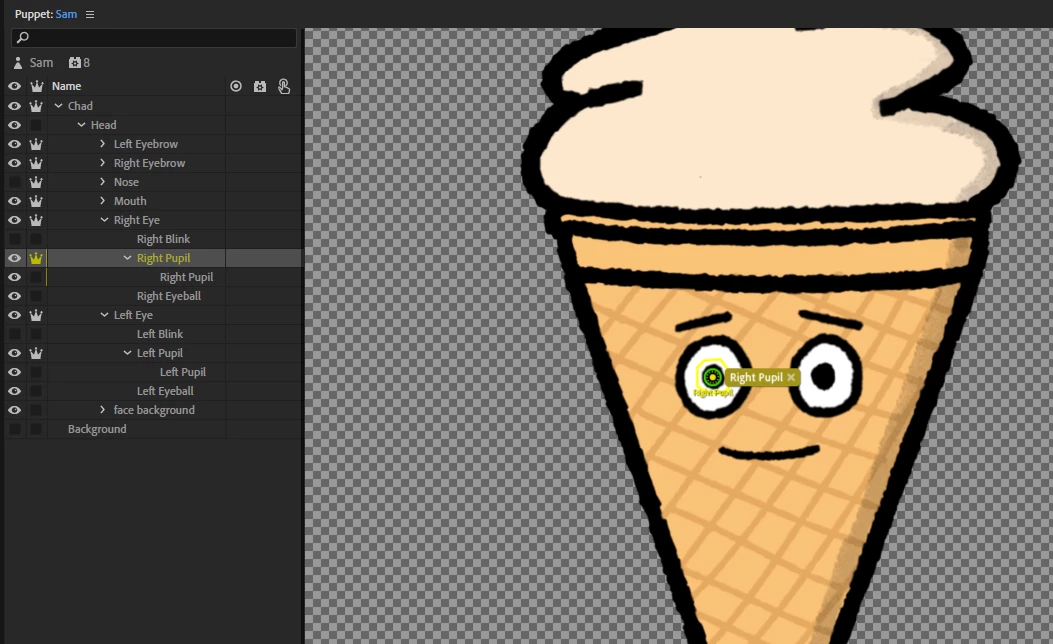
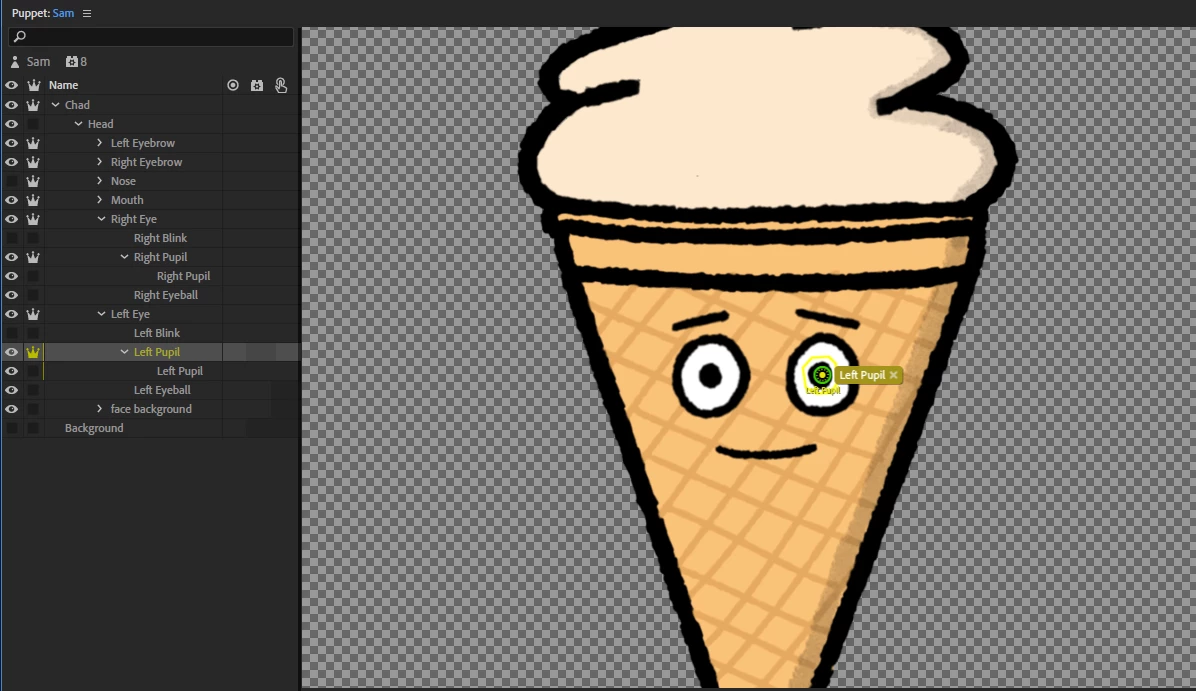
I tried that and unfortunately no change - i notice in the "rigging issues" panel it says that the layers tagged as left pupip is not being used by any behaviors (first two images) - I tried adding behaviors on Right Pupil and on Test and the eyes and the eye starts reacting but goes all over the place (3rd image) and it now has 2 eye gazes in the behaviors track

TheOriginalGC
Community Expert
Community Expert
March 21, 2025

It looks like the center origin of the pupil is off. The origin point should be in the center of the pupil. You should be able to drag it back in place. You can remove one of the eye gaze behaviors - it might remove both. If that happens you can just add it back. You can export and upload the puppet (using a link to a file sharing service like Google or drop box) if you continue to have problems.