



Feature request, color coded deformation meshes.
Hi!
I've been trying to learn rigging in Adobe Character animator CC, getting it right is a bit difficult.
So here are my suggestions for what could make the prosess better:
1. Color coded deformation meshes. (How am I supposed to know what mesh belongs to what layer?, when it's not color coded?)
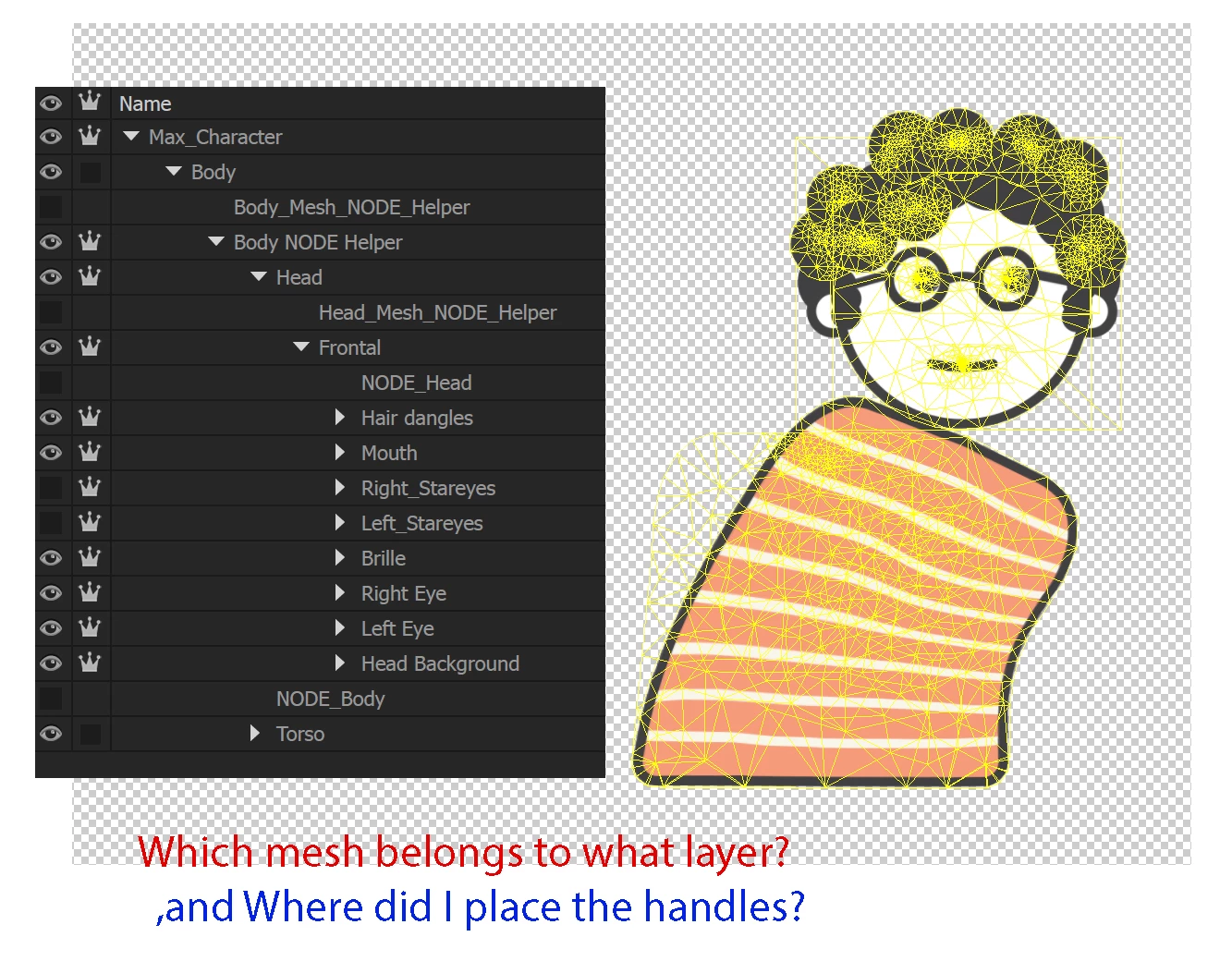
I used hidden Meshes in additional layers, as attachment nodes to get both dragger, hinged and welded behavior on art layers.
2. How are other animators supposed to know where I placed my manipulation handles if there is no way to display them on the puppet?
3. Character animator is difficult to figure out because when you try to see your rigging architecture there is no way to display the entire tree.
(you can only see from one branch of the architecture to the other) Can we get some kind of Node overview for debugging?
4. When I move the body, the head needs to be attached to the body.. from here, how do I get the body to follow the head when it moves?
Stapleing and Attaching the head to the "body draggable" solves most of the problem when using the mouse, but not when the using webcam.
(luckily this is not a big deal on my character's as the artwork has detached heads)
Edit: Apparently you can add a head track to the body as well, this solved the issue for me.
5. The rigg needs to allow for more functionality aimed at mouse only behaviors. Not everyone has a webcam, and not all things are best to animate with it.
(Draggable manipulator handles need to be attached to the object it moves, so that it does not get left behind when the character moves.)
6. Ability of Shortkey preset behavior such as scale transform on a layer, (without creating additional art.) would make certain actions faster.
7. Ability to send renaming and structure information back to illustrator. (so that you don't lose your rigging)
8. Ability to open more than one instance of Character animator. This would be practical as there are currently no way to do a side by side comparison of your rigging.
(I did a few test changes, and ended up using half an hour to get back to my previous state)
9. Last but not least, There needs to be some way of displaying your existing animations while you record and animate changes. Just guessing and trying to remember what animation was there is not super effective when layering added changes.
Great software!
Cheer's!
-Daniel
PS: Is it possible to export the tracking data to a 3d software?


 AdChoices