
Inspiring
June 6, 2019
Answered

Fixed/origin point not working

  • June 6, 2019
  • 4 replies
  • 3334 views

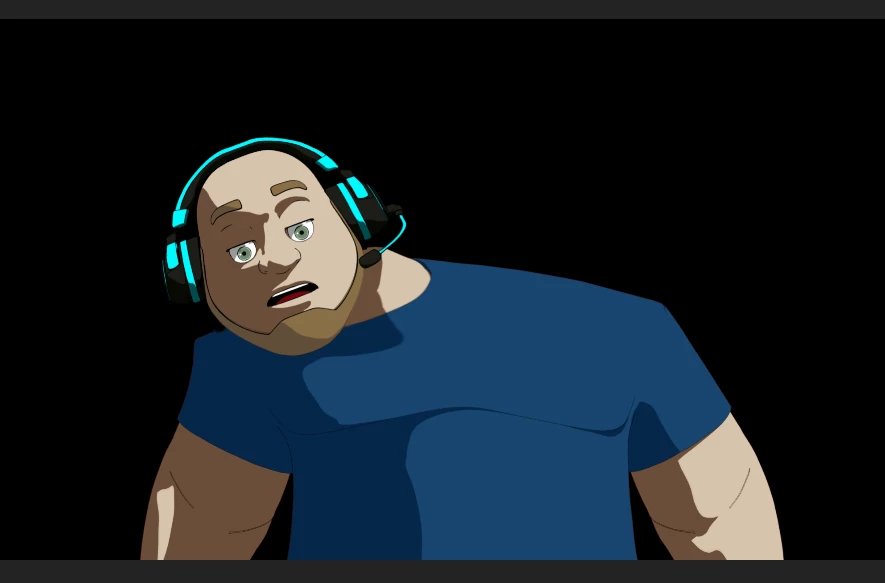
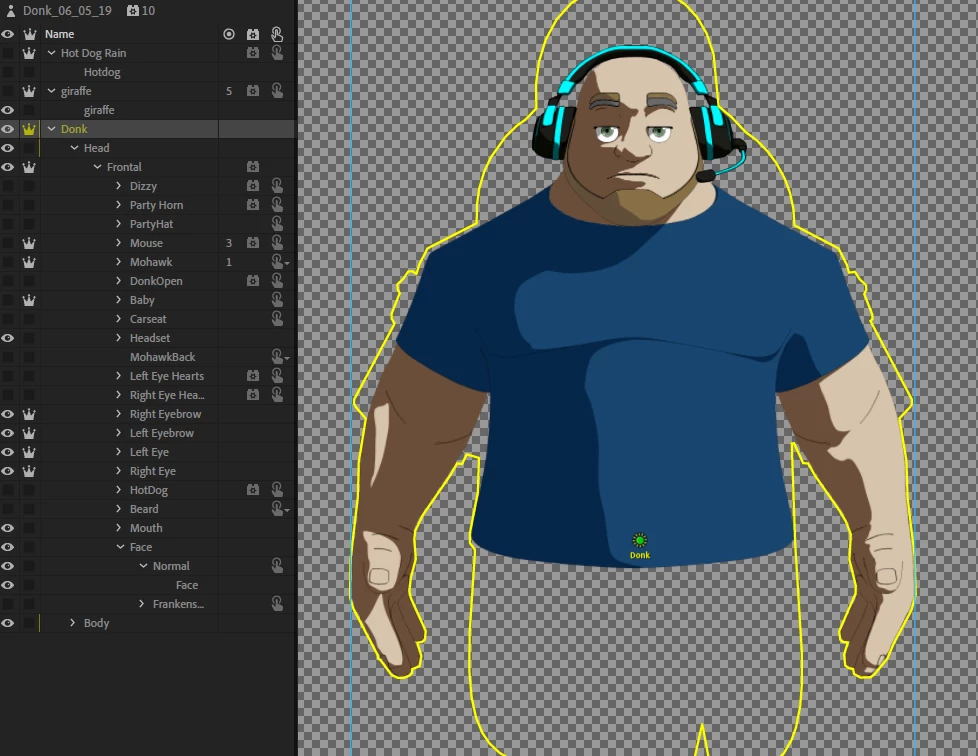
Upgrading to the new 2.1 build release did something to the puppet rig. Originally, this character would tilt left and right with a fixed point at his stomach/waist area. No matter what I do, it seems like the puppet is stuck wanting to bend at a point around his upper chest. I've tried removing all fixed points, adding a new fixed point, and nothing seems to affect it.
This topic has been closed for replies.
Correct answer motionsickfx

Follow up:

Courtesy of the Adobe rigging wizards, these steps worked:

1. The puppet's top level group's Attach Type is marked Weld; there was a 2.1 change that causes this to actually be honored, but I think you'll get closer to 2.0.1 behavior if you mark it as Free.

2. Removed a Mouth tag on the body

3. Removed a fixed pin on Frontal

4 replies

motionsickfxAuthorCorrect answer
Inspiring
June 14, 2019

Follow up:

Courtesy of the Adobe rigging wizards, these steps worked:

1. The puppet's top level group's Attach Type is marked Weld; there was a 2.1 change that causes this to actually be honored, but I think you'll get closer to 2.0.1 behavior if you mark it as Free.

2. Removed a Mouth tag on the body

3. Removed a fixed pin on Frontal

DanTull
Adobe Employee
Adobe Employee
June 11, 2019

Hey, I recognize that puppet (one of the Critically Awkward crew). I'd be interested in taking a look to better understand what changed to make it stop working.

Let me know if I can help out!

DT

Inspiring
June 11, 2019

Hey Dan,

I just sent you a message with a link to download the puppet file if you have time to take a look at what happened. Thanks!!

Jen

DanTull
Adobe Employee
Adobe Employee
June 14, 2019

Just to report back from the side channel for those playing along at home, the two most significant findings (and I had to phone a friend with a higher rigging-fu belt than I have) were these:

1) There was a stray mouth tag on the body which in 2.0 was harmless and in 2.1 a fix made it start "working" which in this case was not an improvement because it caused the body to be pinned by the face behavior.

2) One of the top level group's attachment type was Weld and it needed to be Free (which was, I think, also a change to fix in 2.1 which probably fixed some puppets, but in this case caused some misbehavior).

Anyway, sorry for the inconvenience and glad the puppet it working again.

DT

alank99101739
Legend
June 7, 2019

I would also check the origins of different layers. If you have an origin marker with a tag on it, that can cause problems. Basically I would go through all the layers one by one and check for anything at that exact point. The problems I have heard of going to 2.1 have been changes in which tags got picked up by behaviors, sometimes on an origin marker.

But also agree sometimes its faster just rerigging than debugging!

alank99101739
Legend
June 7, 2019

If you turn the mesh icon on in the scene window (pentagon filled with triangles) as you move around, it can help identify the exact spot something is not moving. That might help work out the source of the problem. (That is, look for handles etc on layers at the point things are not moving.)

Inspiring
June 7, 2019

Thanks, I did just that and it shows the problem area exactly at the upper middle chest area, I had removed all handles, tried moving around the origin points and nothing changed. Something broke in my puppet rig from upgrading to the last release. I guess next step is to see what happens if I start the rigging over with a clean project and hope for the best.