You are thinking about the right tools, but I think you can achieve what you want with those tools. You can also do it in After Effects, but I find it more convenient personally staying in CH as long as possible.
Here is a butterfly blog I wrote - the butterfly flies around erratically, similar to your octopus. https://extra-ordinary.tv/2018/02/04/butterflies-and-poppies/ - I moved that butterfly with a dragger.
For the following I put a dragger on each hand plus a dragger on the chest. I did a first recording for the arms, then I rewound the playhead and recorded the chest movement with the same dragger. (This puppet had pins on the feet which I removed to make it float.) This video has a simple example Project Wookie, Episode 3: Recording a First Scene - YouTube (I skpped into the video) - if you play from the start it shows recording one hand then the second. plus renaming the handles to make it easier to understand in the timeline.

One thing you can do if you want to get fancy is add multiple dragger behaviors to a puppet. Go to the level of the puppet you want (the root is fine) and add a new dragger behavior. There is a column in the puppet hierarchy that has a lego brick icon. If you hover the mouse in that column a little plus appears. Click on that and a drop down list appears of behaviors you can add - add another “Dragger” behavior.
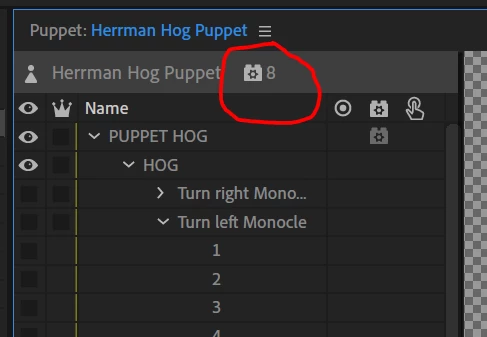
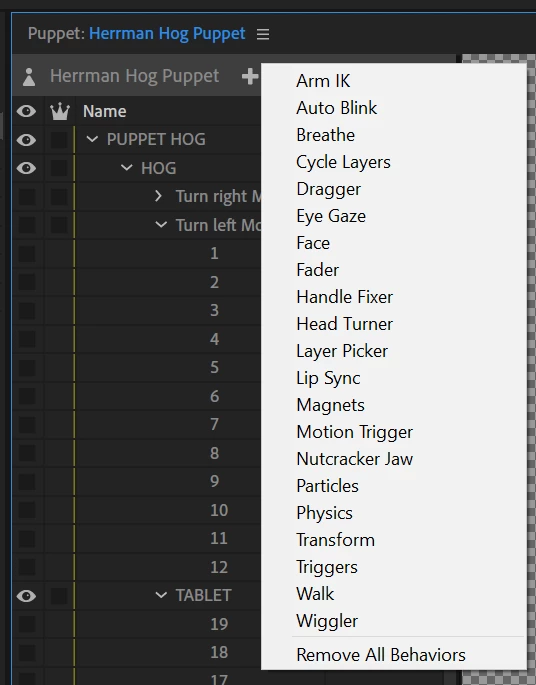
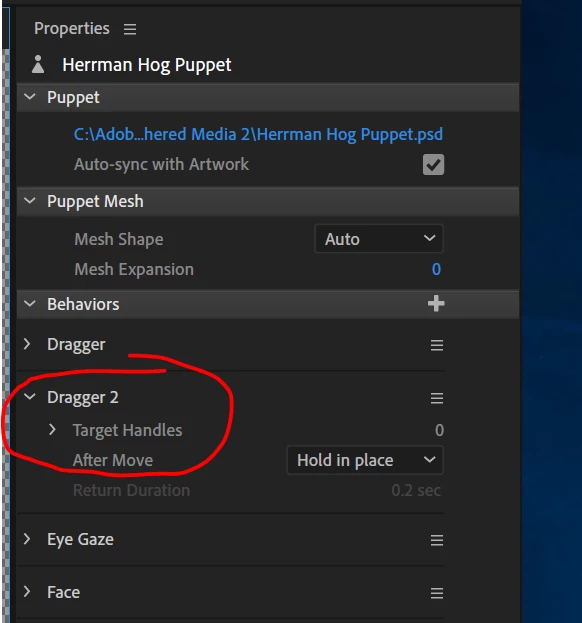
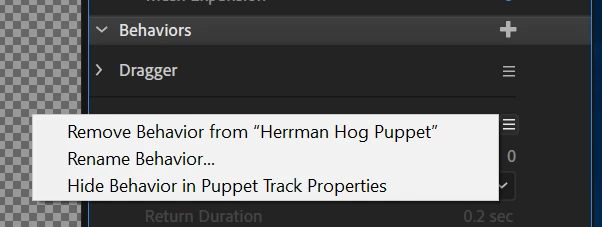
To give a better name, click on the three horizontal bars and select "rename behavior" - makes it easier to remember which dragger to use when.
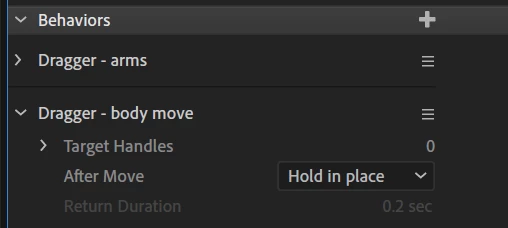
What that allows is you arm (click the red dot) next to one dragger at a time . The benefit of this is you can arm the arms dragger and do all those recordings, then disarm it and arm the body dragger, and as you drag the body around you will see the arms moving.
You can also use Transform as you suggest. Yes, you can record X and Y, but not at the same time easily. But you can record one, then record the other. I normally only do this using blends which are good for moving in a straight line only. It would be pretty painful for a “floating” thing.
In the new version of CH there is a new feature that could be helpful called "replays" - look in the forums for the tutorial links and there is a new tutorial on replays there. Allows you to record and sequence and reuse it with a single button click (e.g. arm waves).



 AdChoices