Participant
November 6, 2018
Answered

Frontal view not showing when stopped walking

  • November 6, 2018
  • 2 replies
  • 1026 views

Hi there!

I'm new to animator so sorry if this is dumb but I followed a tutorial and the thing he said to fix this didn't work.

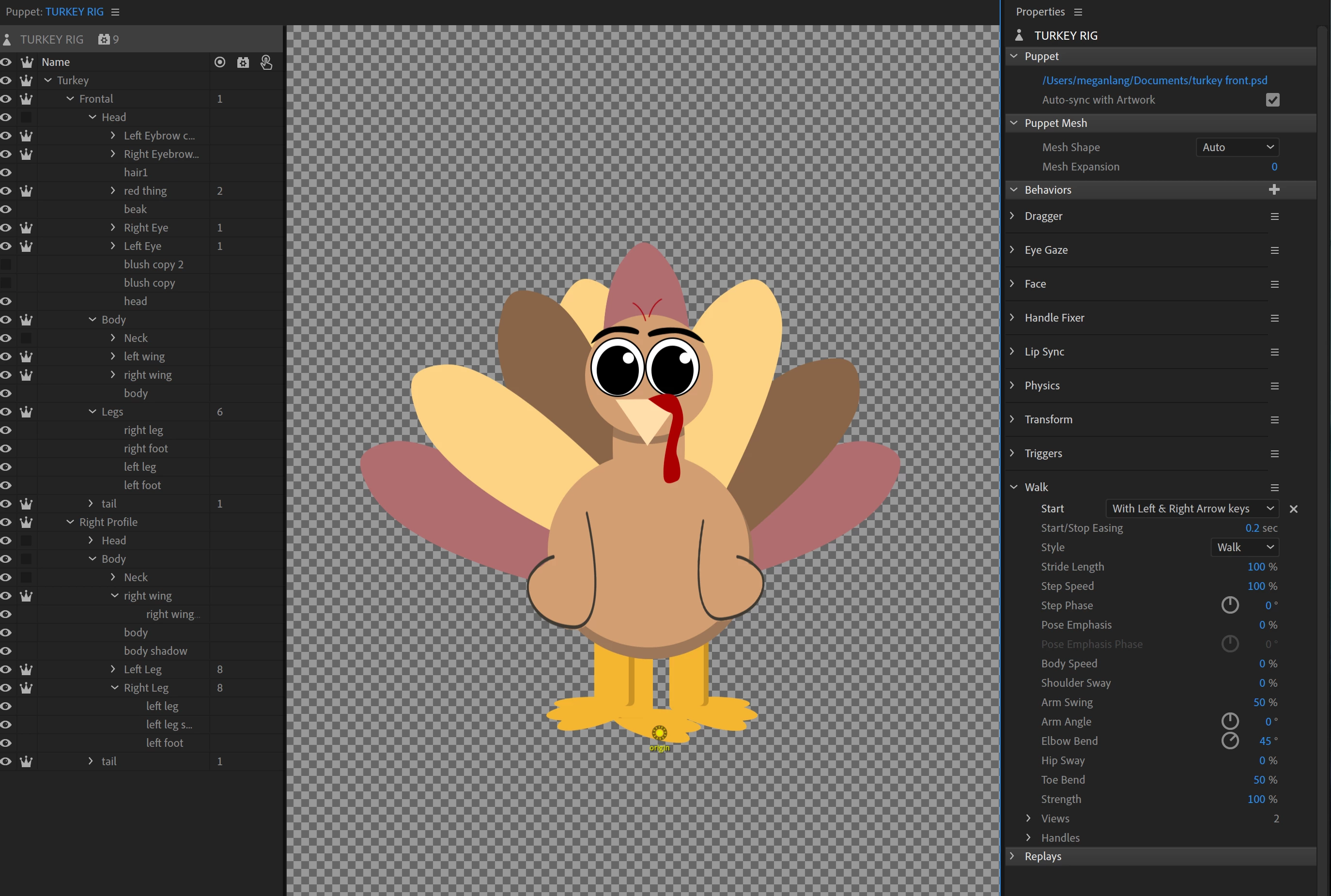
So my character only shows up in the walk cycle when he's walking, not when I stop pressing the arrow key. The layer is turned on, which was the tutorial's fix for this. Not sure what I'm missing.
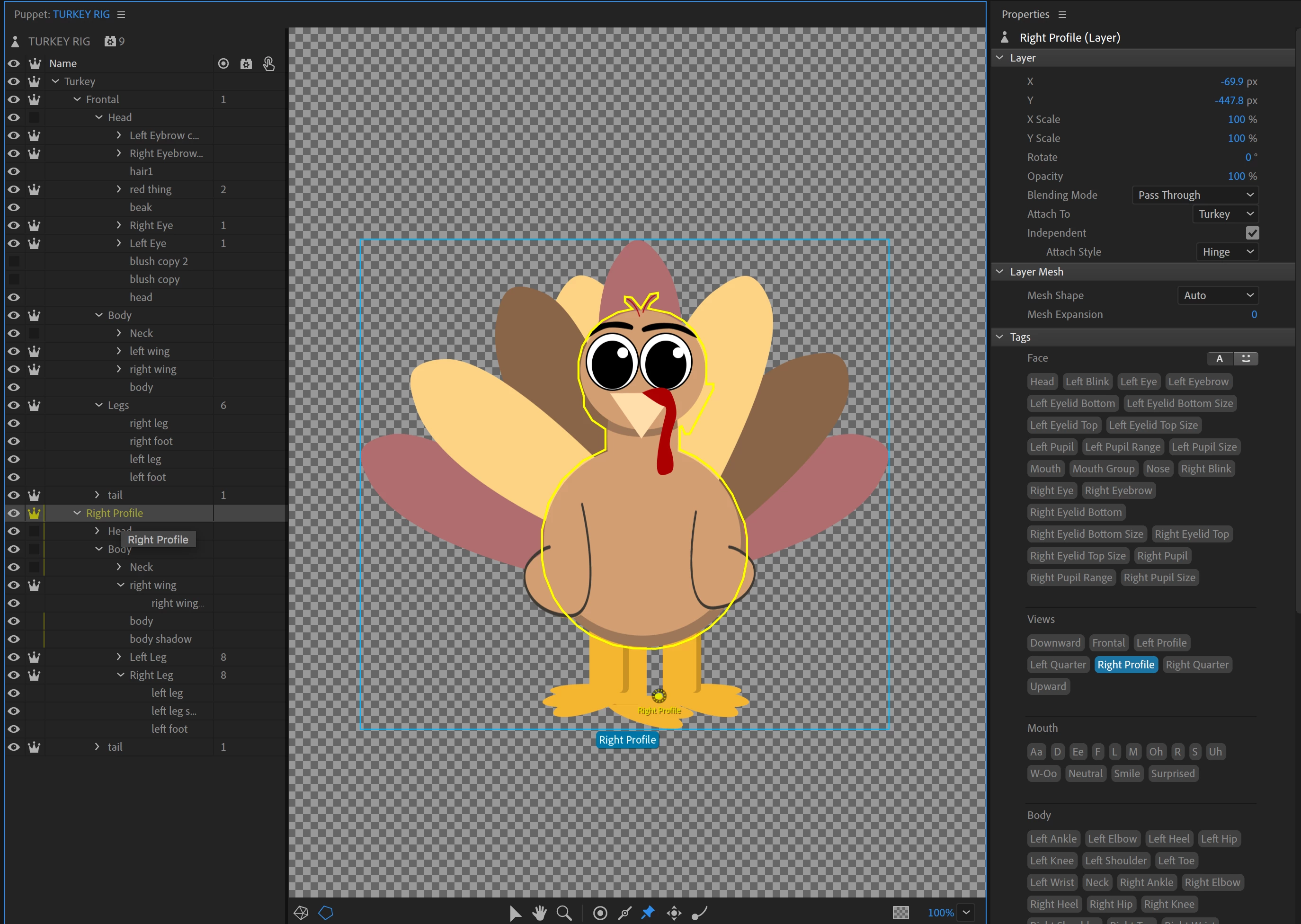
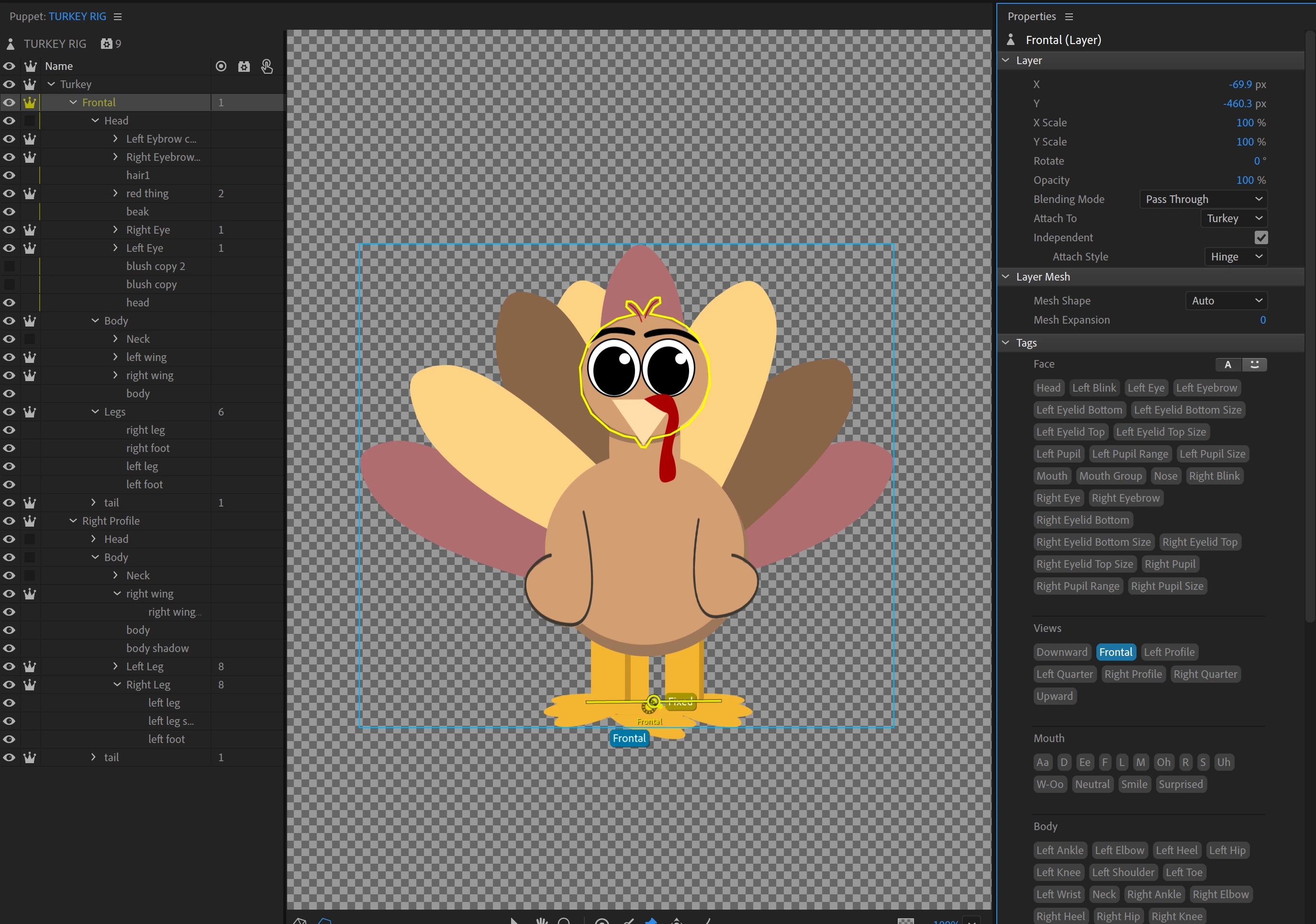
I've also tried tagging the frontal one with left profile too per someone's answer on here before but that didn't work either.


Thanks for the help!

This topic has been closed for replies.
Correct answer alank99101739

Try expanding the “Handles” section of the walk cycle. That should show you what the wall cycle has bound to. (Feel free to include a screenshot here.)

My recollection from a tutorial was the “Frontal” tag is not used. It does not hurt, but its not used. (Hmmm, not sure if that changed in the latest release now there are quarter walk profiles.) What is important however is to make the frontal layer visible and hide the other profiles (turn off eyeball). When turning, it will hide all siblings except the direction its facing when walking left/right. It will just display the default settings when not walking (it does not hide the other profiles is my recollection - “Frontal” is not actually used.)

Sorry, not near a computer to confirm. That is my recollection.

That does not quite explain what you are seeing however - the screenshots showed lots of eyeballs on. But I was not sure if you were changing that during debugging.

2 replies

alank99101739
Legend
November 6, 2018

Do you have a head turner behavior added As well? It shares the same tags which can create confusion. If so, check it’s view area etc as well for unexpected things.

You should not put the left profile tag in frontal.

Note - you see some of the handles have count 1 and others 2? Strange! Eg left toe has 2 but left heel has 1. I would expand them as well And see what is going on.

if your puppet only has a right profile, that should be fine. i would tag frontal and right profile and leave rest off. Then check the toe etc and view sections to see if it makes sense or strange things going on.

Participant
November 6, 2018

I don't have any behaviors on it other than walk.

I think I didn't mark the feet as much for the frontal since it doesn't matter cuz it's not moving, but I added the missing tags.

When I only tag frontal and right view, only the right view comes up in the walk cycle under views which I think is the main issue.

alank99101739
alank99101739Correct answer
Legend
November 6, 2018

Try expanding the “Handles” section of the walk cycle. That should show you what the wall cycle has bound to. (Feel free to include a screenshot here.)

My recollection from a tutorial was the “Frontal” tag is not used. It does not hurt, but its not used. (Hmmm, not sure if that changed in the latest release now there are quarter walk profiles.) What is important however is to make the frontal layer visible and hide the other profiles (turn off eyeball). When turning, it will hide all siblings except the direction its facing when walking left/right. It will just display the default settings when not walking (it does not hide the other profiles is my recollection - “Frontal” is not actually used.)

Sorry, not near a computer to confirm. That is my recollection.

That does not quite explain what you are seeing however - the screenshots showed lots of eyeballs on. But I was not sure if you were changing that during debugging.

alank99101739
Legend
November 6, 2018

Oh, check the “Views” are too, just above “handles”. If you could expand them both and include a screenshot here that could help. I notice it says two views.