Known Participant
January 5, 2021
Question

Getting Several Error Messages trying to open a project. Please Help

  • January 5, 2021
  • 2 replies
  • 1020 views

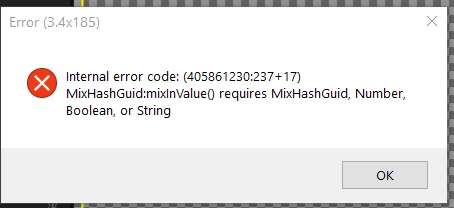
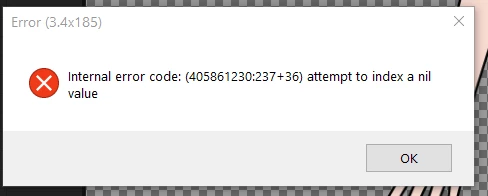
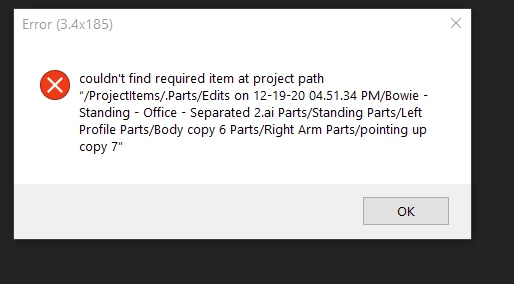
I am working on a complicated puppet from an Illustrator file that has probably over a hundred layers. Yesterday I was setting up all the swapsets and things were working smoothly. Today I tried to open the file and I am getting all these error messages. I tried to open an older backed up version and it also is getting these messages. This is many days of work, is there anyway to salvage this?
 

This topic has been closed for replies.

2 replies

Erica Schisler
Inspiring
January 5, 2021

Check out Okaysamurai's response. But if you are still needing help please do let us know. 

oksamurai
Community Manager
Community Manager
January 5, 2021

Usually going into your History panel and going back several steps fixes these kind of issues. These are usually found with sync issues, most prevalent if you have your files on a cloud backed system like Dropbox that might not sync everything correctly.


Some older threads might help as well: https://community.adobe.com/t5/forums/searchpage/tab/message?advanced=false&allow_punctuation=false&filter=location&location=forum-board:character-animator&q=Internal%20error%20code

HybridaAuthor
Known Participant
January 6, 2021

Using the History Panel seemed to have work, but I am running into the same problems rebuilding the puppt, so I decided to simplify the puppet and reduce the amount of layers in AI. Also I am not using any sync/cloud based back system like Dropbox. For now, I am working in stages (the swapsets) while restarting the computer and making sure the project file opens. By doing this, I was able to pinpoint when these error codes started appearing. It seems there is a point when Character Animator is dealing with too many layers from AI that will start causing errors? Especially when building a lot of swapsets? Is this possible?


Also, I am using a new production computer with an AMD 5900x cpu and the error messages I am getting from this pc is different than my home Intel PC running an i7-6700K. The AMD pc is getting all 3 error messages I posted above, but the Intel PC is only getting the 'couldn't find the part' error.


When the puppet works, I'm very happy with it, but I guess I have to be mindful now of how big I make the AI file to create a lot of swapsets.

oksamurai
Community Manager
Community Manager
January 6, 2021

Size theoretically shouldn't matter here, but what I'm guessing is happening is something in your ChData folder is getting out of sync one way or another. That's why I mentioned the cloud-backed thing - we see a lot of problems like this where one of the hundreds of files that can appear inside Ch Data doesn't sync properly, and then it throws the whole project off - so a local copy is always preferable. So honestly I don't believe it's a size or swap set issue - I think at some point, for whatever reason, one Ch Data file got corrupted or out of sync and started causing problems. But if it keeps happening let us know - you can .zip up the project + supplemental folders and DM it to me for us to take a closer look at.