


rlbarsi
Participant
July 4, 2019
Answered

Glitch Color Bars Replacing My Character

  • July 4, 2019
  • 4 replies
  • 1949 views

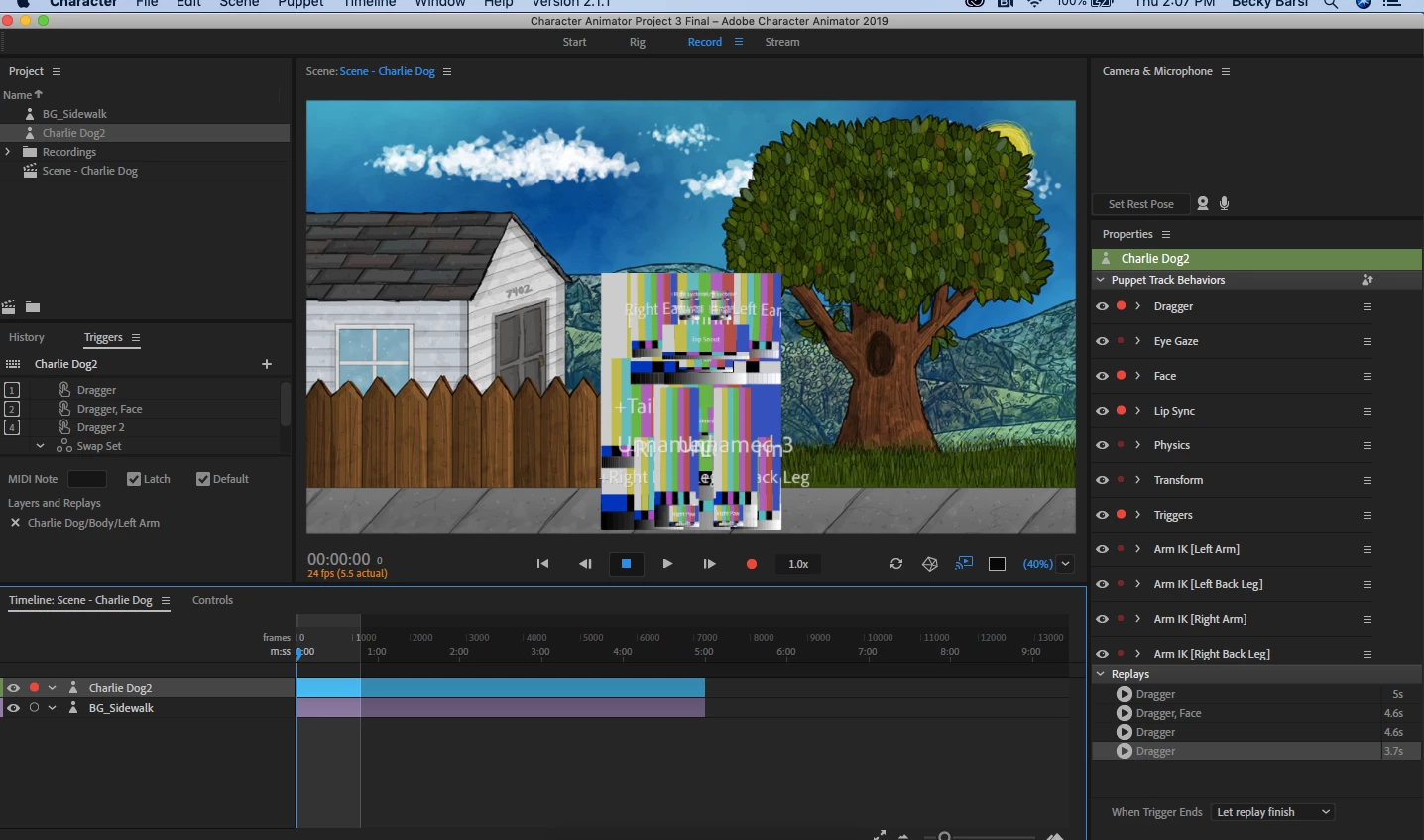
Hello, I have been working on a series of character animations for the past week. Today I opened Character Animator and my character has been transformed into what appear to be the color bars that once showed up at the end of a VHS tape. What do I do?
Correct answer alank99101739

What it means is the filename to the artwork is wrong. Eg files got moved (or deleted). I think if you single click on a puppet the top property shown in the property panel will be orange (not connected). If you click on the path you can fix the path name to where the artwork is now and it will start working again, You just have to relink the artwork,

4 replies

Participant
July 8, 2025

Amazing! This has happened a few times and I never knew why, but now I do! Simple fix, THANK YOU!

Shivangi_Gupta
Community Manager
Community Manager
July 8, 2019

Hi beckyb,

Thanks for reaching out. I agree with @alank, the puppet gets replaced by colored bars like these when the application is unable to link/read the original file.

I hope it helps. Let us know the outcome.

Thanks,

Shivangi

alank99101739
Legend
July 4, 2019

Click on the puppet in the project panel, not the timeline panel.

alank99101739
alank99101739Correct answer
Legend
July 4, 2019

What it means is the filename to the artwork is wrong. Eg files got moved (or deleted). I think if you single click on a puppet the top property shown in the property panel will be orange (not connected). If you click on the path you can fix the path name to where the artwork is now and it will start working again, You just have to relink the artwork,

Participant
February 17, 2025

Where do you refer spesifically as "path"? I mean, where exactly should I click to change path?

Gamecreature
Inspiring
February 17, 2025

When you click on the puppet in the project window on the left, you will see the "puppet" window in the properties panel to the right. The path is highlighted in blue. Click on it and explore the directories for the correct location of your files.
