


Participating Frequently
September 23, 2022
Question

Having a lot of issues...

  • September 23, 2022
  • 4 replies
  • 337 views

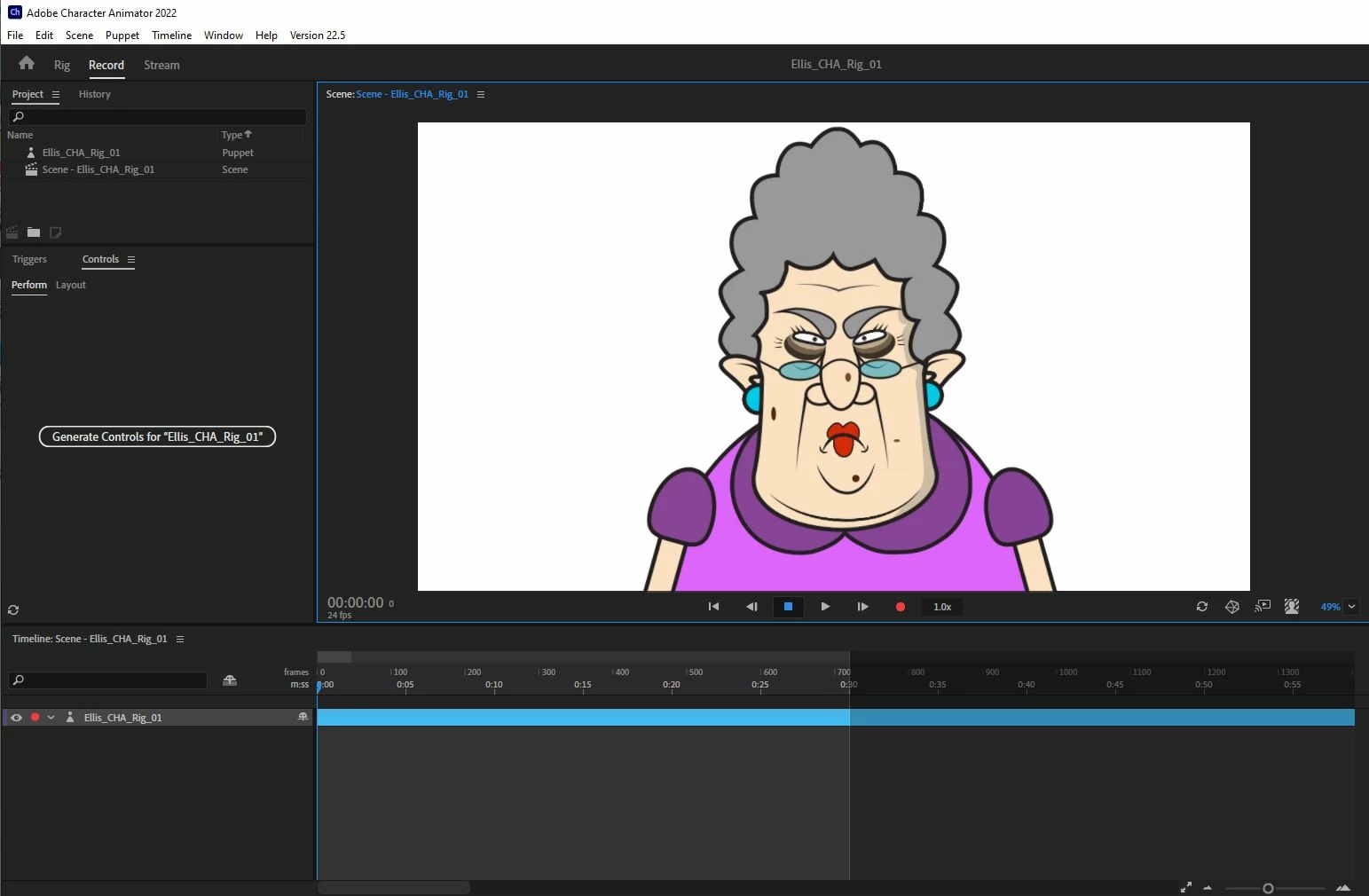
So for this rig im having a lot of weird issues:

1. Eyes are warping when the character looks around

2. Head floats around and body does not move at all

3. I cant get the upper arms unstuck from torso

4. Mouth chart wont respond at all

5. Not sure how to get the hand to stay upright when I lift it up


If anyone who could help me hammer out these issues, I would greatly appreciate it! Below are some links to the project files.


https://drive.google.com/drive/folders/1jCTmUqEmj6vOaT-n4uqWOUVHecUnSJNq?usp=sharing


https://drive.google.com/file/d/1erE6Wk5R-cwV4ys-FAJA1LZ1sGOBd25A/view?usp=sharing
 

This topic has been closed for replies.

4 replies

k_oshiro
Community Expert
Community Expert
September 24, 2022

Fixed puppet.
1) In the eye layer
The eye tag and pupil tag were attached.
(2) The pupil tag was removed.
pupil tag was added to the pupil layer.
(3) Created a new layer for the pupil range and added tags.


https://drive.google.com/file/d/1r56iuKKwk380hjCLPTnV9MMrxc5P7a5V/view?usp=sharing

k_oshiro(AdobeCommunityExpert)
k_oshiro
Community Expert
Community Expert
September 24, 2022

I went to the link
I downloaded your project.
However, the link for the puppet seems to be broken. The puppet did not display properly.
Usually Gathered Media contains PSD or AI files.(I can only find images of Chad.)
Please choose File→Copy Media Files to Project Folder.

Or
Export and share only the Puppet.

k_oshiro(AdobeCommunityExpert)
TheOriginalGC
Community Expert
Community Expert
September 24, 2022

The second link is a link to the AI for the puppet. I suspect that the user did not use the puppet exporter?

k_oshiro
Community Expert
Community Expert
September 24, 2022

TheOriginalGC-SAN

Thanks for your advise.
I was able to link the Ai file to display his puppet.

k_oshiro(AdobeCommunityExpert)
David25727707wpd6
Inspiring
September 24, 2022

Some of the more experienced users will likely get this solved for you. In the meantime, having run into similar problems as a new user I will share a couple of my troubleshooting tips. Hopefully they will help you to feel less frustrated. First, open a copy of the Blank puppet template and your puppet in whichever program you used to create it. Then compare the layer structures, independence, etc. of your puppet to Blank. You will probably find something there that will fix some problems. Another troubleshooting techique that I use is to go into Rigging, and literally layer by layer, turn on independence, and then go to Record and move the puppet to see what happens. Go back to Rigging and change independence on another layer and back to Record and check again. I  do this until I find the problem.  Usually, just as OKSamurai says in his tutorials, if something is getting stretched or parts of the puppet are not moving the right way, it probably is related to the independent setting. But it might be the independent setting on a different layer than the one you are moving. I have found it helpful to make  a "cheat sheet" of tips from the tutorials and my experience that I keep on my desk to help me learn the right way to set up my puppet. The good news we get to play with puppets while we learn. The downside is...ugh! The learning curve! I hope you will post something so we can give applause when you get this straightened out! Hope this helps!

TheOriginalGC
Community Expert
Community Expert
September 23, 2022

The head and body both need independent turned off to fix the floating. Still trying to debug the rest.