IAmChrishonda
Inspiring
Nov 21, 2021 7:22 PM UTC
Answered

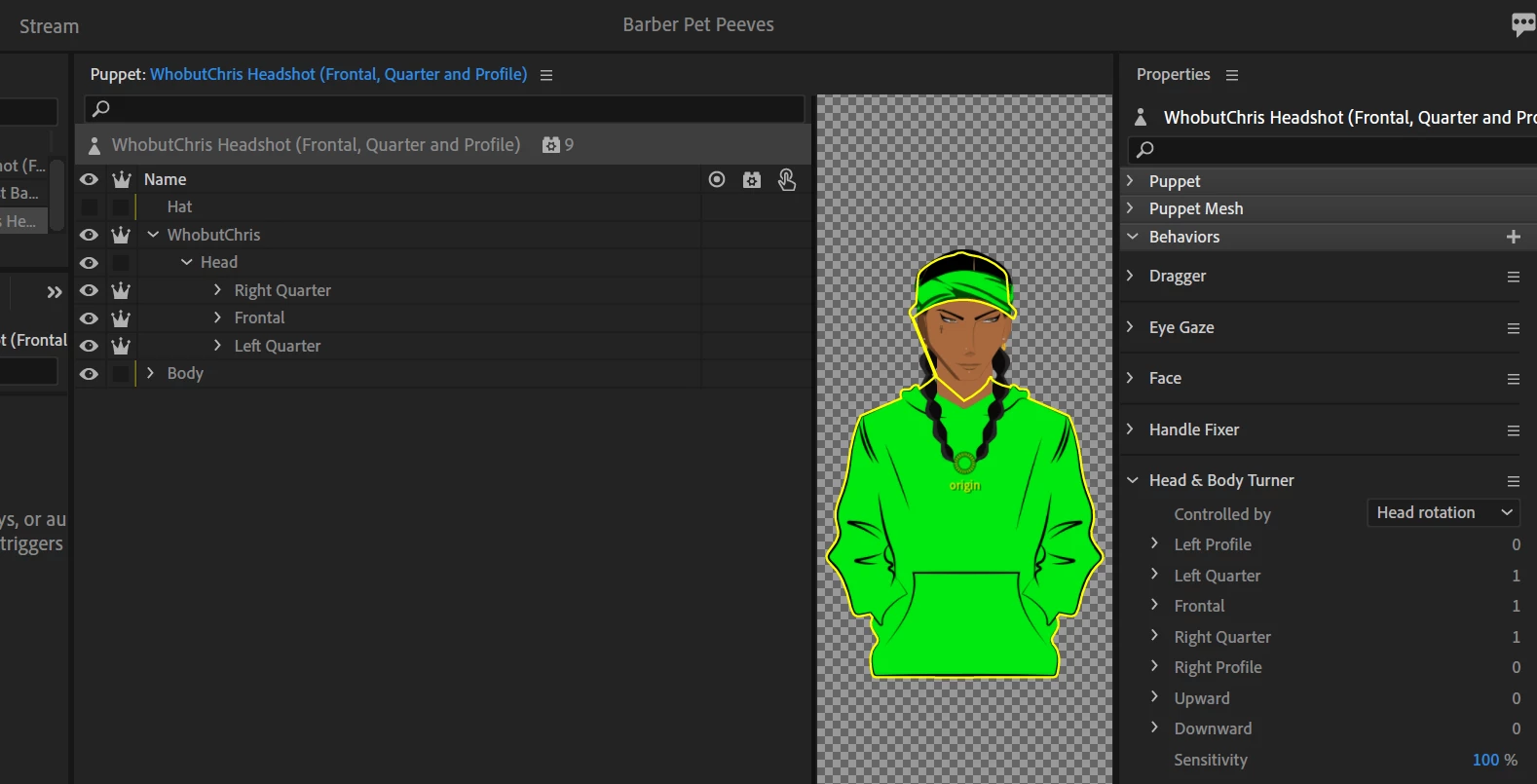
Head disconnects from Body

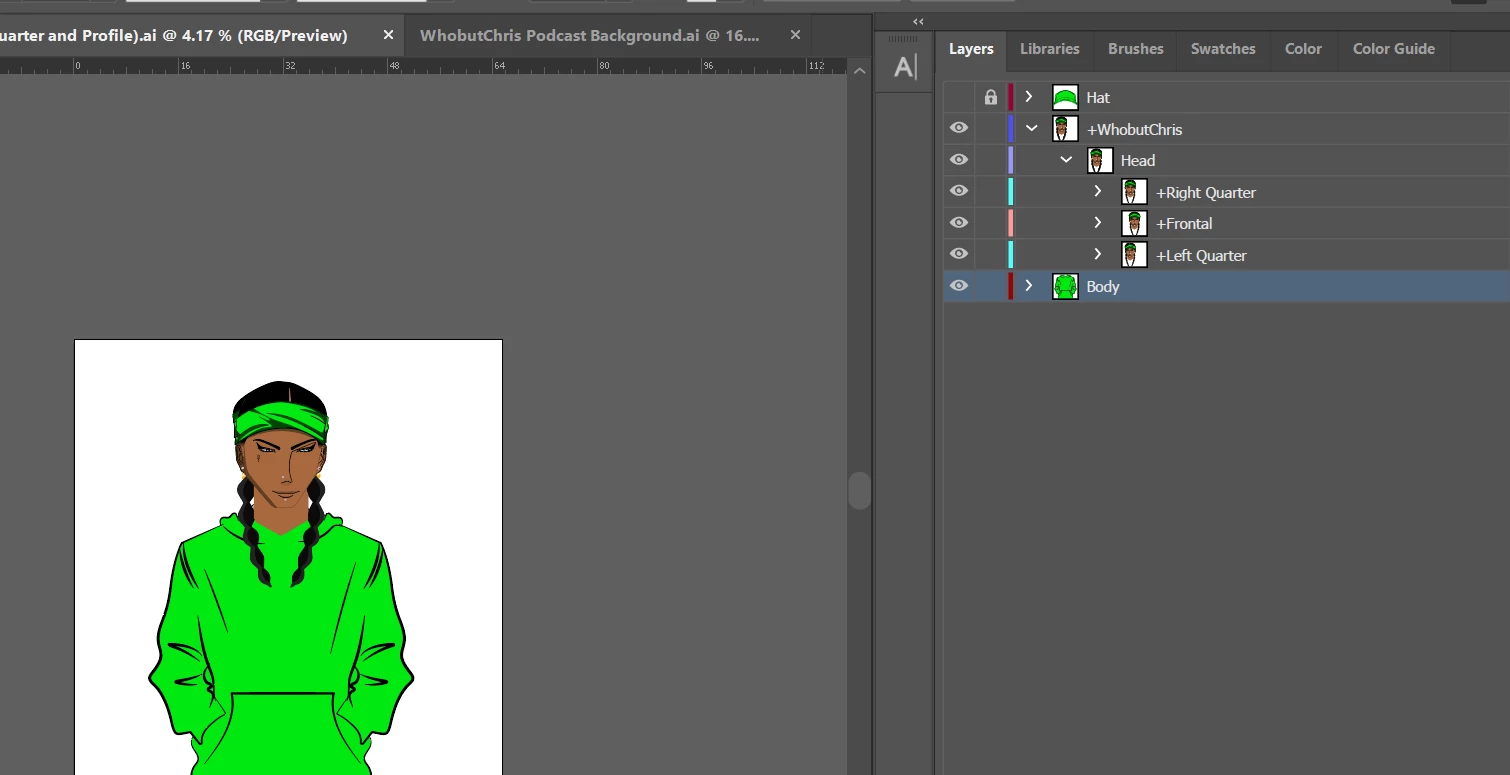
Whenever I put the body layer (in Illustrator) under the +WhobutChris layer as one whole layer, the hoodie disappears in Character Animator. So I made it it's own layer and now it won't move, but the head will.
 

This topic is closed to new replies. Start a new post to keep the conversation going.
alank99101739
alank99101739Correct answer
Legend
Nov 22, 2021 5:30 PM UTC

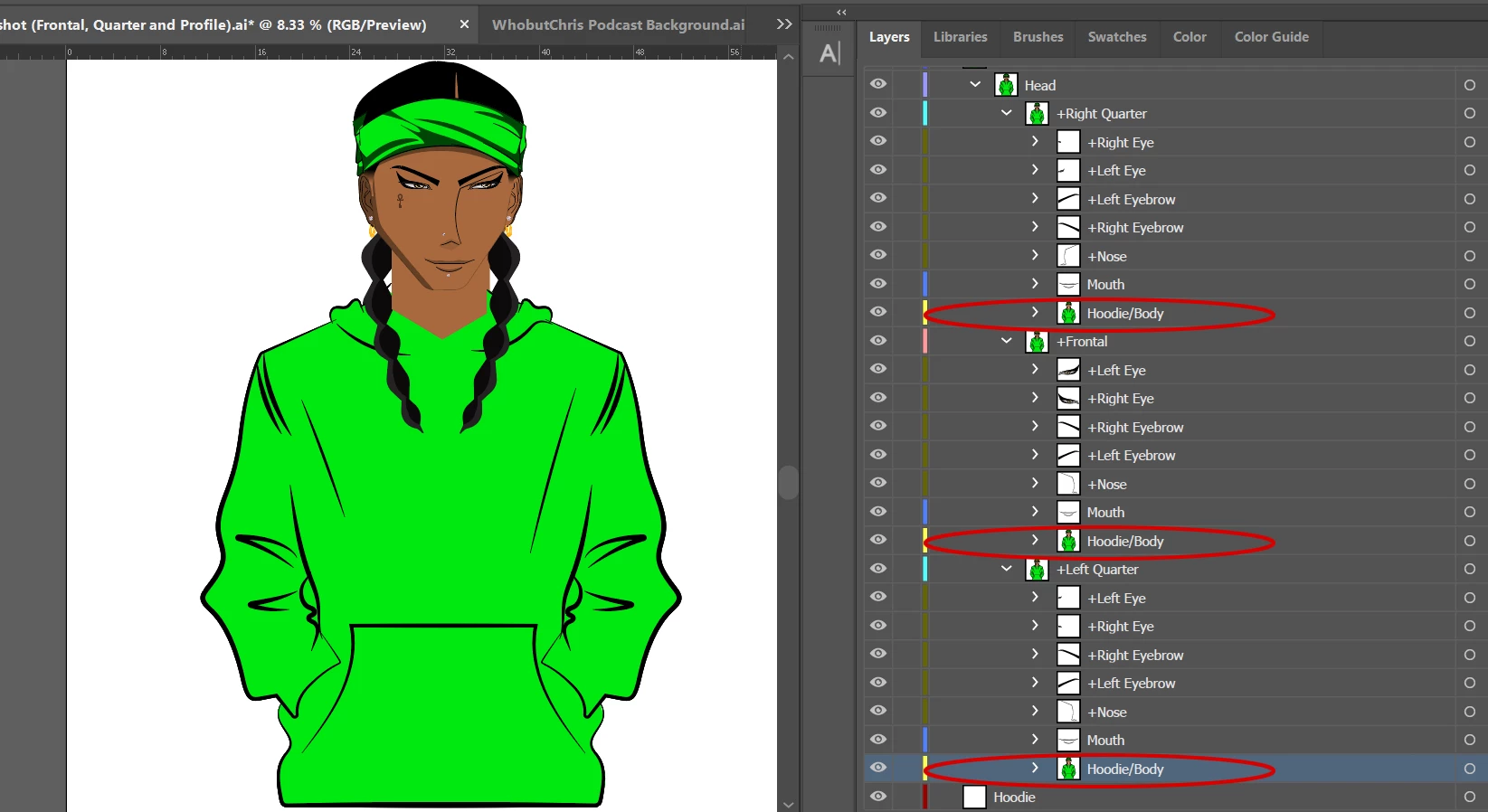
Ok so I just duplicated the body (hoodie) layer and added it to the quarter layers and that solved it. 


Two alternative pieces of advice:

  • That should not be necessary - dig in to learn what you are doing wrong
  • You got it working - get on with your life because time is short

Your call! 😉

6 replies

alank99101739
Legend
Nov 21, 2021 11:07 PM UTC

Generally there should be a single root, +Whobutchris. Inside is generally Head and Body. I would normally put Hat inside the Head layer so it follows the head. You have head turns I see - so I would put a copy of the hat inside each head turn as it will display one of the turns at a time, hiding the other children. If you put Hat next to the profiles, that might be why the hat disappeared (the profiles might have taken it as a different profile so hid it).

Translate
IAmChrishonda
Inspiring
Nov 22, 2021 1:34 AM UTC

This is what I mean when I say the head disconnects. I don't want the hat included right now. The neck and head disconnects from the hoodie. I was wondering if the Body layer was misplaced.

Translate
IAmChrishonda
Inspiring
Nov 22, 2021 2:04 AM UTC

Also, when I included the Body layer with the +WhobutChris layer, the hoodie always disappears in Ch. Animator.


Translate