Known Participant
January 13, 2017
Question

HELP

  • January 13, 2017
  • 1 reply
  • 346 views

Help!

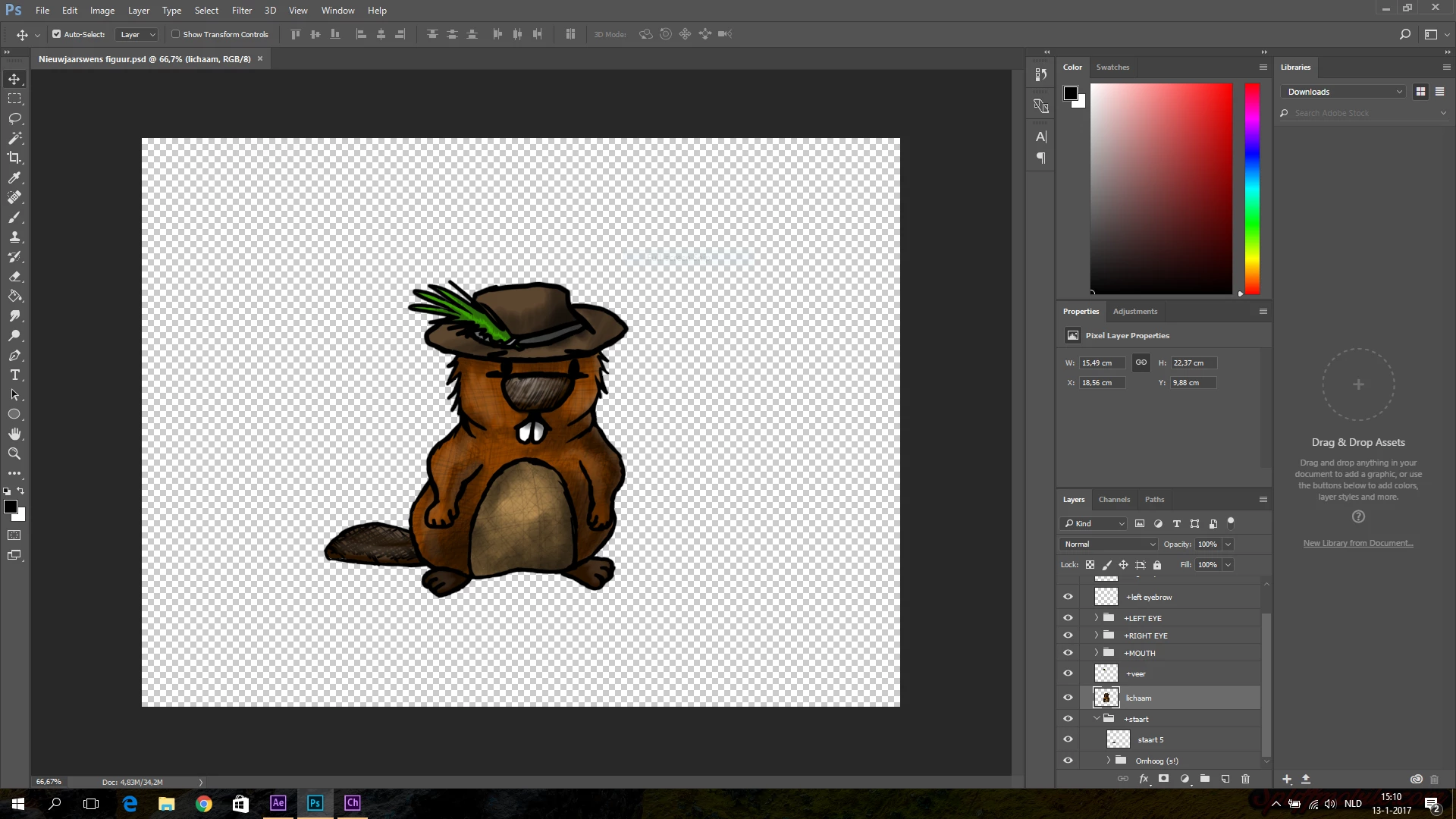
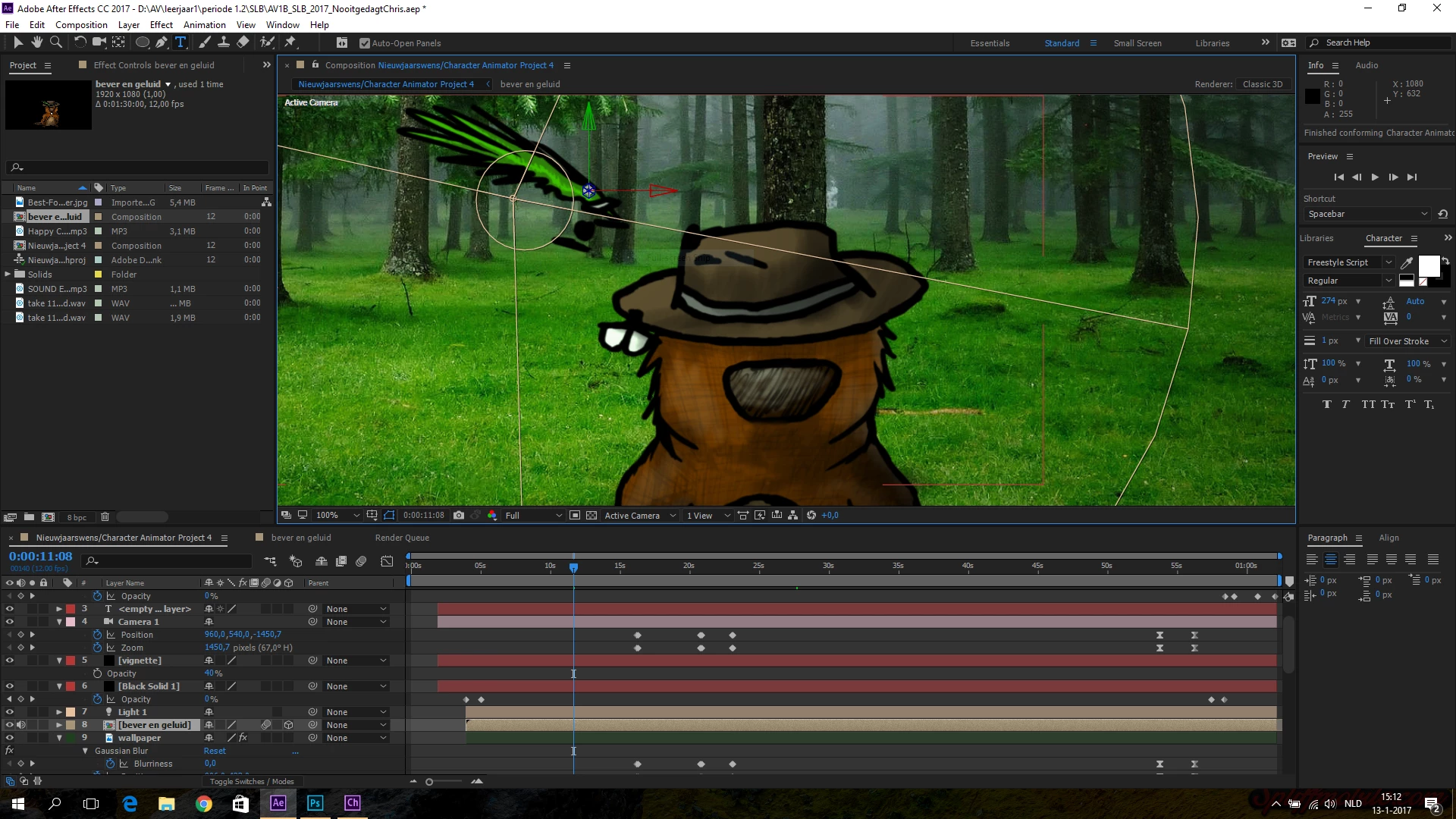
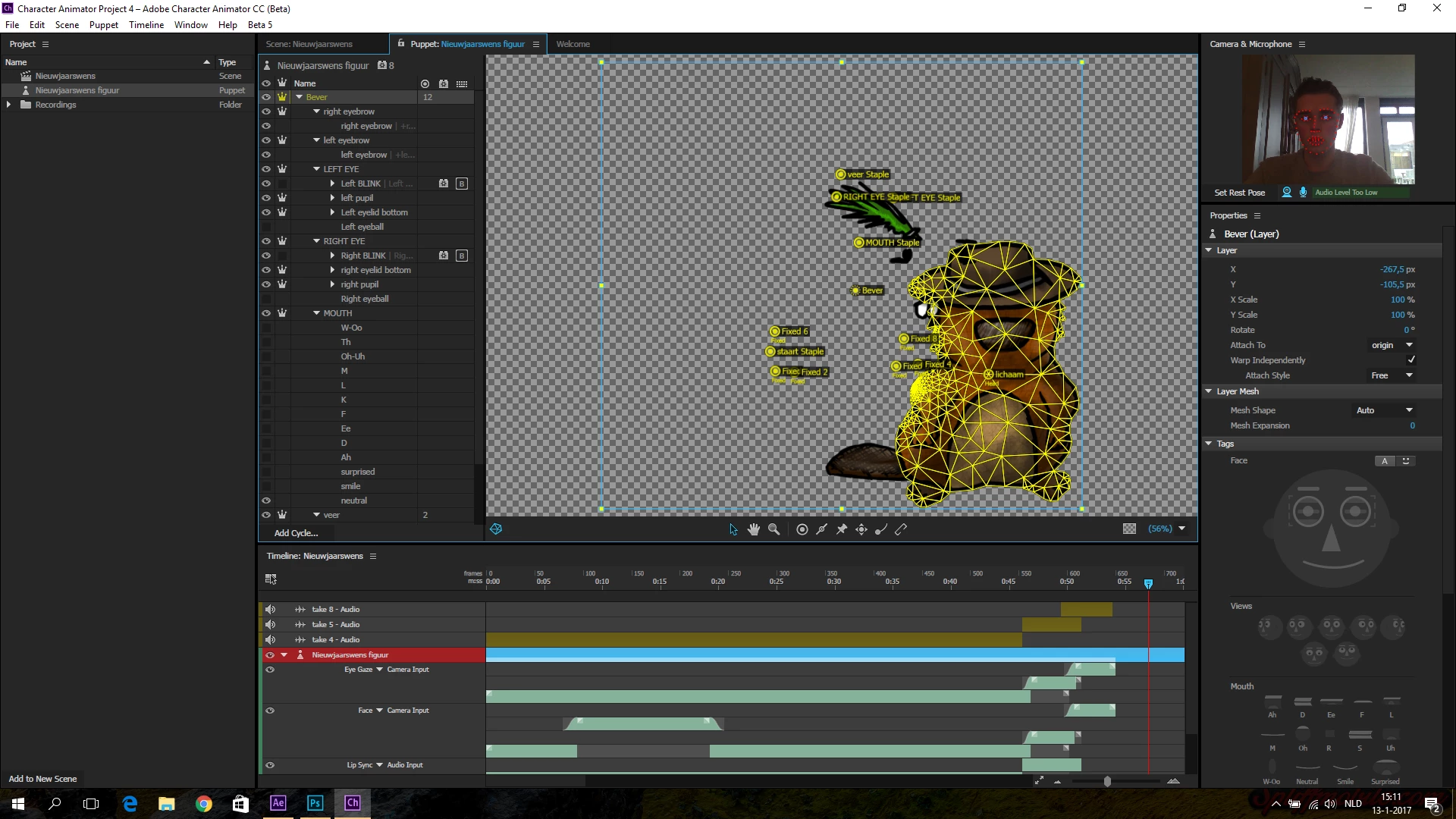
I don't know why it happened, but when I closed Photoshop it said 'save changes?' and I clicked 'yes'. The moment I opened After Effects to render my project, the body of my beaver appeared at another position than it should be. The eyes, mouth, eyebrows, dangling feather and fix points remained on the same place. When I opened Photoshop again everything was just normal. What can I do?

Look at the pictures to see what I mean.
Chris

    This topic has been closed for replies.

    1 reply

    oksamurai
    Legend
    January 13, 2017

    Unfortunately this is an annoying sync bug. If I remember correctly, it happens when you add or remove stuff from a group and change its origin (middle), and some of the old parts get miscalculated with the old origin and get pushed out. On a new import it should display correctly.

    Personally when this has happened to me I usually manually drag the parts back in place in CH - take a while but worth it - or reimport the character if I haven't done much rigging yet.

    Sorry for the trouble. This should be fixed in an upcoming release.

    Known Participant
    January 13, 2017

    I figured that when I do ctrl-z in Character animator, my character looks normal again. But when I open Photoshop, Character animator starts to update the file again and it's again messed up. In Photoshop I can't redo anything because I closed Photoshop, and an earlier (auto)saved version doesn't seem to exist on my computer.

    I guess I'll just reposition the body in Character animator, thanks for your answer.

    Chris