
ScooterD76
Legend
February 27, 2019
Answered

Help, I've gone an broke my puppet!

  • February 27, 2019
  • 3 replies
  • 817 views

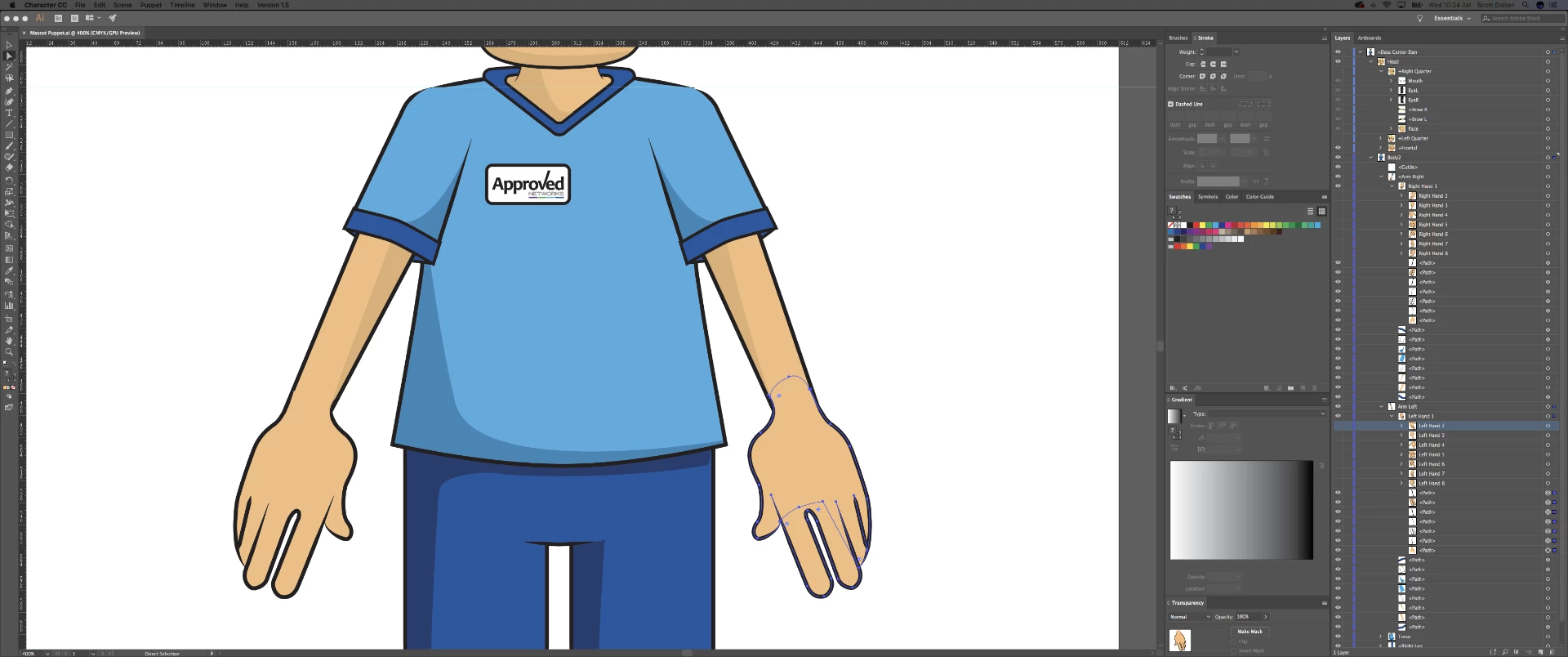
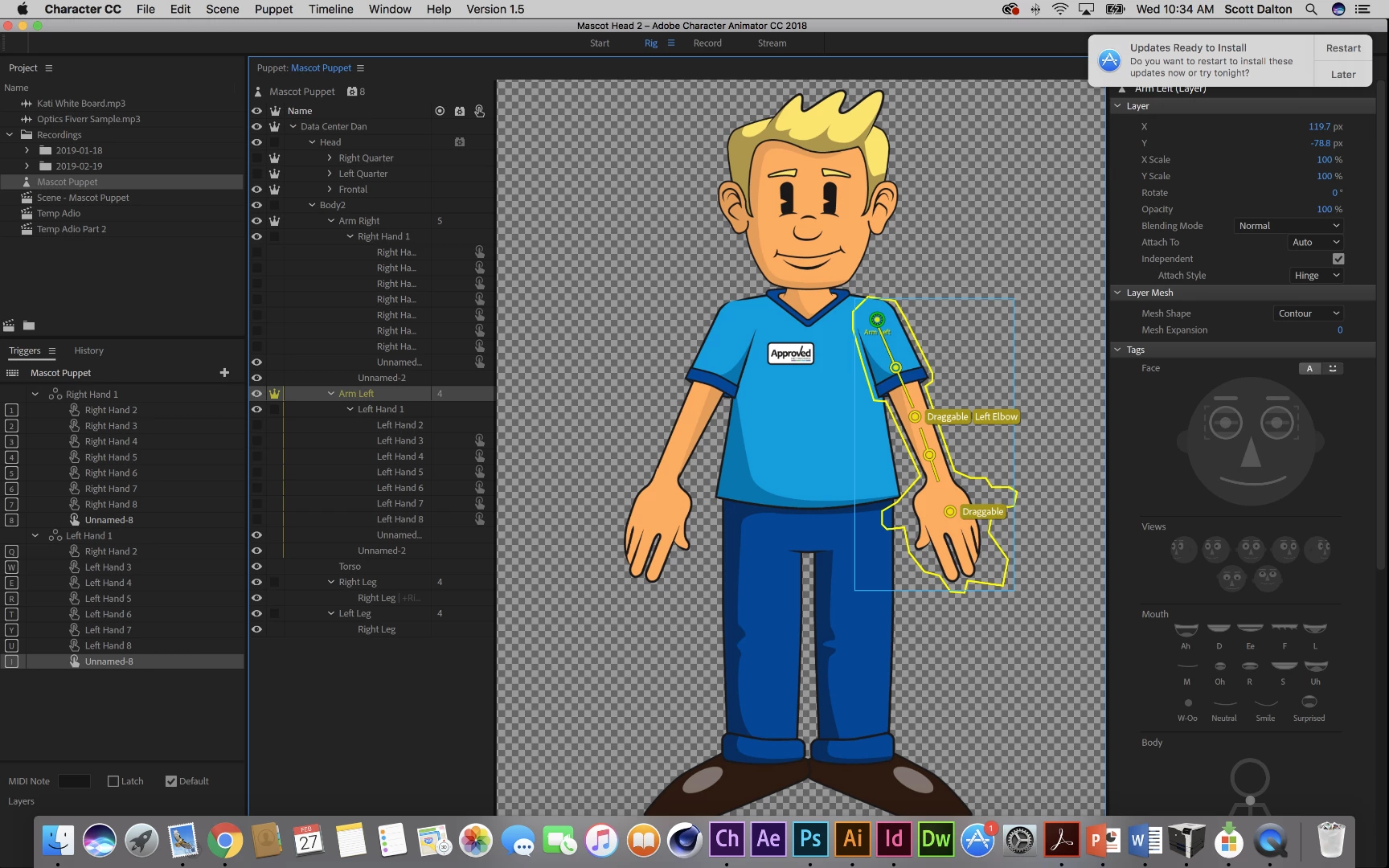
So, I needed to go in and do some alignment and fine tuning on the hands in Illustrator ( see screensshot ) In order to see what I was doing i needed to remove the default artwork in "Left Hand 1" temporarily, so Command X'd it, and made my edits to the individual hand swap sublayers. When I pasted the default hand back in, it came in as a group, "Unnamed". now in CH the default hand is always there, not disappearing when the trigger key is pressed. (the triggered position appears behind)

First thing I tried was to ungroup "unnamed" so it went back to paths and I arranged them as they are in the still working correctly right hand.

So wondering if theres a way to fix this, or a better methodology in making my illustrator edits, as i still need to make those adjustments in the right hand.
    This topic has been closed for replies.
    Correct answer alank99101739

    Why is your Right Hand 2 trigger under the Left Hand swapset? ;-)

    3 replies

    alank99101739
    Legend
    February 28, 2019

    Cool. I am guessing Ch deleted the trigger (and removed it from swapset) when you redid the hand. Yes, the default has to be in the swapset for it to turn it off when a different trigger in the swapset is selected. Glad you got it working again!

    alank99101739
    alank99101739Correct answer
    Legend
    February 27, 2019

    Why is your Right Hand 2 trigger under the Left Hand swapset? ;-)

    ScooterD76
    Legend
    February 27, 2019

    haha you saw that? That was a reuslt of a mis-labeled layer when i first built. ( there was a lot of copy/pasting going on) I renamed the layer, deleted that trigger and re-created one with the proper name. That may have been part of the problem but my default hand is still visible while swapping...

    ScooterD76
    Legend
    February 27, 2019

    Update: I realized I can deactivate visibility on the individual "paths" so that i can see the sublayers underneath, but the puppets left hand is still broke