


Participant
May 29, 2024
Question

Help making a character that is torso up

  • May 29, 2024
  • 2 replies
  • 359 views

Howdy folks. I took a break after my last breakdown and have a cooler head (sorry about that).


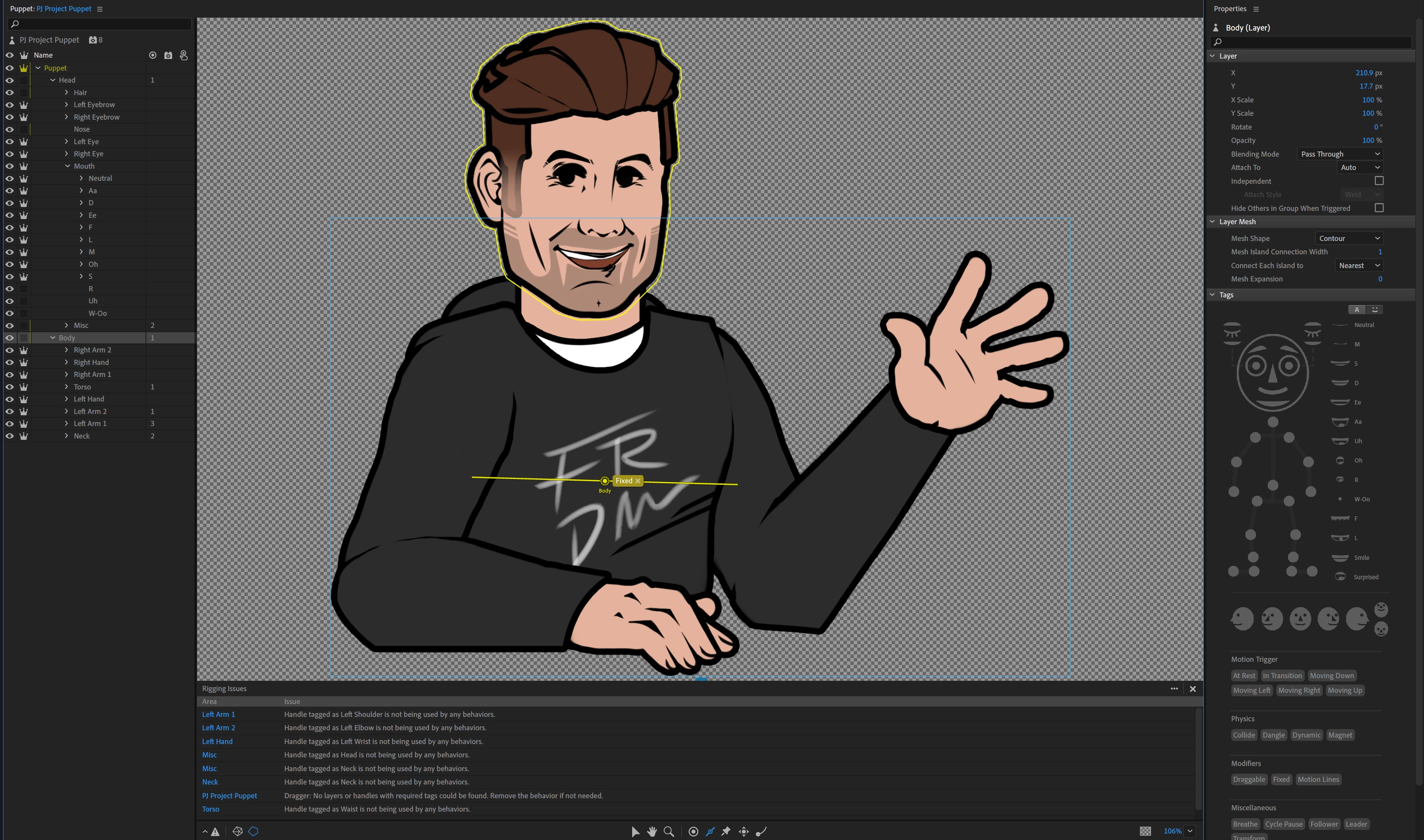
I am trying to rig a character that is torso up. It has a head, a torso, and arms, but no legs. This seems common, but when I look at tutorial videos they only seem to go head-only or an entire body.


The problem I am encountering is that when I pin the torso, the head flies off. But if I unpin the torso, the entire body moves with the head. I am also confused because when I select the Body folder, the head becomes highlighted. Could I please get some help? I have more questions after this, but one step at a time, I suppose.
This topic has been closed for replies.

2 replies

k_oshiro
Community Expert
Community Expert
June 3, 2024

Japanese is converted to English using translation software.

(1) No crown mark is added to the head layer.
2) Draw the stick tool on the bottom of the body layer and add a fixed tag.

Please try it. Thanks.

k_oshiro(AdobeCommunityExpert)
TheOriginalGC
Community Expert
Community Expert
May 30, 2024

Try moving the fixed pin from the body to the torso and that should allow you to remove the independent tags from the neck and torso. 

KerpimonAuthor
Participant
June 3, 2024

I think I followed your instructions? But now how do I get the head and neck to stay attached to the body in a way that looks organic?