


Participant
July 8, 2026
Question

hi everybody, could someone help me figure out how to do a hand swap for my character? i have it front, left and right views but my triggers wont show up? i wonder what i am doing wrong
  • July 8, 2026
  • 4 replies
  • 38 views

when i try to creat a hand swap it wont show up a hand, and the idea is keep those hands as they are know and then when she lifts to knock it shows up a fist which i already draw

    4 replies

    Participant
    July 8, 2026

    i found the mistake, the fist layer was under the default hand 

    Nataliia_M
    Inspiring
    July 8, 2026

    Perfect! Yes, they all need to be on the same level. 

    Warmly, Nataliia
    Nataliia_M
    Inspiring
    July 8, 2026

    All three swap positions should appear at the same level as “-hand” now.


    Warmly, Nataliia
    Participant
    July 8, 2026

    thank you so much Natalia, do you recomend a course or some video tutorials to better learn adobe character animator?

    Nataliia_M
    Inspiring
    July 8, 2026

    I was learning how to create and rig puppets in Character Animator with the help of these two YouTub channels:
    Okay Samurai https://www.youtube.com/@okaysamurai (he was a part of the Adobe team earlier)
    and Digital Puppets (this is the link to the playlists as they many new videos).

     
    Digital Puppets were publishing a bit later so this sometimes if more helpful.

    Warmly, Nataliia
    Participant
    July 8, 2026

    thank you so much for the help

    i could creat the set but now one hand appear on top of the other, is there a way to fix that? thank you 

    Nataliia_M
    Inspiring
    July 8, 2026

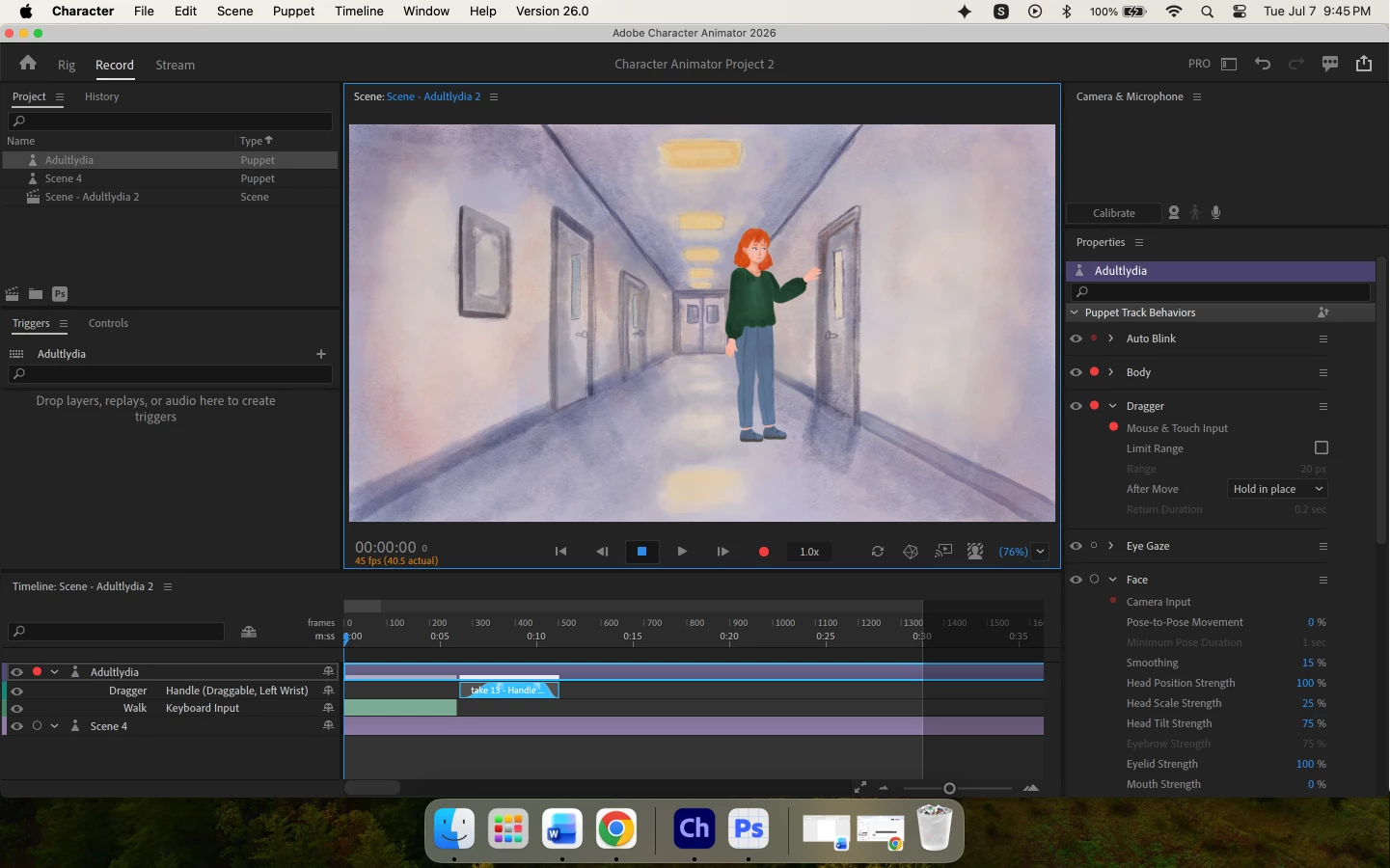
    As far as I can assume from your screenshot, you have a swap set with only one option, “-hand”, and two separate triggers which are not in the set: “pointing down-” and “fist-”. As these are literally 3 different triggers at the moment, they overlap.

    The simplest way out is to drag “pointing down-” and “fist-” into the swap set where “-hand” belongs. Unfortunately, the name of that set is not visible in your screenshot.

    Warmly, Nataliia
    Participant
    July 8, 2026

    maybe would that be because i have three different views and just one set?

    i just need the right hand to change when she is standing frontal 


    Nataliia_M
    Inspiring
    July 8, 2026

    Hi ​@karenmirellen
    It seems that you don’t have any swap sets created.

    To create a swap set and be able to use it, check if you are following these steps:

    1. All hands positions should be located in one group in your original puppet file. As I can see from the screenshot, it’s a PSD file, right?
    2. Select the puppet in the Project panel (already selected in your screenshot).
    3. In the Triggers panel near the puppet’s name (in your case, it’s AdultLydia), press the “plus” icon and choose “Create Swap Set”. This will create an empty swap set (it will appear orange to indicate it’s empty).


    1. To rename the swap set, select it and press Enter (Return) and change the name.
    1. You are now in Record mode; click on “Rig” in the upper left corner.
    1. You will see all layers of your puppet. Select all layers with hand positions and drag them into this new swap set.
    2. Now you can add keyboard shortcuts to different positions in the swap set (just go to these tiny black boxes on the left and press the necessary key). Usually, one position is default and does not need a shortcut. So you need to add shortcuts to all remaining positions. E.g. Front can be your default position, so add L - for left, R - for right.
    1. For each position in the Swap set, you can turn “Latch” on and off. With “Latch” on, your hand position will stay even if you stop pressing the shortcut. With “Latch” off, you will need to hold the key for the position to stay active.

    Please let me know if these steps work 🙂

    Warmly, Nataliia