Participating Frequently
January 15, 2023
Answered

How can I setup the Figgy puppet for Motion Library

  • January 15, 2023
  • 1 reply
  • 609 views

Hi all. I'm currently using the Figgy puppet maker template, and I love the simple design, but can't figure out how to make it useable along with the Motion Library. I've tried adding Body, Limb IK, and Motion Library to the behaviors, but the character doesn't move at all.

Can anyone offer some guidance?
This topic has been closed for replies.
Correct answer j-saito

The legs in the side views are already rigged so you can make them appear by explicitly triggering them.


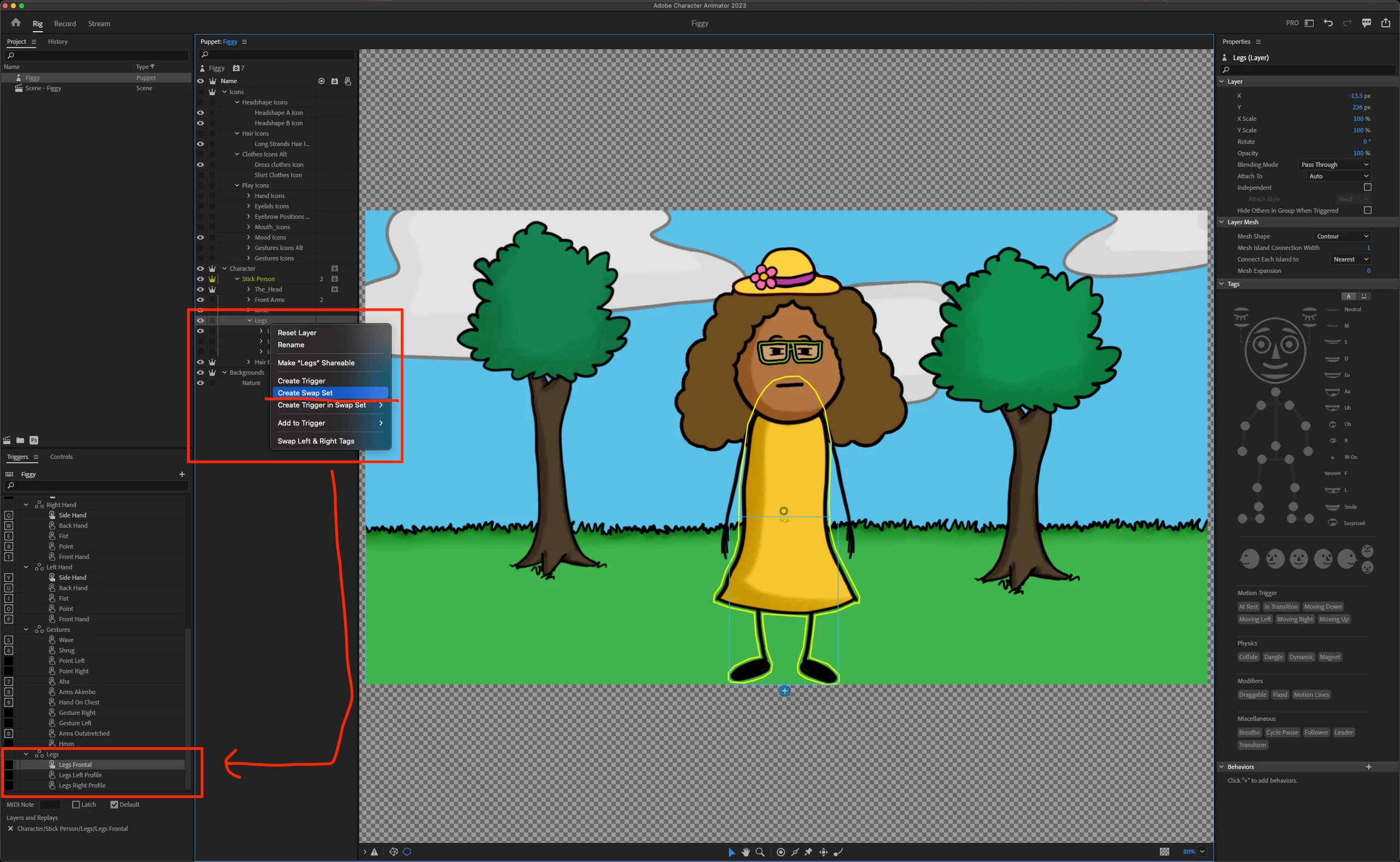
In the Rig Mode, on the "Legs" layer, right-click and select "Create Swap Set." You should now see a "Legs" swap set in the Triggers panel. 


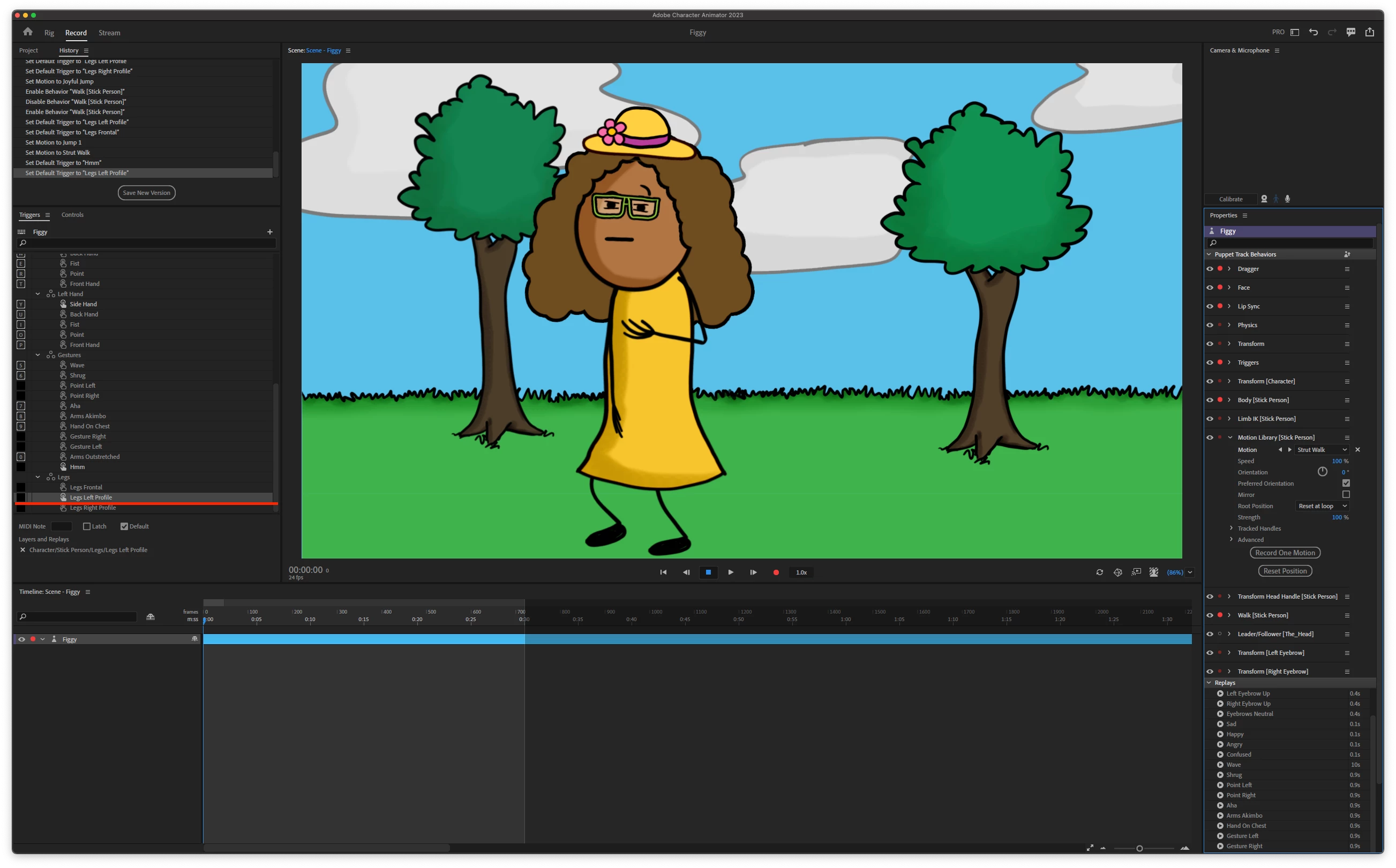
Then in the Record mode, you can double-click on the created triggers or assign keys to the triggers and press those keys to show the legs in the side views.

1 reply

Adobe Employee
January 16, 2023

Minimal work needed to make Figgy work with Motion Library:

1. Go to the Rig mode and select the Stick Person layer

2. Delete all handles tagged "Fixed"

3. In Limb IK, select "Arms and Legs" from the "Apply to" option

4. Add Motion Library behavior at this Stick Person layer

5. Have fun in the Record mode making Figgy dance 🙂


Participating Frequently
January 16, 2023

Oh wow! Thank you so much for the detailed reply! I'll try this first thing tomorrow. Can't wait! 🙂