


yoelmartherus
Participant
February 6, 2020
Question

How do I attach specific layer groups to one another?

  • February 6, 2020
  • 1 reply
  • 244 views

Hey there, Character Animator community! Just started tinkering with CA last night because it looks so fun. I made a simple puppet to get myself a little more familiar with the way everything works, but for the life of me I can't figure this one thing out:
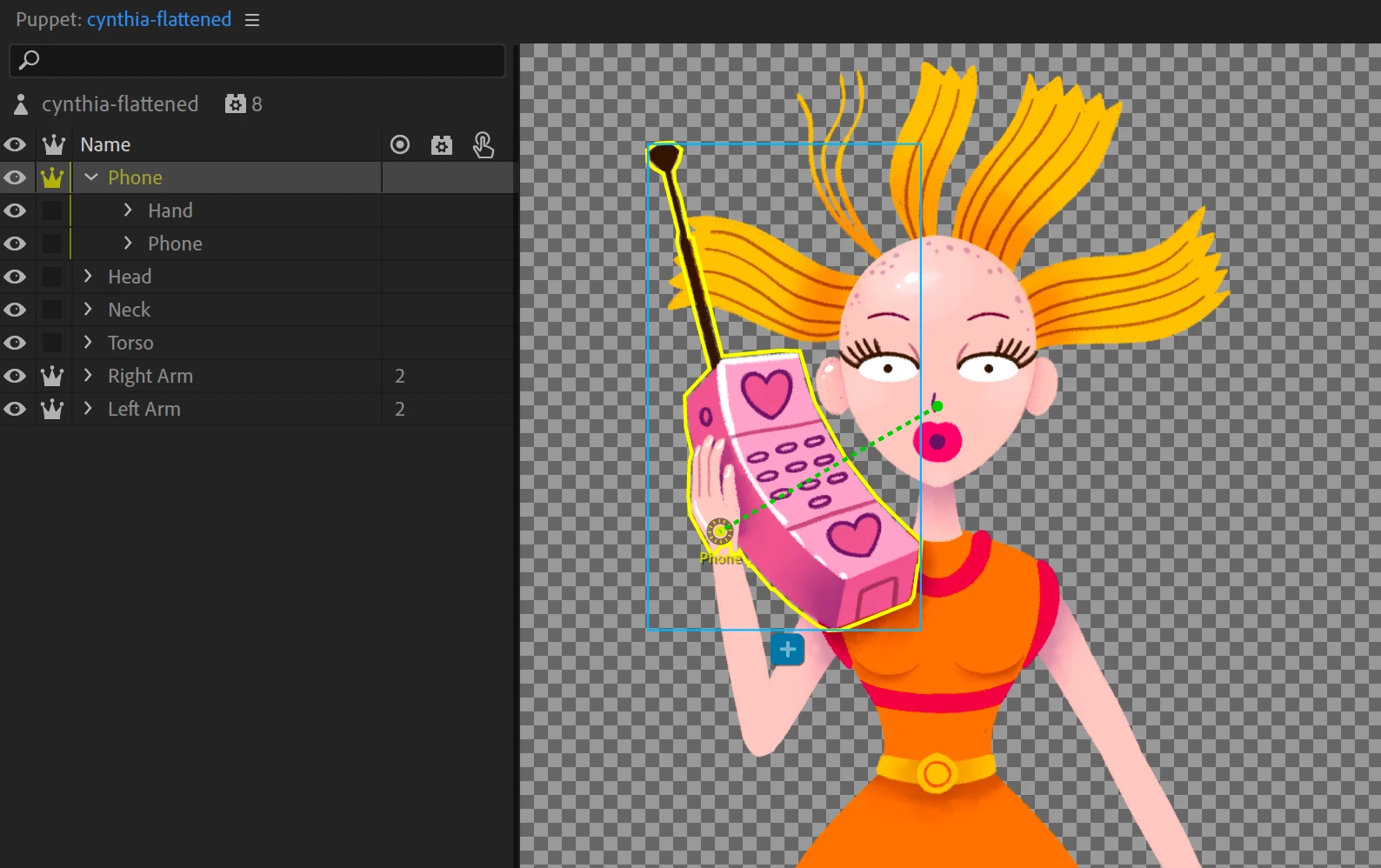
I want to attach the base of the hand that holds the phone to the right arm. As of now the phone and hand move along with the head, which disconnects the hand from the arm and makes the puppet seem a lot more static. Putting the phone layer in the same folder as the rest of the right arm fixes this, but the phone needs to stay in front of the rest of the puppet.


I feel like I'm overlooking something, because something so simple shouldn't be this much of a hassle, right? Hopefully I explained myself well enough, I'm not a native English speaker. Any help is much appreciated!


Kind regards

This topic is closed to new replies. Start a new post to keep the conversation going.

1 reply

alank99101739
Legend
February 6, 2020

Hi! Normally you add another group called say +MissOrange around all the layers. I ame not sure if needed, but it's normal.


A bit of theory. You have the tree of layers in the artwork. but there is another tree of "meshes". Each time you have an independent layer, that starts a new mesh. These meshes also form a tree. Having the character root layer helps with this grouping. So the hand and phone is one mesh, the two arms are also meshes. Then to attach a layer to its parent, the mesh has to be nested in the tree of the other mesh. So your hand and phone layer ('Phone') needs to be inside the arm it is to attach to, because the arm is independent. But how to get the layers right then so the arm goes behind the body but the phone goes in front? You cannot! The easiest solution to this is to not make the arms independent. The the arm becomes a part of the +MissOrange mesh, which +Phone is a child of (as soon as you add the parent +MissOrqnge layer). Then you can attach the phone to the end of the arm.


This is a bit funky sorry, it's one of the tricky little points of character animator. But once you get it straight in your head, things make more sense. It is important to understand both the layer tree and the mesh tree to get this right.