


Inspiring
August 11, 2024
Answered

How do I move layers from a puppet into a new layer in Photoshop.

  • August 11, 2024
  • 1 reply
  • 367 views

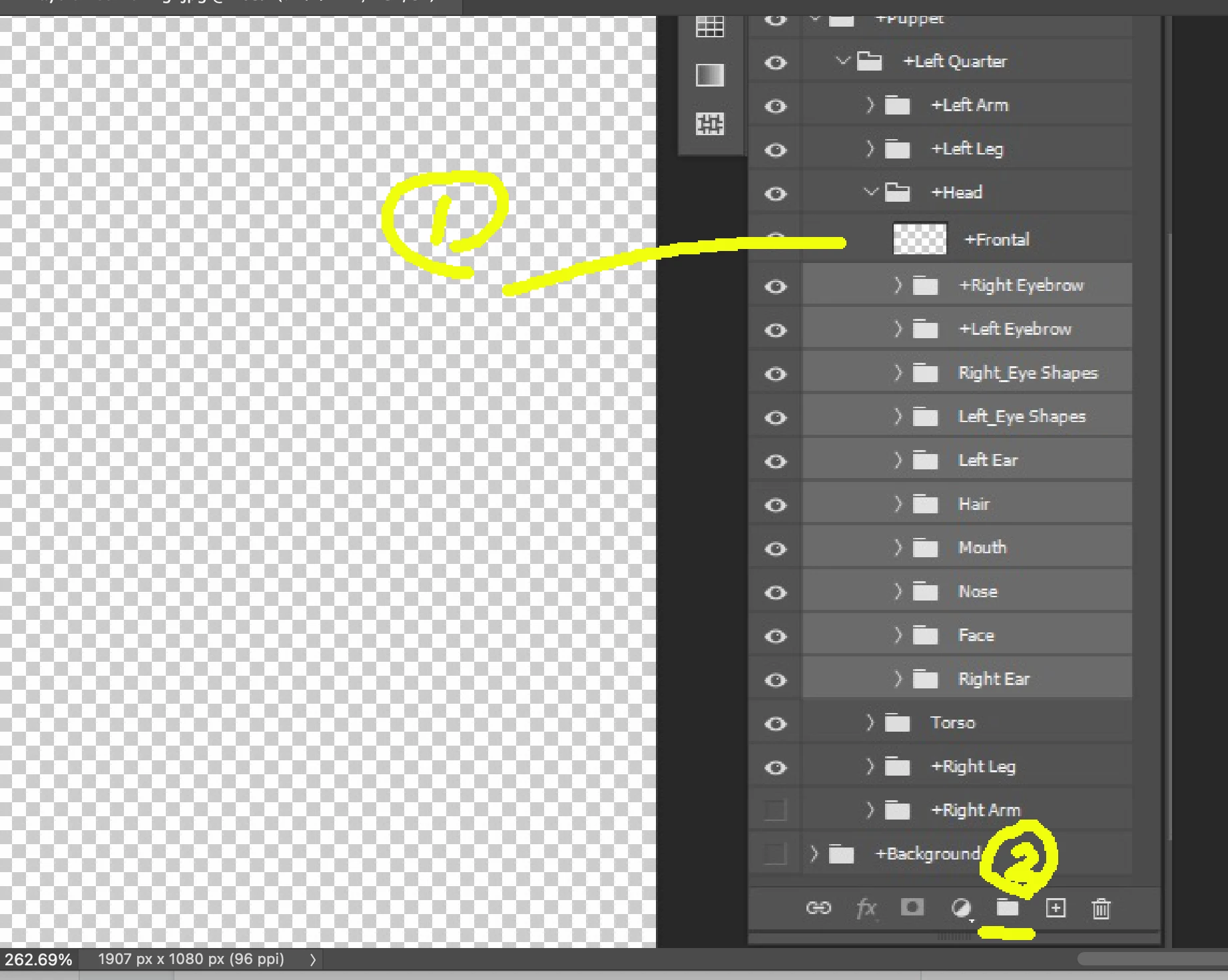
How do I move layers from a charator into a new layer in Photoshop. I am working with The Professional and am trying to create a frontal view. I am stuck at 2:03 in the OkaySamurai Head Turns & Parallax video. I have created a new layer called +Frontal and selected the underliying (sp) layer but they will not move into the new layer. ChatGPT dosn't seem to know either. I have been 2 days trying to solve this. Its the weekend so I understand the delay.

This topic has been closed for replies.
Correct answer k_oshiro

1) You are only adding a layer named +Frontal.
You cannot put a layer within a layer.
(2) If you create a layer group, you can put a layer in it.
You can add a layer group by clicking on the folder icon under the layer tab.
Thanks.

1 reply

k_oshiro
Community Expert
k_oshiroCommunity ExpertCorrect answer
Community Expert
August 12, 2024

1) You are only adding a layer named +Frontal.
You cannot put a layer within a layer.
(2) If you create a layer group, you can put a layer in it.
You can add a layer group by clicking on the folder icon under the layer tab.
Thanks.

k_oshiro(AdobeCommunityExpert)
Inspiring
August 12, 2024

OMGosh, That worked perfectly. I have now done in 15 minutes what I tore my hair out for 6 hours a day for almost a week. Thank you, thank you, thank you. Now on to the next obstacle.