

How do I remove the grey outline from the Illustrator version of the template?
Sorry if this is such a basic question, but I can't seem to find a way of removing the grey dotted line around the talking head.
How can I do it?! It's driving me mad!
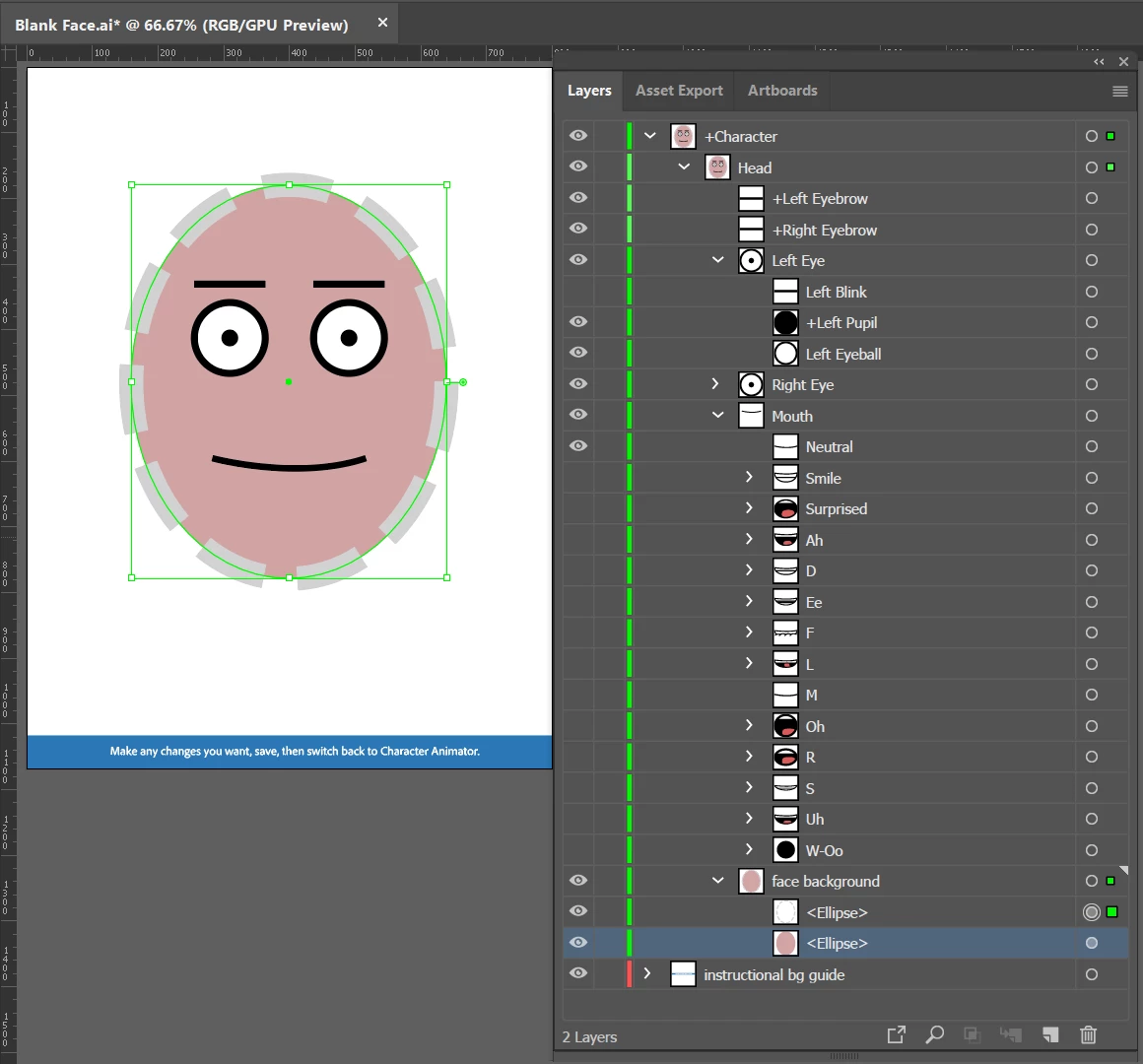
Sorry if this is such a basic question, but I can't seem to find a way of removing the grey dotted line around the talking head.
How can I do it?! It's driving me mad!
If you open up Illustrator, open up the layers window. Clicking on the dotted line will highlight an eclipse under the “face background” layer. There are two ellipses there - a white one and one with no fill (just the dotted line outline). Delete/hide the dotted line ellipse. (I changed the while ellipse to pink below to highlight it.)

Already have an account? Login
Enter your E-mail address. We'll send you an e-mail with instructions to reset your password.