
How much dangle is too much dangle?
Continuing a thread with Fata Morgana from this thread: Getting a too much complicated face , any suggestions?
Hi Fata. I've found some time to take a look at the puppet. Indeed, there are a TON of dangle handles.
The first thing I see is that the Head and Body aren't next to eachother. If you want the head and body to move nicely together, *usually* you want them next to eachother, though their are setups where the head is attached to the body.
Outside that and the dangle issue, I see an enormous number of handles in the Puppet panel. I'm guessing these are coming from origin handles from groups in Photoshop.
I decided to remove what I thought were redundant groups in Photoshop, but I see that the image isn't identical, so I'm not sure where I made a mistake. In any case, you can see from the two pictures that my version has many fewer handles. That only moved the FPS up from 6 to 8, so clearly the dangle is the biggest issue. But in general, you only want as many groups as you need.
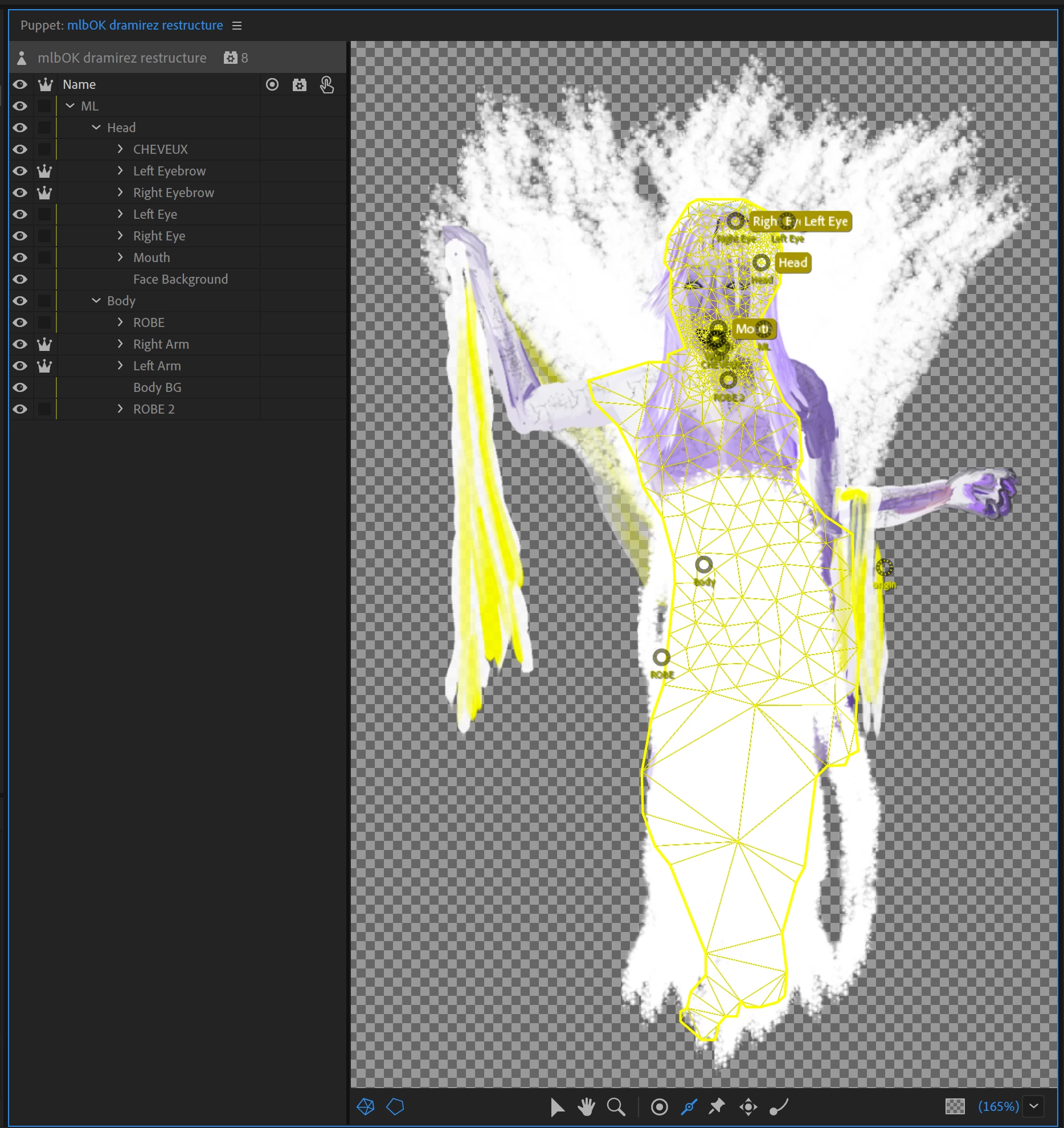
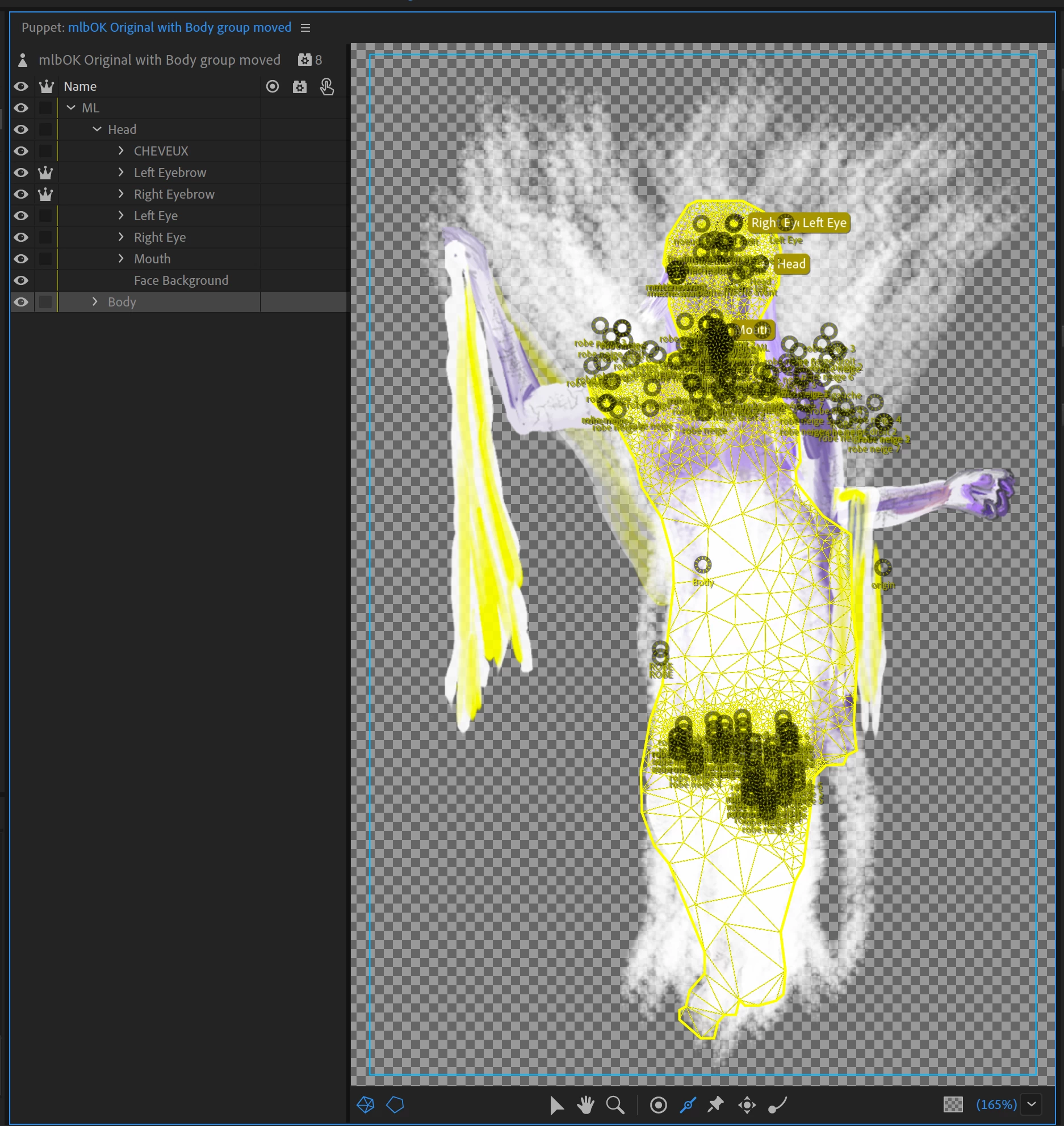
I recommend getting the puppet to move properly without the Physics behavior active(turn off the eyeball), then move on to the optimizing the Physics behavior. The fabric in her hand appears to be part of the robe layer, so it doesn't move with the hands. You want anything that's supposed to move with the arms to be inside the arm group.
As for the 417 dangle handles, I think you're best served putting multiple layers into a group, then adding a dangle or handle or two into the group. Looking at her hair, you could probably get away with 6-10 dangle handles.
Anyway, I'm happy to help you optimize this puppet, but let's do it in this thread. I've also attached a project with some puppet modifications, but by no means is it finished.
Thanks,
Dan Ramirez
CH QA


 AdChoices