

Answered
How to disable Camera Input Blink when Auto Blink is armed?
I've added an auto blink behavior to my puppet, but I can't figure out how to turn off the camera input blinks. Right now, I'm getting both the auto-blinks and the camera blinks.
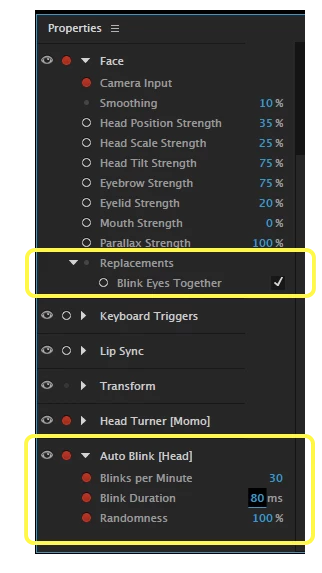
Here's what I've got set in the Properties panel. I figured the Camera Input blinks were coming from the "Face - Replacements - Blink Eyes Together" item, but that option isn't armed and I'm still getting camera blinks in addition to my auto-blinks. Is there another place I need to go to get the camera to disregard my blinks?


 AdChoices