
carolw20450587
Participant
November 20, 2018
Answered

How to make my puppet walk normally?

  • November 20, 2018
  • 1 reply
  • 688 views

Hi All,

I have created a puppet and added the walk and head turn behaviours on it.

However, the walk behaviour does not work properly.

First, the head of the puppet cannot stick to the body while it is walking.

Secondly, the puppet cannot walk normally as the following picture:
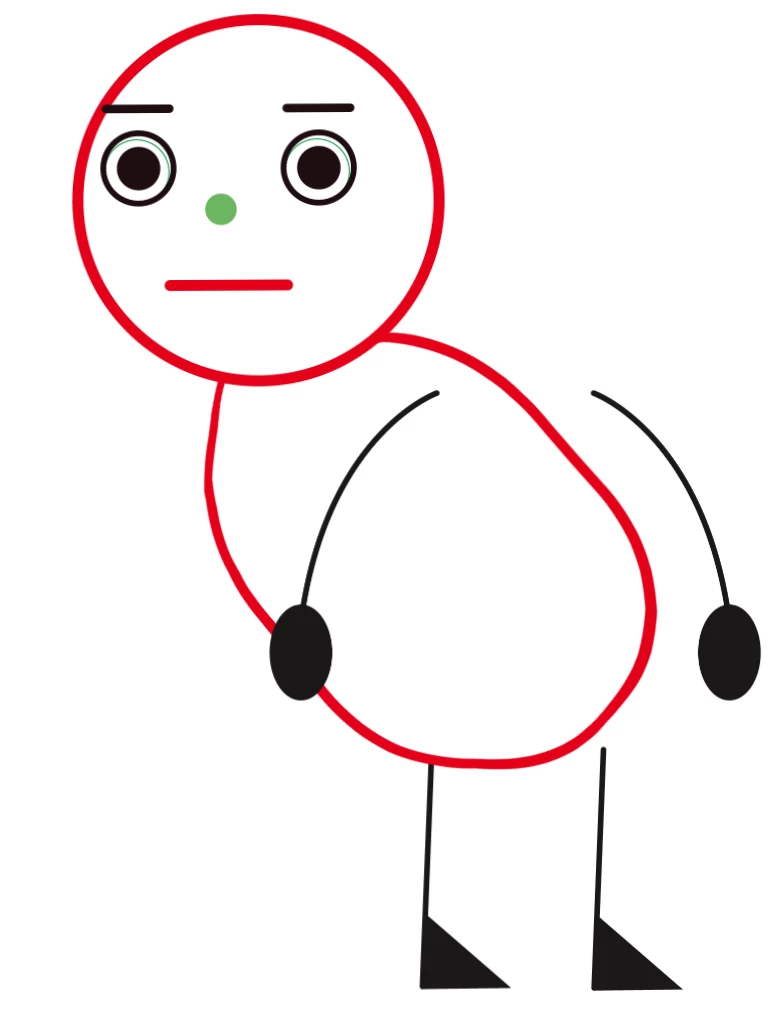
Could anyone give any ideas to solve these problems?

Here is the link to download my puppet.

Many thanks.

    This topic has been closed for replies.
    Correct answer alank99101739

    I assume you have seen this video? It shows profiles as well (towards the end)  Walking (Adobe Character Animator Tutorial) - YouTube

    1 reply

    alank99101739
    Legend
    November 20, 2018

    Jotting down notes as I go.

    • First, you have the Walk behavior on Helloman/right_profile/Body - I removed it and added it to the root of the puppet. That is why the body would move but not the head.
    • Next, call the profiles "Left Profile" and "Right Profile" (spaces, not underscores). They did not tag with the profile names so the walk behavior did not notice them.
    • Rename "fontal" to "Frontal" as well (missing 'r' so also not tagged)
    • Helloman/left_profile/left_profile should be renamed to be /body at the end.
    • Helloman/fontal/body/frontal I think should be named /body as well, and the hierarchy cleaned up
    • All the "attach to" of independent layers should be set to "Auto", not a parent layer name. You then need to attach the arms and legs to the bodies
    • I think you have too many independent layers around the place

    But having done all that, I still have not got it going. The problem is the walk behavior is finding all the child layers for profiles, not just the parent layers. I will keep going a bit longer, but posting this as an update in case you want to start on the above.

    alank99101739
    Legend
    November 20, 2018

    This is the bit that is confusing me at the moment.

    The walk behavior is picking up all the nested levels too... and I am not sure why!

    alank99101739
    alank99101739Correct answer
    Legend
    November 20, 2018

    I assume you have seen this video? It shows profiles as well (towards the end)  Walking (Adobe Character Animator Tutorial) - YouTube