


Question
How to make triggers snap to the frame when recording
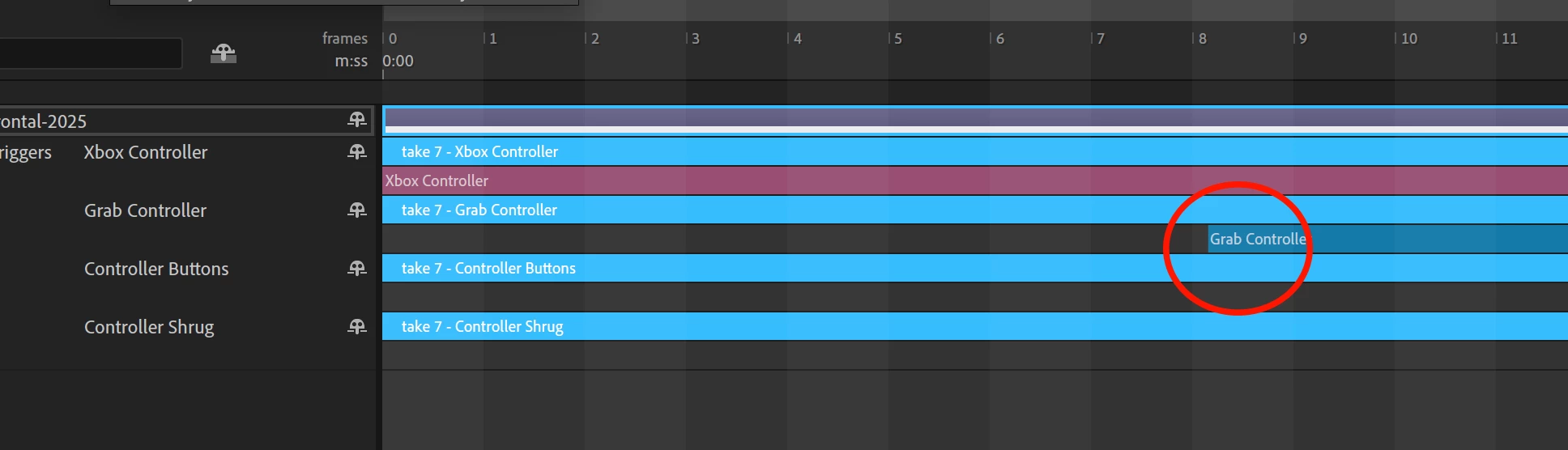
Whenever I record, the triggers usually end up between frames instead of lined up with the beginning of each frame. Because my triggers often include a mix of keyframes and replays, which won't play back properly unless the start at the beginning of a frame.
This means after recording, I have to manually go in and adjust each trigger to line up to the beginning of a frame before I can even watch what I've recorded, as the animations are broken until I do.
Is there a way to make sure that whenever I activate a trigger, it automatically snaps to the closest frame? I've noticed that when dragging a trigger on the timeline, there's no way to place it between frames, so I'm not sure why when recording it does this.
 AdChoices