Answered
I can't edit size
Hello, I can't edit backround size and the character size please somene help me thank you, stay safe.

Hello, I can't edit backround size and the character size please somene help me thank you, stay safe.
Hi Efe,
You didn't give us much to go on. However, in the the "Record" mode, highlight the background or puppet in the "Timeline". Then look for the "Behaviours" panel (image attached), open the "Tansform" panel and use the "size" attribute to size your object.
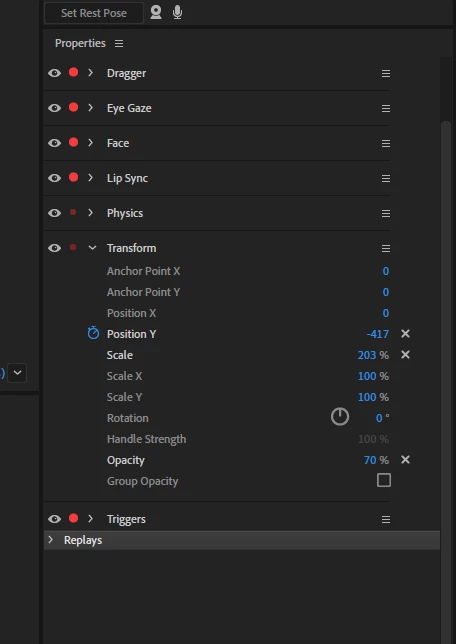
I might also suggest you watch a few videos on CH.
Be well fellow puppeteer, - Platty
Already have an account? Login
Enter your E-mail address. We'll send you an e-mail with instructions to reset your password.


 AdChoices