Participant
March 16, 2022
Question

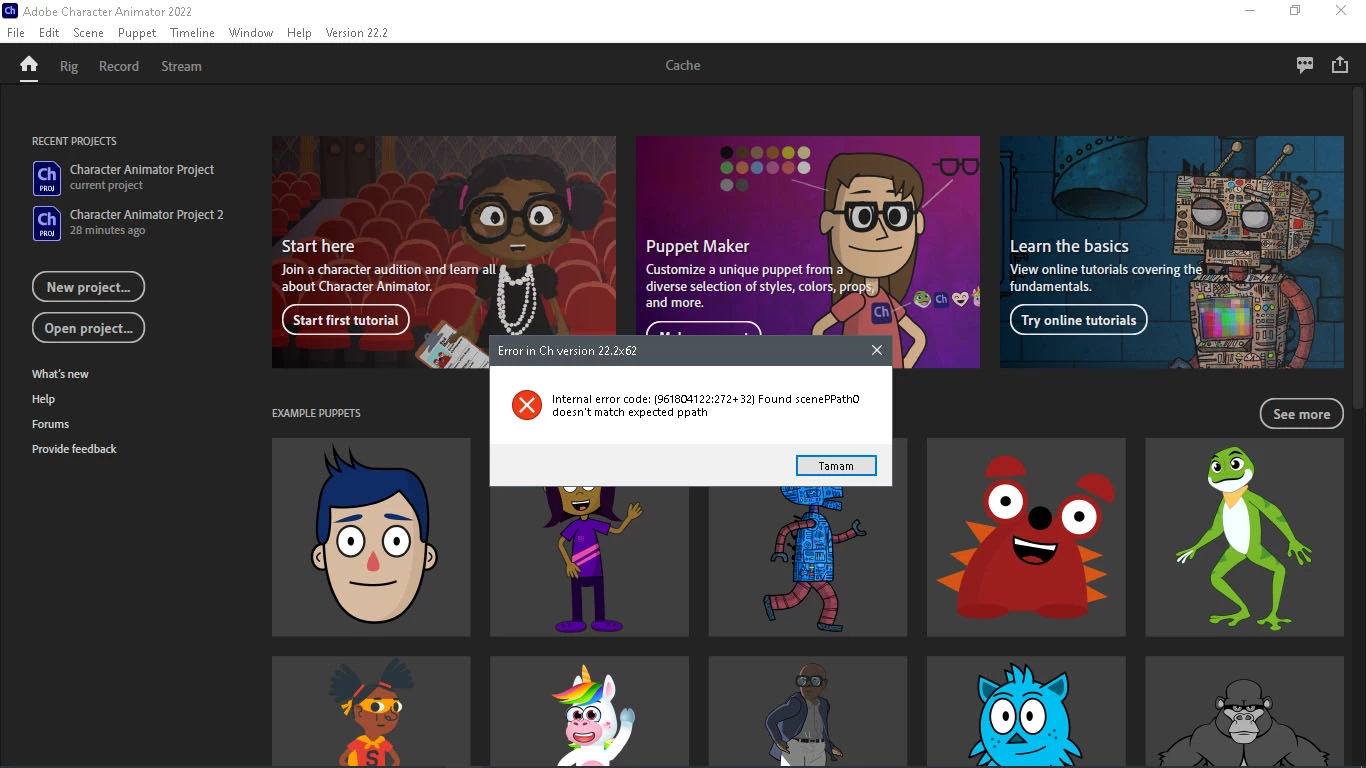
I downloaded the program, but it gives such an error, I cannot continue, what should I do?

  • March 16, 2022
  • 5 replies
  • 578 views

This topic has been closed for replies.

5 replies

CoSA_DaveS
Adobe Employee
Adobe Employee
March 22, 2022

Try quitting, then relaunch holding down the Alt key. That should open a fresh empty project.

Adobe Employee
March 22, 2022

Hi, this is some sort of corruption of the cache for Puppet Maker. You can help us understand what went wrong by typing this in the windows explorer


%localappdata%\Adobe

in this directory you should see a Character Animator folder. Make a zip file of the entire directory and set it aside.

then launch Ch again, this time when you choose Puppet Maker hold down the shift key — this will regenerate the Puppet Maker cache and should get you going again

then if you're feeling nice, attach the .zip file to the thread here so we can try to diagnose what went wrong

thanks!


TheOriginalGC
Community Expert
Community Expert
March 18, 2022

How often does this happen?

kglad
Community Expert
Community Expert
March 18, 2022

<moved to character animator>

TheOriginalGC
Community Expert
Community Expert
March 18, 2022

I don't know if this is caused by the message being moved, but I cannot load the image to see what the error message is.

kglad
Community Expert
Community Expert
March 18, 2022

i couldn't read it either (before moving) and i clicking the image didn't working before moving either. 


after seeing your reply, i edited the message to enlarge the image and can see an internal error code, ch version number and something didn't match something else.


Community Expert
March 18, 2022

I think you are looking for help with character Animate not animate. 

kglad
Community Expert
Community Expert
March 16, 2022

if you have a current os, reset your preferences. see bottom of https://helpx.adobe.com/animate/using/set-preferences.html