

Participant
Aug 30, 2021 8:32 AM UTC
Answered

I need help

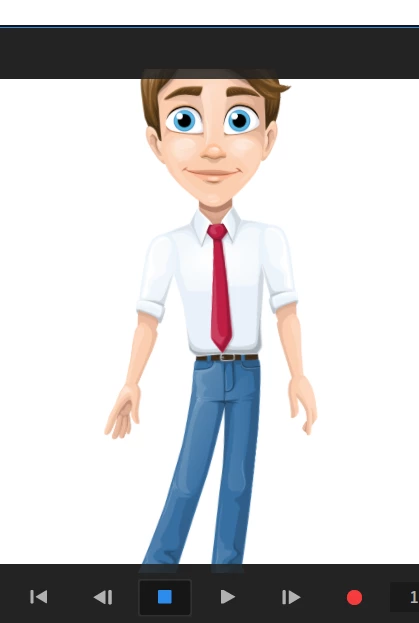
If I want to animate my character the Character doen't fit in the Picture - the head is allways cut off. I'm new and I have no idea how to fix that.

This topic is closed to new replies. Start a new post to keep the conversation going.
TheOriginalGC
TheOriginalGCCorrect answer
Community Expert
Aug 30, 2021 12:49 PM UTC

Make sure you're in RECORD mode. Select the character and look for the TRANSFORM parameters on the right (in BEHAVIORS below the camera). One of the parameters is SCALE (one for the X axis and one for Y). Adjust them until your character fits. If necessary, adjust the position as well.

1 reply

TheOriginalGC
Community Expert
TheOriginalGCCommunity ExpertCorrect answer
Community Expert
Aug 30, 2021 12:49 PM UTC

Make sure you're in RECORD mode. Select the character and look for the TRANSFORM parameters on the right (in BEHAVIORS below the camera). One of the parameters is SCALE (one for the X axis and one for Y). Adjust them until your character fits. If necessary, adjust the position as well.

Translate
