Participating Frequently
December 5, 2020
Answered

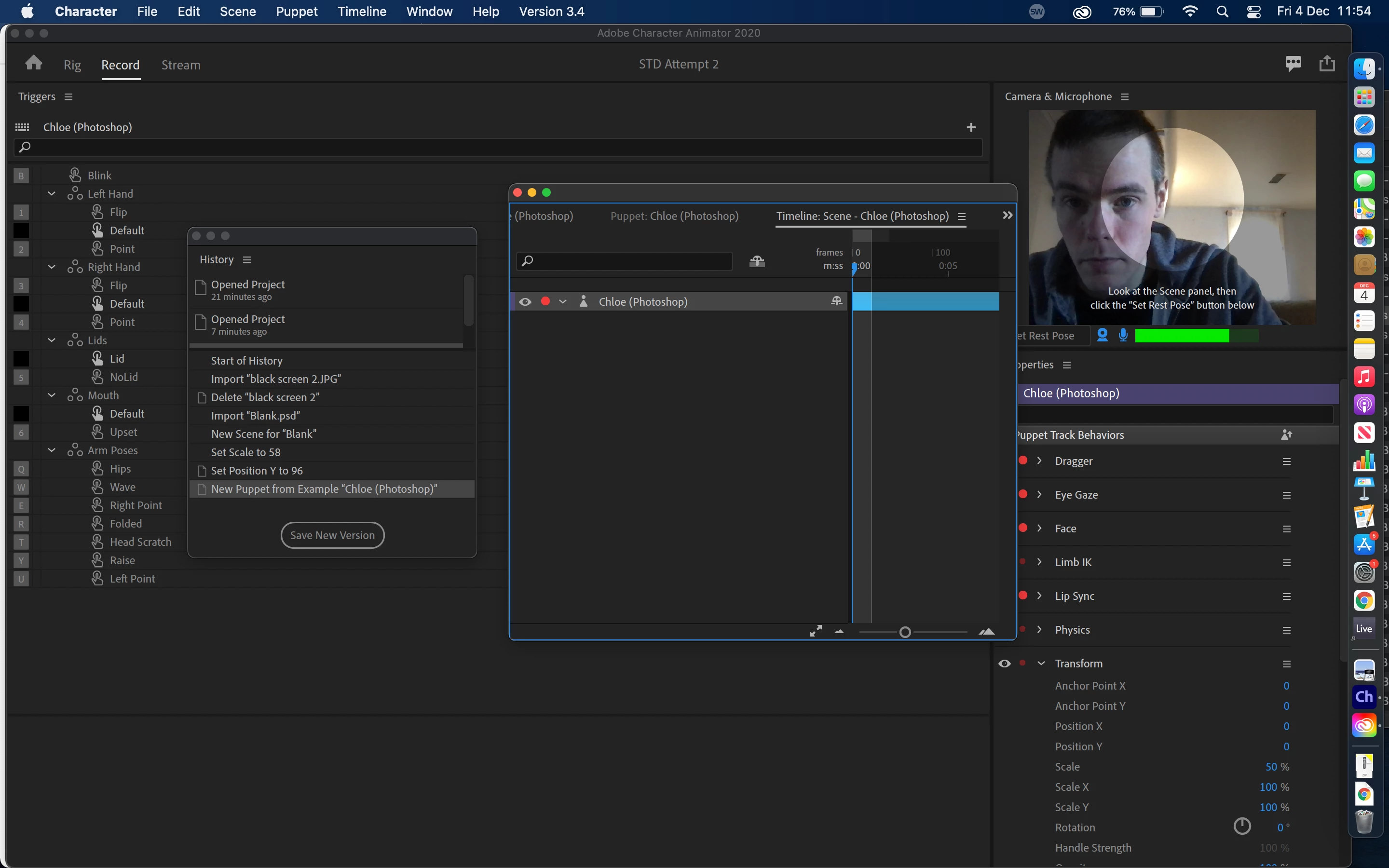
I screwed up and I don't know how to fix it. I need help to revert to how normally looks.

  • December 5, 2020
  • 2 replies
  • 219 views

This topic has been closed for replies.
Correct answer alank99101739

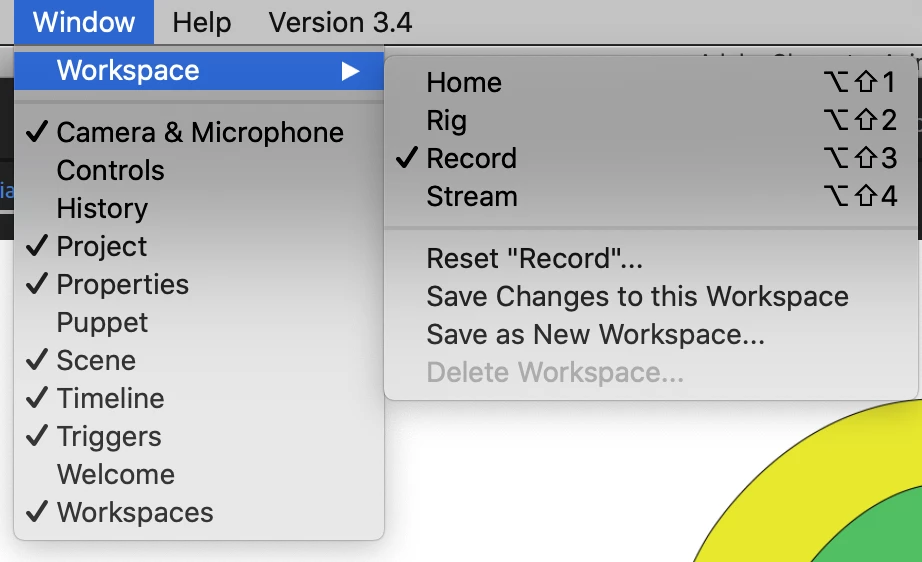
I have not tried it, but in the Window menu it seems to let you reset a workspace (Rig/Record/Stream). 


2 replies

alank99101739
alank99101739Correct answer
Legend
December 5, 2020

I have not tried it, but in the Window menu it seems to let you reset a workspace (Rig/Record/Stream). 


MitchLaPAuthor
Participating Frequently
December 5, 2020

You are a legend. Thank you!! I'm just gonna bypass aknowledging what a fool I am right now and just be greateful for your help 😄

MitchLaPAuthor
Participating Frequently
December 5, 2020

How I can return all the different parts of Character Animator so everything is in the place where it normally belongs when you install CH? I've dragged some things around and now I can't access the main thing, which is what I'm looking at (scenes/puppets etc.) My Timeline is now in the wrong place and everything looks a mess to me. It's causing me quite the headache. I tried reinstalling the app and it still looked like this. I'd really appreaciate help on getting things back to how they are supposed to look ( and obviously I'll make sure I don't mess up like this again)


Many Thanks Adobautiful people! x