House of Sugars
Inspiring
December 1, 2018
Answered

I think I accidentally hit 'bookmark' and now I lost a month of work! Is there a fix?

  • December 1, 2018
  • 2 replies
  • 2575 views

I don't understand 'best practices' when it comes to saving my work on CA, the stuff I saved to Google Drive is not helping.

    This topic has been closed for replies.
    Correct answer DanTull

    Now some of the information has turned red...what does this mean? It's causing rendering to jam....
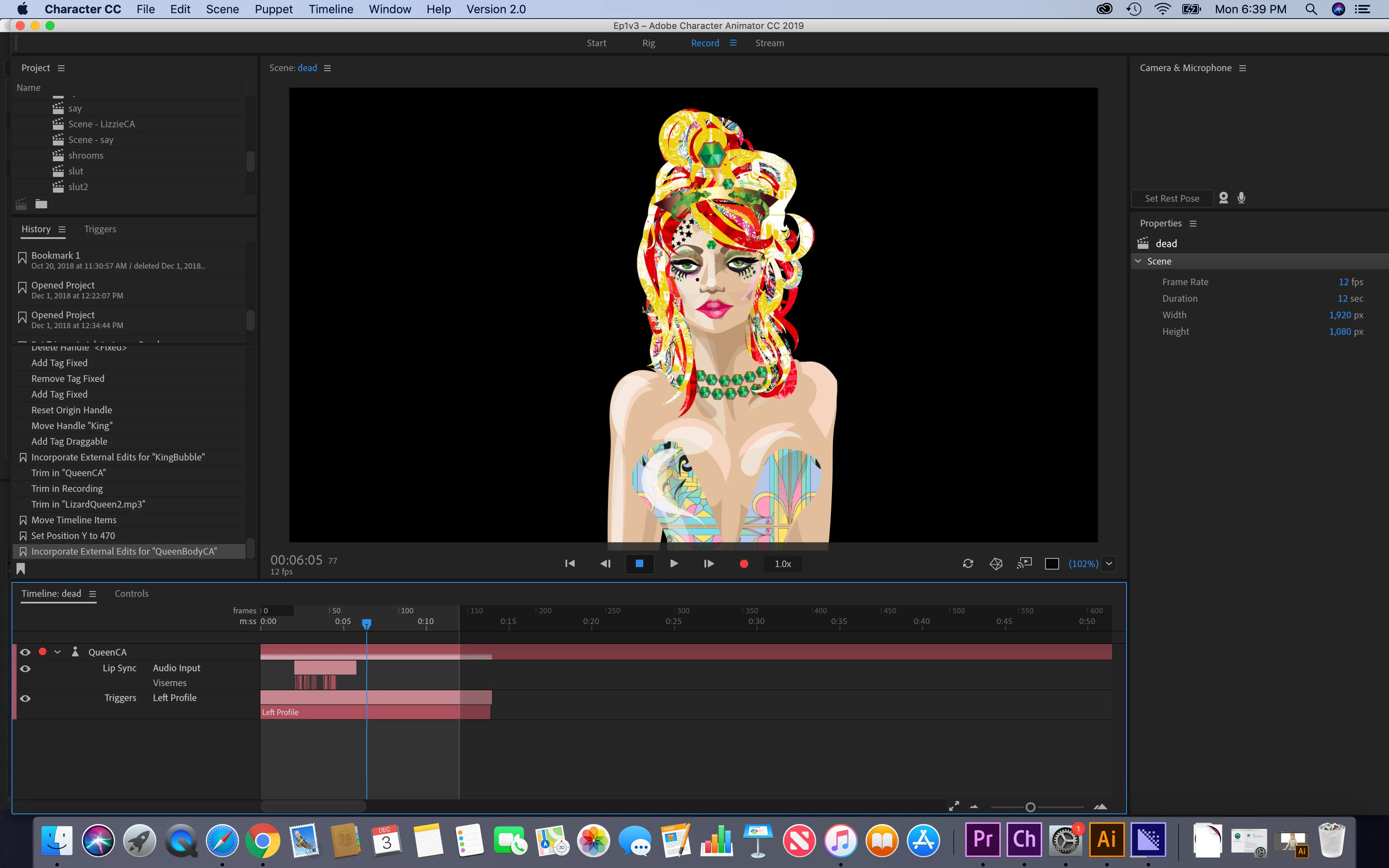

    That's actually just one of the possible colors that track items can be, though now that you mention it, when it is the only color, it is somewhat alarming due to the convention of using red to indicate something is wrong.

    DT

    2 replies

    alank99101739
    Legend
    December 3, 2018

    I my case it was a sluggish UI refresh and jerky mouse. The click registered where I did not want it and my knee jerk “no, put that back” I clicked the wrong button and lost the ability to roll forward again.

    It is a bit sad that a feature designed to save you time and effort is actually the biggest risk of losing work.

    House of Sugars
    Inspiring
    December 3, 2018

    Is there any chance the 'Time Machine" feature of my Mac can resolve this? I've started re-creating what I lost anyway...

    CoSA_DaveS
    Participating Frequently
    December 3, 2018

    Sorry to hear you've had trouble with the bookmarks feature. It's supposed to protect you from ever losing work, but apparently we haven't perfected the UI yet!

    If you click on a bookmark and it jumps you to a long time ago (or any state where you might lose work), it will create an "auto bookmark" saving the state where you came from. To see these auto bookmarks, click on the hamburger menu on the History tab:

    You should find a recent auto bookmark that holds your last state (plus other useful moments, like every time you opened the project). The last 50 auto bookmarks are always saved, as are any auto bookmarks less than a week old. Deleting a regular bookmark moves it over to the auto bookmarks list (if you delete it from there too, it's really gone).

    We'd love to hear suggestions on how to make it work better.

    alank99101739
    Legend
    December 1, 2018

    If you have done nothing else, I think you can recover it. If you have made a change I don’t know. DanTull​ can it be recovered any other ways?

    carefully read the undo menu item - it explains what it will undo. Read it carefully and the redo menu item to see if useful.

    i got bitten too - I always close the history panel now as a form of protection.

    alank99101739
    Legend
    December 1, 2018

    (I would much rather the code commit forward a new copy of the old state rather than rewind history. Rewinding history is dangerous - it cannot be undone.)

    KJerryK
    Legend
    December 1, 2018

    Another safety step I take is to "Save As" with a new title when I get to a decisive moment in the history