

Participant
Jul 28, 2020 2:15 PM UTC
Answered

Is it possible to export all my takes merged into one?

Hi there,


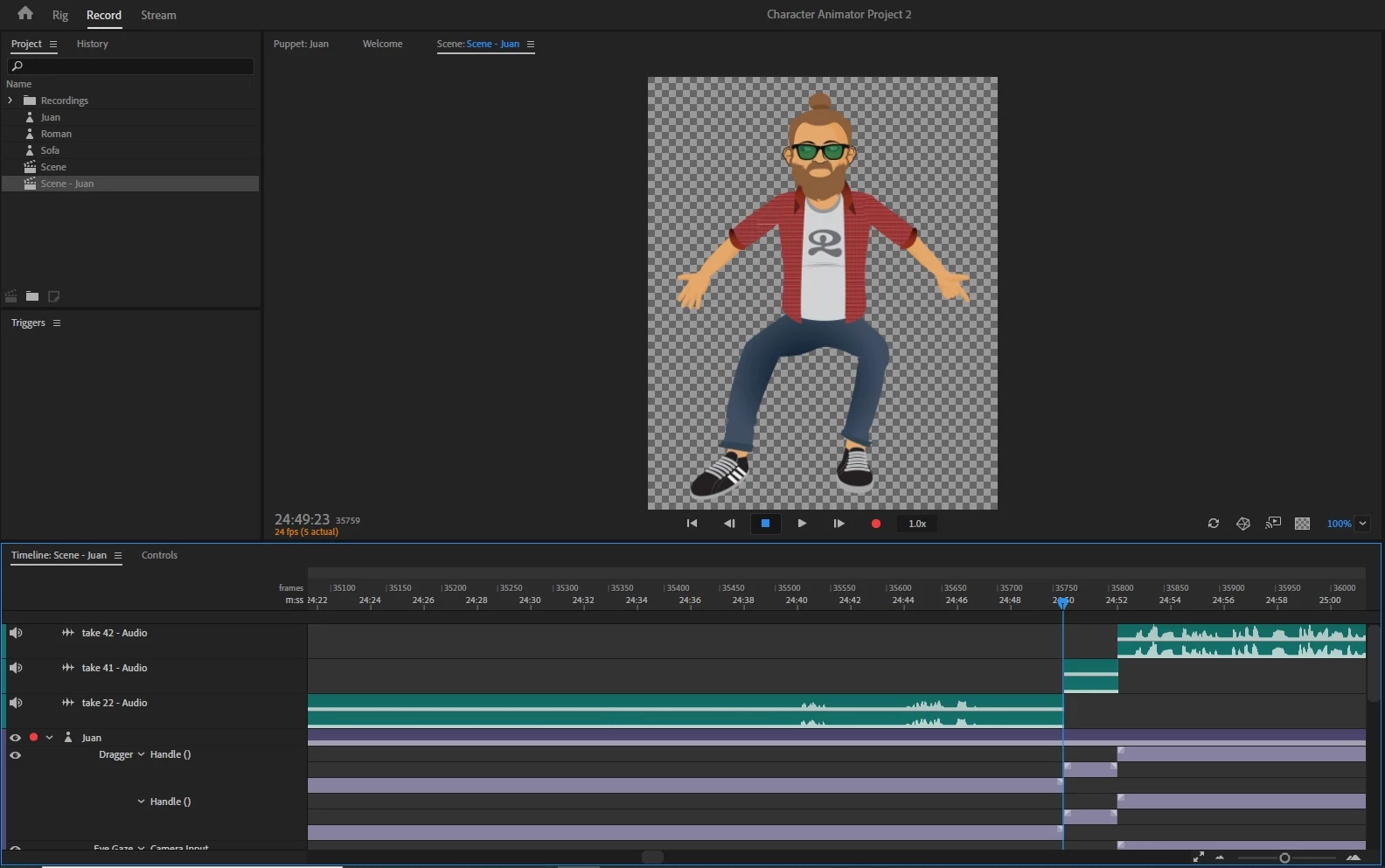
I have 3 takes on my scene and I'm trying to export them as a single sequence but I don't seem to be able to. Has anyone experienced a similar issue?

This topic is closed to new replies. Start a new post to keep the conversation going.
Platty Puss
Platty PussCorrect answer
Inspiring
Jul 28, 2020 9:25 PM UTC

Hi Ruiuk8,

    I am unclear as to what you mean by a "take". However, CH will export everything visible in your time line as an .mp4 or .mov video file. I am having trouble ,looking at your time line, and seeing anything other than one "take". A little more explination might be in order for people to comment sucessfuly.

     Be well, take care fellow pupeteer.   - Platty

2 replies

alank99101739
Legend
Jul 28, 2020 11:55 PM UTC

Could you explain a bit more what you mean by "export as a single sequence"? As Platty said, you can certainly export the whole scene as a single MP4 file.


I don't think you can merge the takes (the purple bars and audio clips) together though. I mean you could merge the audio clips with Adobe Audition I guess. You can collapse them to take up less vertical height by clicking the little down arrow (V) next to "Dragger" over on the left in the timeline. That does not merge the takes, just collapses the expanded rows into a single row to take up less space.

Translate
Platty Puss
Platty PussCorrect answer
Inspiring
Jul 28, 2020 9:25 PM UTC

Hi Ruiuk8,

    I am unclear as to what you mean by a "take". However, CH will export everything visible in your time line as an .mp4 or .mov video file. I am having trouble ,looking at your time line, and seeing anything other than one "take". A little more explination might be in order for people to comment sucessfuly.

     Be well, take care fellow pupeteer.   - Platty

Translate
