



mynameisgaby
Participant
April 13, 2020
Question

Layers now showing?

  • April 13, 2020
  • 2 replies
  • 867 views

Hello, 


I am new to character animator and can't figure out how to show the layers of an imported illustrator file. This is what I see:
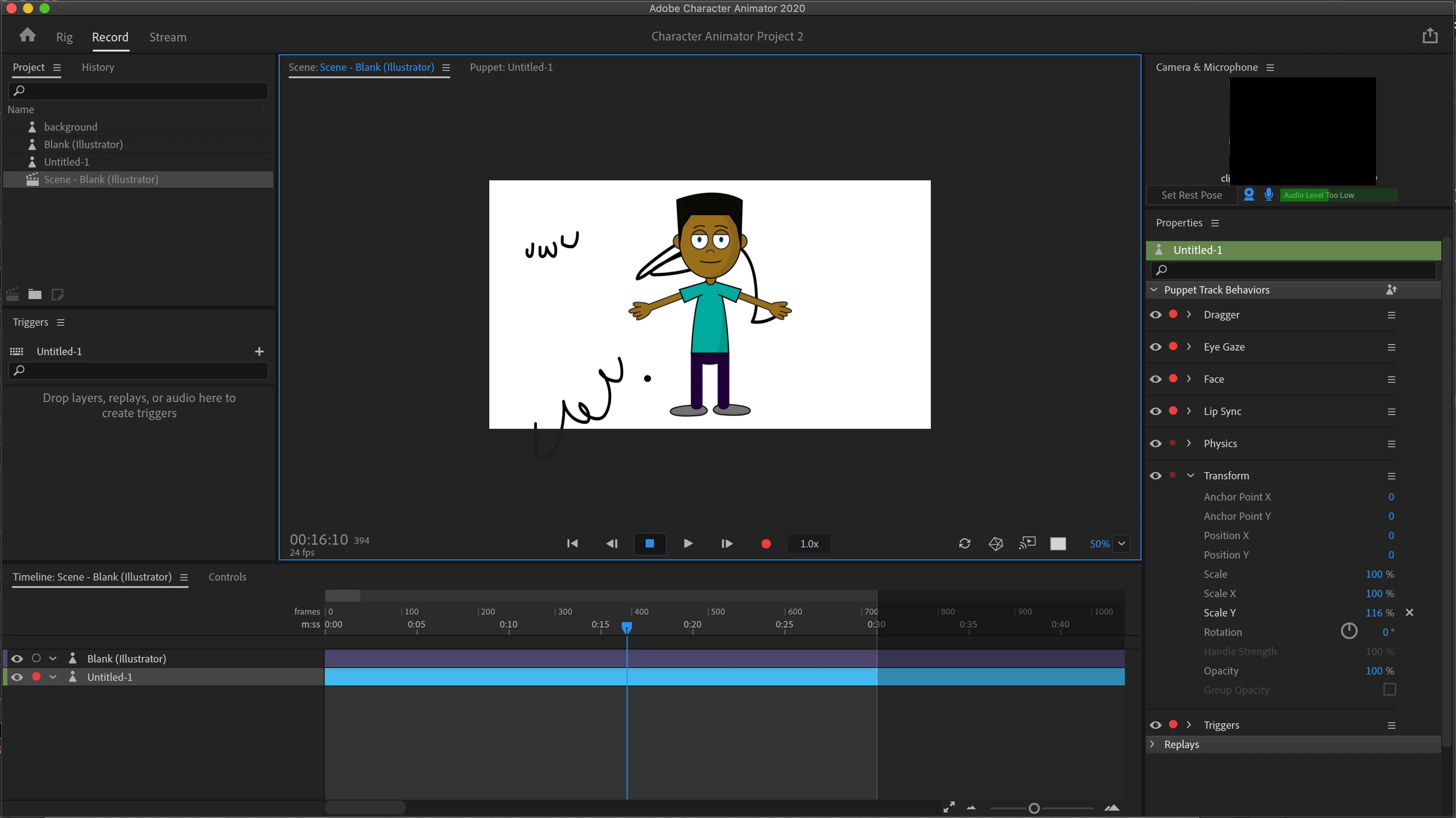
Each of the strokes in the background are on their own layer but I can't figure out how to show them in the bottom timeline to manipulate each layer like this image below 
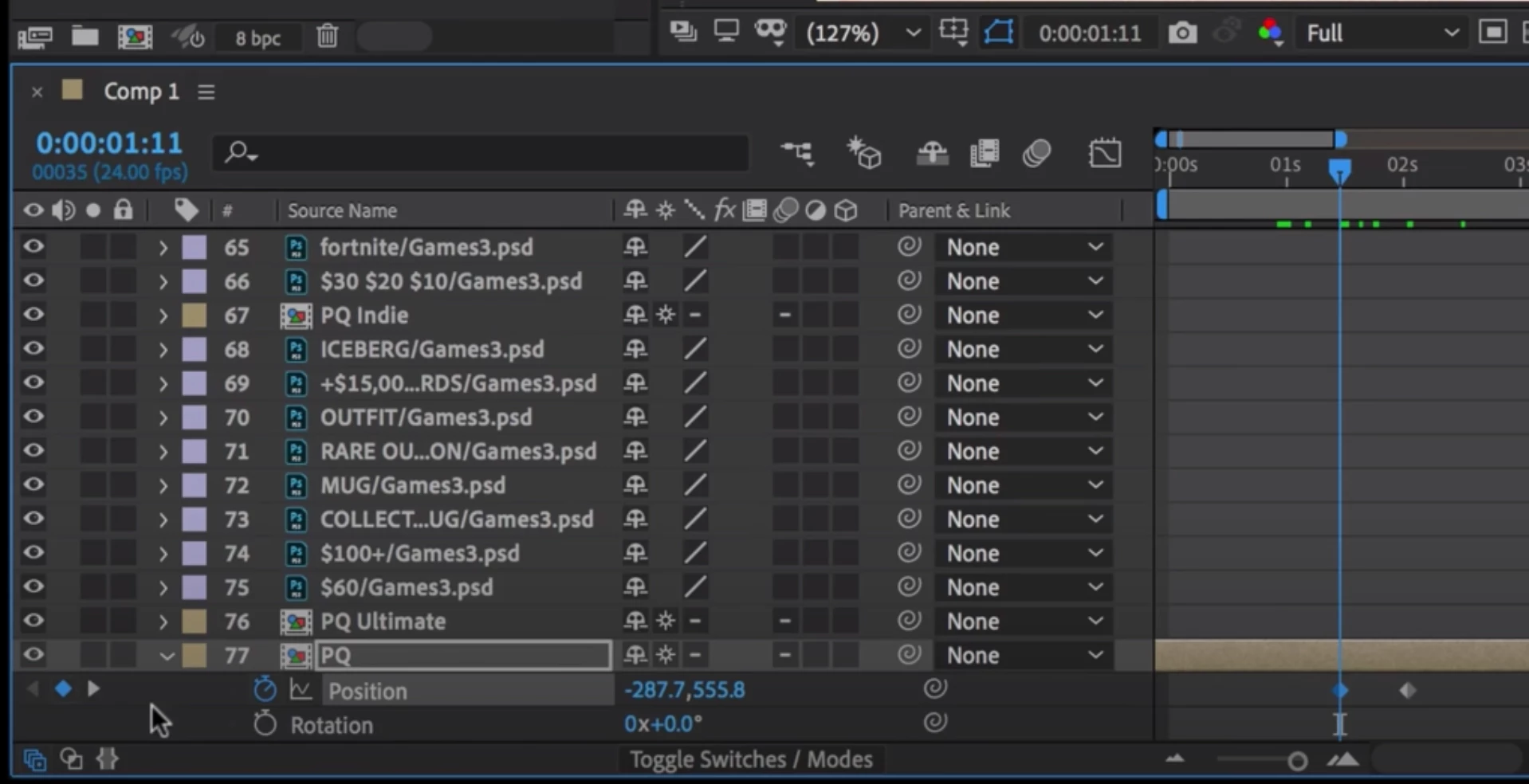
(taken from this video )


This topic has been closed for replies.

2 replies

oksamurai
Legend
April 14, 2020

Those are two different timelines - you show Character on the top and After Effects on the bottom. 

alank99101739
Legend
April 14, 2020

If you are trying to animate them separately, you probably want to create separate puppets for them. Ch is for animating characters - you create a new puppet per character to animate. You can animate parts of a puppet, but the intent is the parts are generally related to each other. It is not animation software designed to animate each layer of one file independently. That is not the right mindset. Just create separate files and import them separately. Then you will get a track per file (each file forms a separate puppet).

mynameisgaby
Participant
April 14, 2020

I agree- I thought that what he did in the video was a pretty interesting approach as, like you said, it's not meant to be used in this way. Thanks for the advice!