

Inspiring
Jul 24, 2021 3:52 AM UTC
Answered

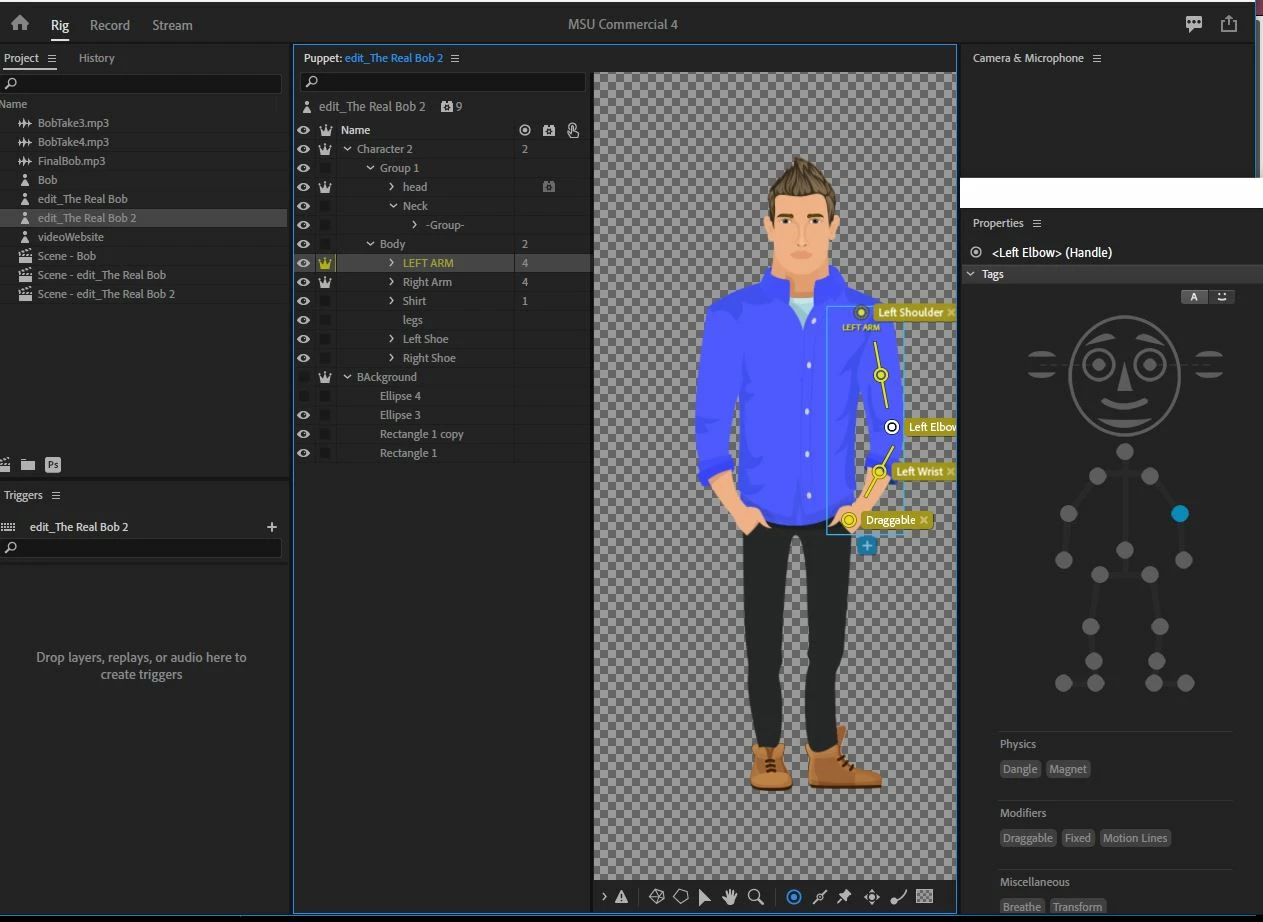
left arm wasn't move

Hi, can I get some help understanding why the right arm won't move in scene mood?  
 

This topic is closed to new replies. Start a new post to keep the conversation going.
oksamurai
oksamuraiCorrect answer
Legend
Jul 27, 2021 8:32 PM UTC

https://www.dropbox.com/s/fphq630bqugfwpx/bob.puppet?dl=0


Try this: https://drive.google.com/file/d/1dTbq9rPwcILGKoZuBWaz4IqjhJqxAqUH/view?usp=sharing


For some reason your right arm had some extra tagging on it that I removed and tagged correctly. Both arms should be draggable now.


For better flexibility in the future, try drawing the character's arms outstretched in an "A" position by default, which will give them more arm mobility. This character's arms don't look as good if you drag them too far up.

8 replies

oksamurai
Legend
Jul 27, 2021 4:49 PM UTC

Is the right arm set up exactly like the left? If so, I would remove the wrist tag from the forearm and place it on the same handle as draggable instead.

Translate
Inspiring
Jul 27, 2021 5:59 PM UTC

actually the right arm won't move so there is no rigging to it.  

Translate
oksamurai
Legend
Jul 27, 2021 6:14 PM UTC

Ok - so to clarify - your question above was why the right arm isn't moving, but you're showing us the rigging for the left arm (right side of screen, but the puppet's left arm). Is the left arm not moving either? If so, does changing the wrist tag placement help? If not, could you please File > Export > Puppet and share it as a link (Creative Cloud, Google Drive, Dropbox, etc.) so I could take a closer look?

Translate

