Sure, this only occurs when I click on the puppet, which I need to do for it to move, whereas, when I don't click on the puppet it is perfectly normal. I am still having trouble trying to copy a new layer into character animator from where I previously did the mouth and copied it from a template, I have tried to copy the mouth, but am unable to as, it does not seem to be pasting when I click on "CTRL+V" into the puppet that has no mouth, here is the rigging structure for the 2 puppets that I made, so you have an idea of if I need to make any changes to the puppets' rigging structure.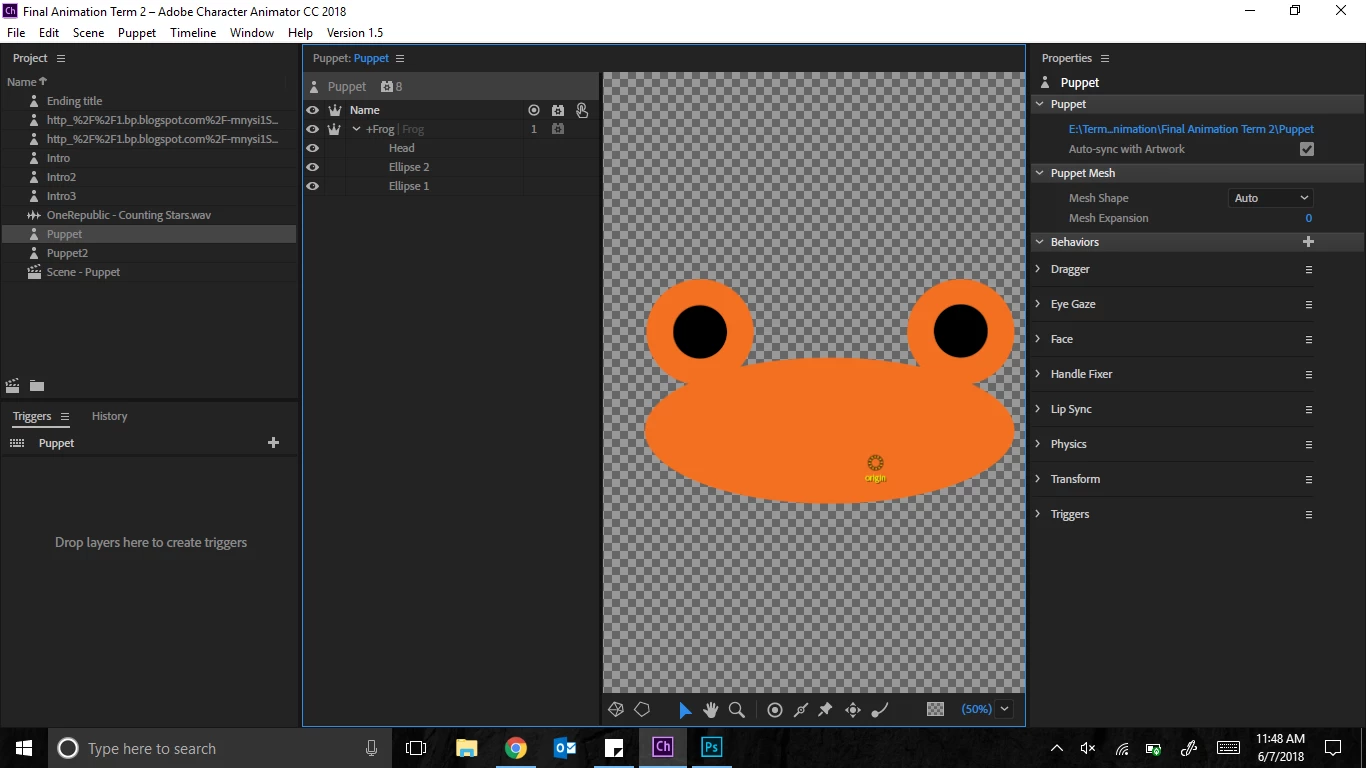
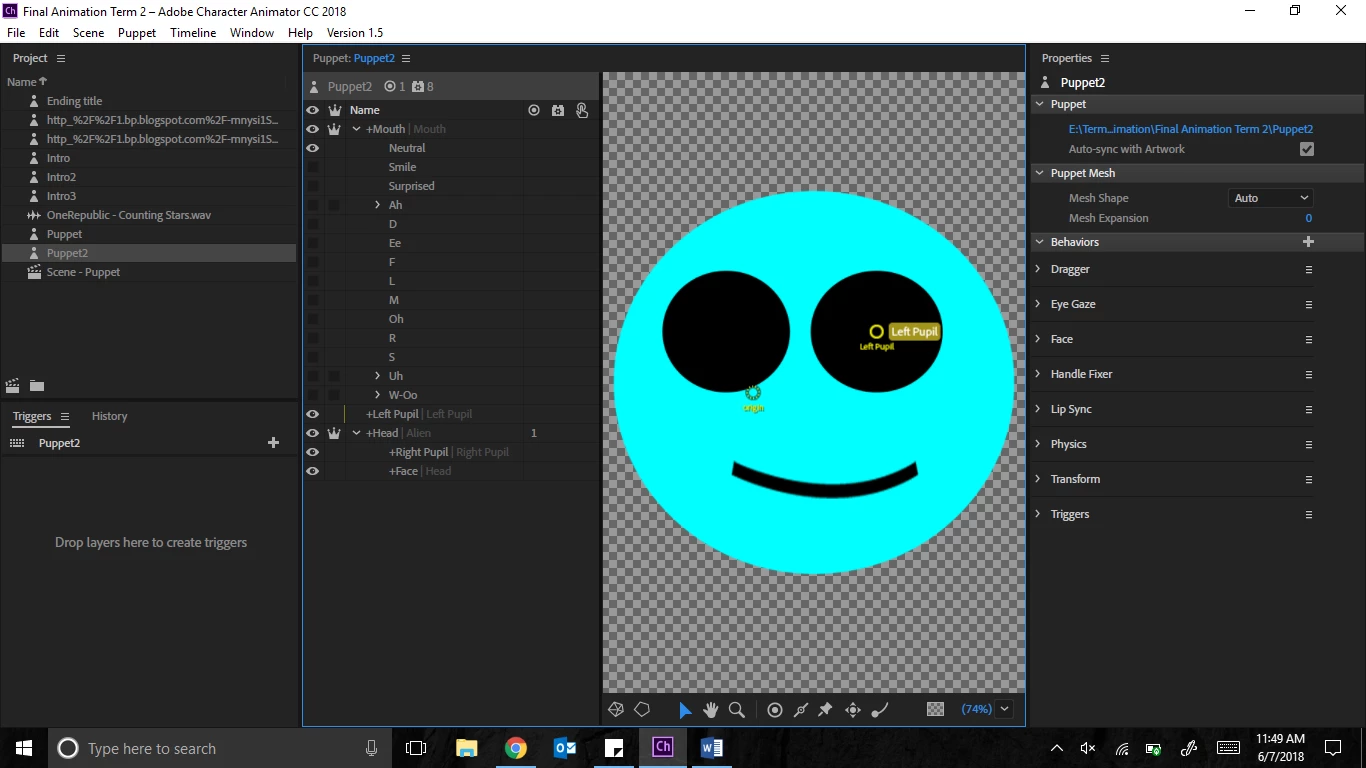
Sorry I was not clear - you do the copy/paste inside Illustrator / Photoshop - not inside Character Animator. If you type Control-E in rigging mode it will open up Illustrator for you on the file it is using (a useful short cut). When you save the file in illustrator and go back to CH, it will reload the file automatically (give it a few seconds) and will then see the new layers. You can only do tagging style changes in CH, not major structural changes. You have to do the bigger changes in the artwork. You normally hide/unhide the mouth layers in Illustrator to see what each mouth position looks like one by one.





 AdChoices