


Participant
February 10, 2021
Question

Lip Sync not working!

  • February 10, 2021
  • 1 reply
  • 451 views

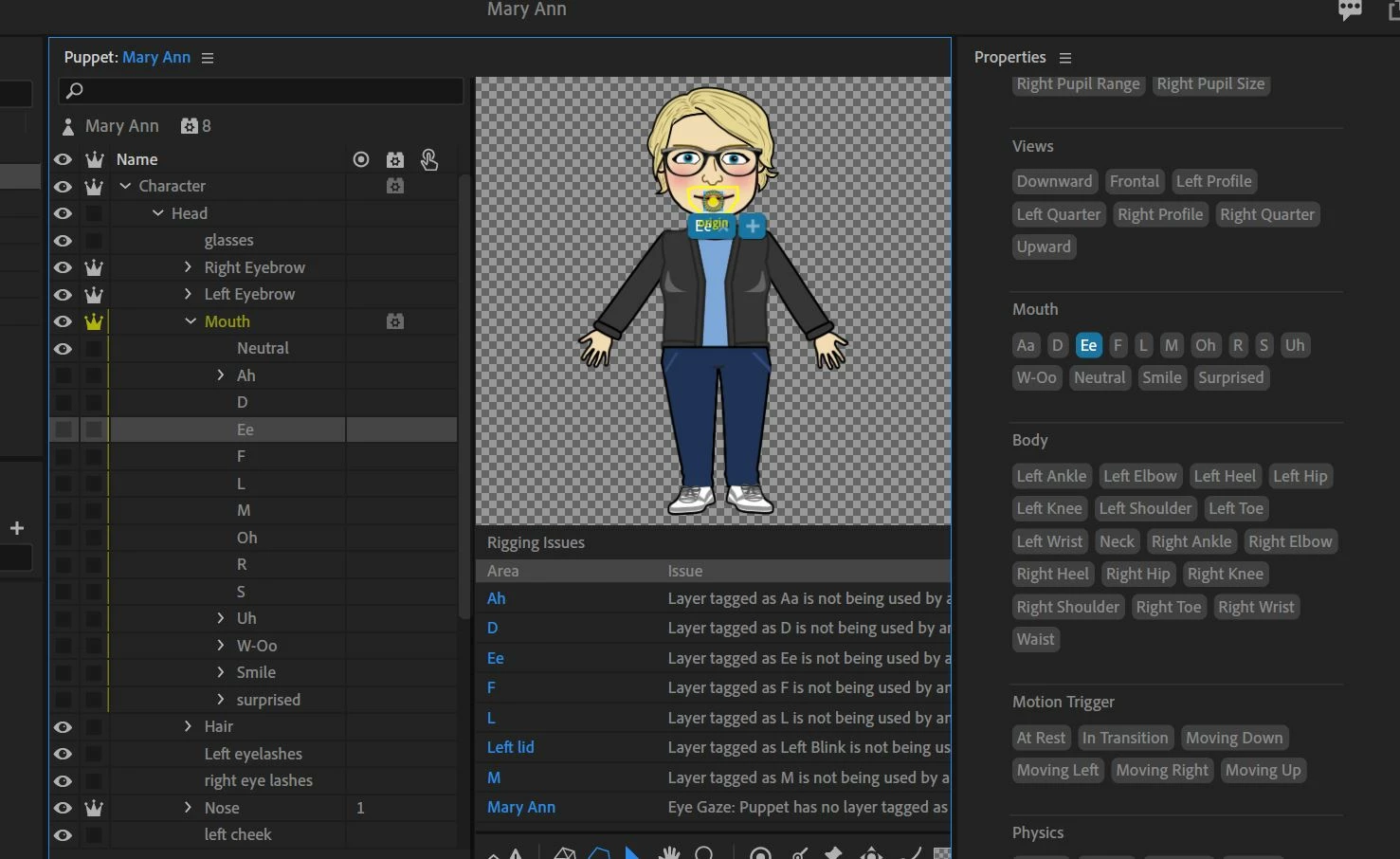
I am new to character animator. I have designed my character and pasted the mouth group from Blank into my Photoshop file.  When I go to character animator and put my character in a scene, the mouth does move some but it is not recognizing all the mouths available. I tagged them and put them in the mouth group but still nothing, It keeps saying they are not using any behaviors and all have "0" in the property panel. Plus the woohoo mouth gets really big. Help! Hope this picture works to show you my problem. This is for Ee.  Thanks!
This topic has been closed for replies.

1 reply

alank99101739
Legend
February 10, 2021

Could you post a screenshot of the lipsync behavior handles etc sections expanded (where the zeros are). It looks for Head first i think, then mouth, then visemes directly under it. Just wondering if you have a head tag on a wrong layer, so want to see what Head is bound to.


Also try https://www.okaysamurai.com/CHFAQ/

Participant
February 11, 2021

alank99101738, thanks for getting back to me.  Well, persistancy paid off and I figured it out. I took of the Lip Sync behavior off of the mouth layer and then they all started working and "1"s appeared besided all my visemes! Yay me!

alank99101739
Legend
February 11, 2021

Great to hear you got it working. Yes, it needs to find the Head first I think, so putting too low in the hierarchy would not work.