


ManyCam suddenly stopped working as an input source
We use ManyCam daily in the office to play MP4s that Character Animator can record movement from. Up until today, no issues. Then suddenly this message pops up:
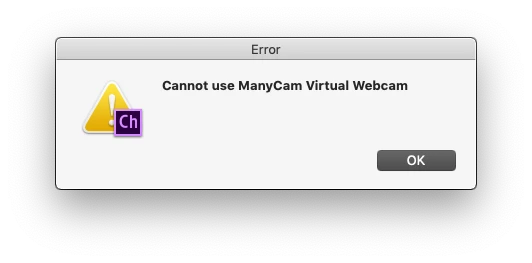
No error code, no explanation. As far as I know we changed nothing in our workflow, preferences, etc. CA just would not recognize ManyCam. We tried a restart, tried downloading a new ManyCam version, clicked every preference we could think of, but there was no video in the camera window and this message kept popping up.
We're on a 2013 MacPro (8-core, D700s) with no other camera input or software. Recently updated to Mojave and all CC 2019 versions of the apps. We have sister MacPro (6-c0re, D300s) with the same software installed and it is working FINE. No issues with ManyCam on that one. We've switched for now but this may seriously impact our workflow if we can't work on both computers.
HELP!
JVK

 AdChoices