Participating Frequently
Aug 21, 2018 8:23 PM UTC
Answered

Mesh issue

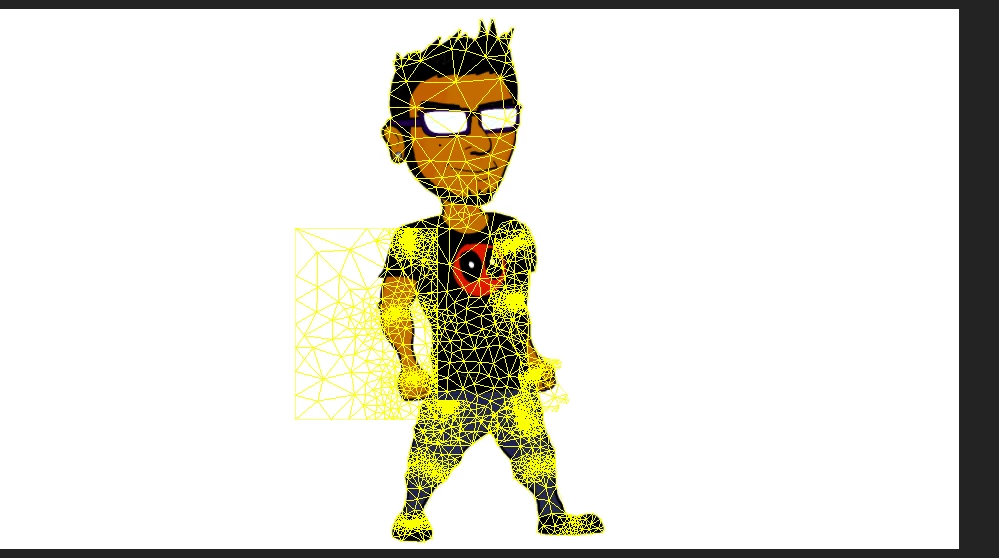
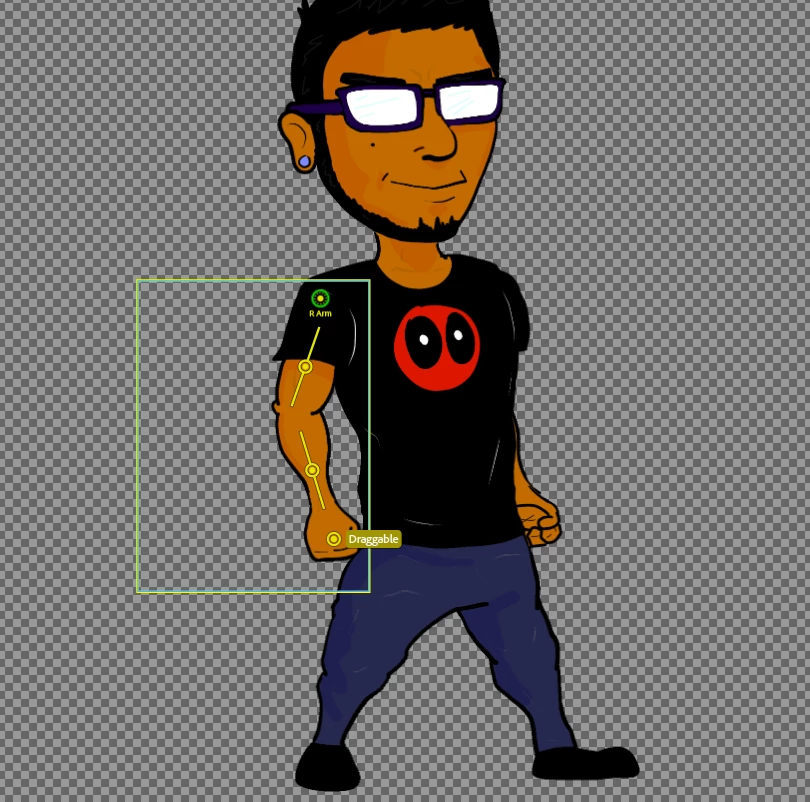
So I don't know why my right arm mesh outline is too big, changing the puppet mesh to contour does nothing. Every other layer is fine but my right arm help!

This topic is closed to new replies. Start a new post to keep the conversation going.
KJerryK
KJerryKCorrect answer
Legend
Aug 23, 2018 2:12 PM UTC

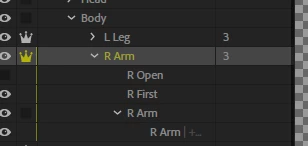
Here we go, thank you for the different browser suggestion, that worked. Ok so there is the mess and the order of my layers, { the first is the fist, sorry for the type o }


So the first thing you can do is open the puppet in the app where you made it, such as in Photoshop. If Photoshop, individually select each layer with the move tool activated. This will show you which layer has the extra pixels.

17 replies

Participant
Oct 12, 2020 7:20 PM UTC

I have similar issue can you help?

Translate
alank99101739
Legend
Oct 12, 2020 7:37 PM UTC

See how the yellow outline looks like the mouth, but its in the wrong spot? Go into Photoshop/Illustrator, expand the "Mouth" layer to show all the children layers, then put the eyeball on for all of them. I think you will discover you moved the Neutral layer and resized it, but all the other alternative mouths did not move/resize. Resize them so they all overlap in the right space, then save that file. If it works, hide all the layers except Neutral again.

Translate
Participant
Oct 12, 2020 7:19 PM UTC

i have the same problem,

Translate
alank99101739
Legend
Aug 22, 2018 4:18 AM UTC

Can you include a screenshot of the mesh? That can help a lot. For example, is it a rectangle or an unusual shape? A screenshot of the puppet hierarchy in CH for the arm can help as well. E.g. are there layers present but hidden? (Hidden layers affect the mesh as a trigger might make it visible.)

If I had to guess, there is something in the right arm layer you did not expect (e.g. something slipped into the wrong layer). So I would check the artwork file.

A screen shot of the rig mode with the mesh turned on can help too (select the arm layer to show its mesh).

Translate
Participating Frequently
Aug 22, 2018 2:55 PM UTC

I can't add images , for some reason it is forbidden? Any reason for that ?

Translate
alank99101739
Legend
Aug 22, 2018 5:15 PM UTC

Not that I know of. I just copy/paste directly into the text area here. (I have not tried uploading files or anything.)

Translate