


Participant
July 10, 2019
Question

Mouth moves (stuck on) even when no visemes.

  • July 10, 2019
  • 4 replies
  • 502 views

Hi All,

I'm quite new to CA but would appreciate your help with this problem I'm encountering. If you look at the picture below, I've got a part of my video where the character isn't talking but is stuck on the s viseme. I thought it might be going off my breathing but it goes like that for that whole pause which is about 10 seconds long!

I have found a workaround adding the m viseme and stretching it out over the gap but I'd still be interested in why this is happening and what I can do to fix it.

Kind regards,
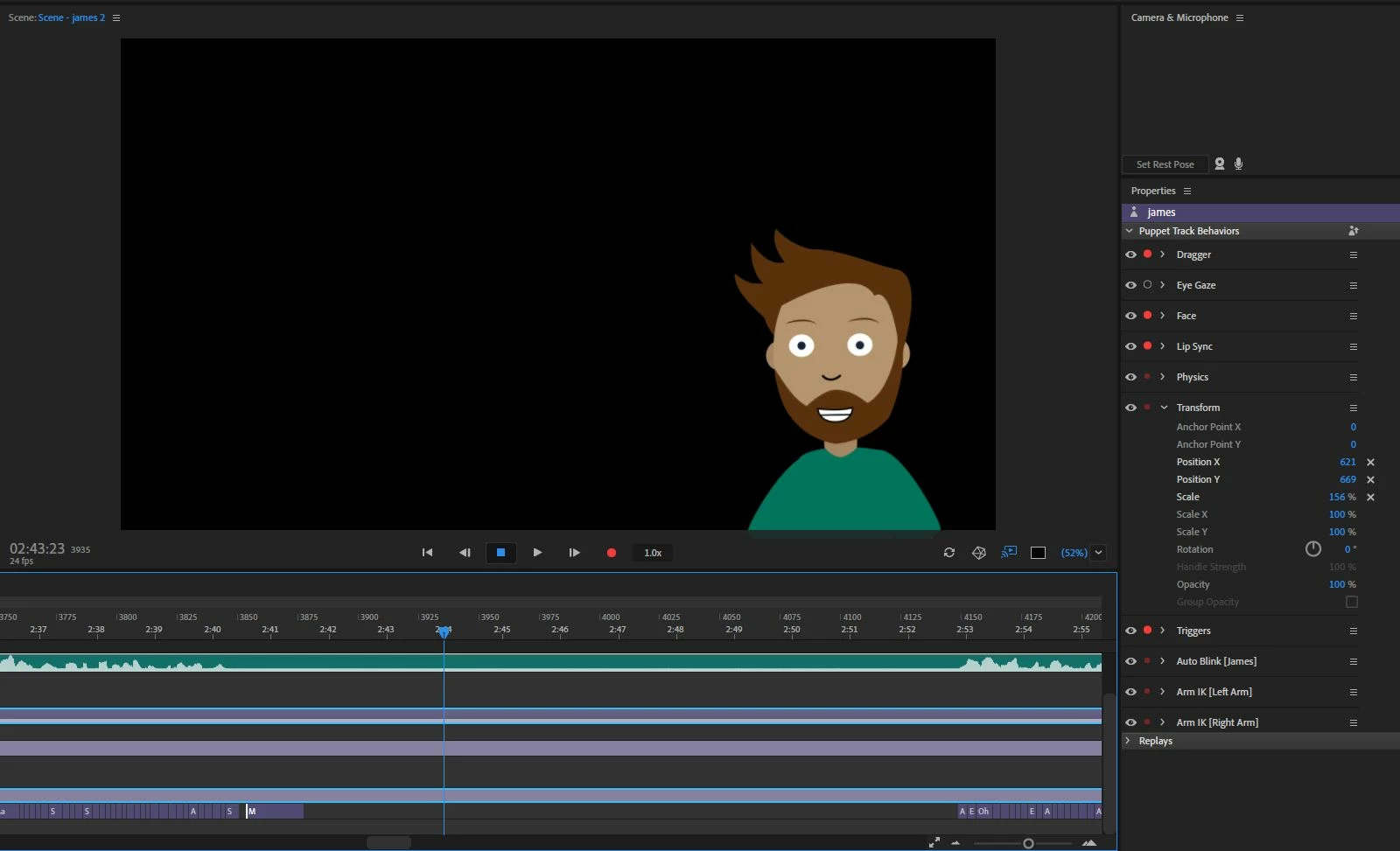
This topic is closed to new replies. Start a new post to keep the conversation going.

4 replies

Inspiring
August 13, 2019

If you post your file, I'm happy to take a look. I assume this applies during playback and export, not just when sitting in the timeline?

Dan R.
CH QA

alank99101739
Legend
July 11, 2019

That looks pretty standard and straightforward. My next suggestion is to check the tags on all the layers. eg does the Smile layer have the neutral tag on it by accident? the tags panel is over on the right.

But everything looks sound, so I am pretty sure it will be a stray tag or similar...

Participant
July 11, 2019

Here's the rigging. I don't think smile was the default but maybe it was picking that up off my face on the webcam?

If I untag smile as smile, then will that stop it being picked up by the facial recognition? I'd rather cue it with a behaviour trigger.

alank99101739
Legend
July 10, 2019

Could you show a screen shot of the rigging hierarchy for the mouth? I am wondering if the smile (s sound?) is the default for this puppet. So when no viseme it makes that mouth position.