Known Participant
June 29, 2021
Question

Multiple eyes, only one set of pupils will work at a time.

  • June 29, 2021
  • 2 replies
  • 745 views

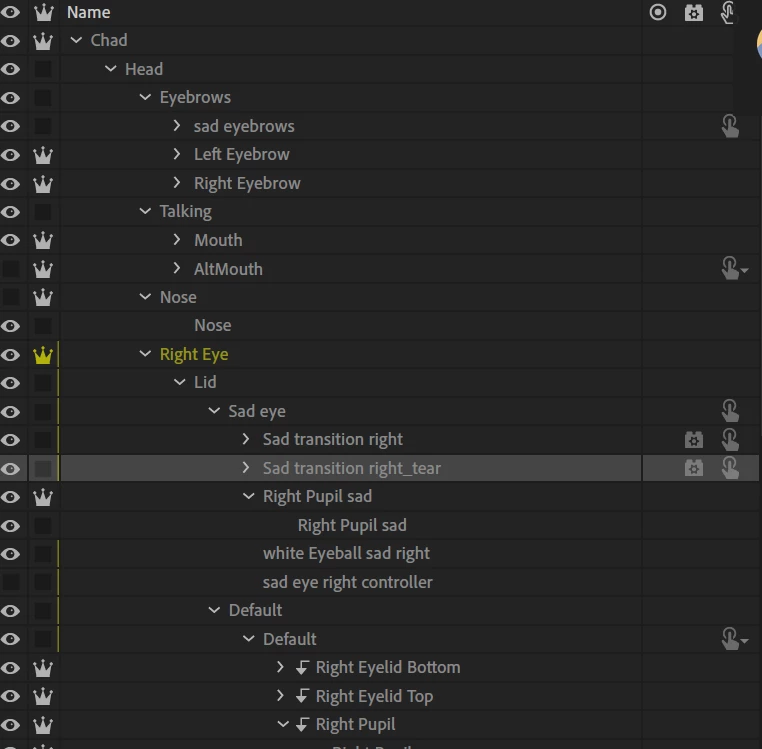
I tried to create a new set of eyes for the sad emotion but if i tag both pupils only the last one tagged will work.



This topic has been closed for replies.

2 replies

Known Participant
July 2, 2021

Ok i was finally able to use the eye gaze behaviour correctly, i had to eliminate the global one to add multiple ones, i'm now able to move multiple set of pupils etc.

Now the problem has to do with the file size, 1080p is too much for what i have to do, the avatar will occupy a small space in a 720p background, how can i resize the psd without destroying the rigging ?

alank99101739
Legend
June 29, 2021

if you look in behaviors, there is an eye gaze behavior. It understands multiple views (there is a section called views in the tags panel - lists frontal, left profile, etc). You can look in the properties panel and expand the behavior and see the views it found. The handles section shows the layer it binds to. Basically however it can bind to one layer in a view only (apparently). So the most common approach is either to reorganize the hierarchy so the different expressions live under the Left Eye and Right Eye etc so there is only one tagged layer and you flip the contents using triggers; or you need to add another behavior and put it in the hierarchy somewhere so it finds the other eyes. I suggest the first as less confusing to me, but it depends on what you are trying to achieve.


To expand, have one Left Eye layer, one Left Pupil etc. Then inside have 'happy pupil' / 'sad pupil' selected using a trigger. The same trigger can control multiple layers, so it's still one trigger, but it is bound to the happy layer inside both the left eye and right eye.


Does that make sense?

Known Participant
June 30, 2021

I tried that in the past but after triggering the sad eyes i still got a single set of pupil working, i need a more streamlined explaination because the only thing i can't ge to work are the eyes swapset.

alank99101739
Legend
June 30, 2021

The other approach is to add an extra eye gaze behavior in that section. But this can be tricky as i think it needs a head tagged layer to look for eyes under, which can get other behaviors confused (as there would be 2 heads). 


I cannot think of a reason why the pupils being in a swapset would not work however. When you mention a 'streamlined explanation' do you mean what i said was not clear? I don't have time to try it right now, but nesting like;


+character

. Head

. . Left Eye

. . . +Left Pupil

. . . . Happy pupil artwork (with trigger)

. . . . Sad pupil artwork (with trigger)


Showing what you are trying to achieve visually otherwise could help - maybe I am misunderstanding what you are trying to achieve.