U-5C49
Participant
September 18, 2020
Question

My custom character won't show

  • September 18, 2020
  • 2 replies
  • 202 views

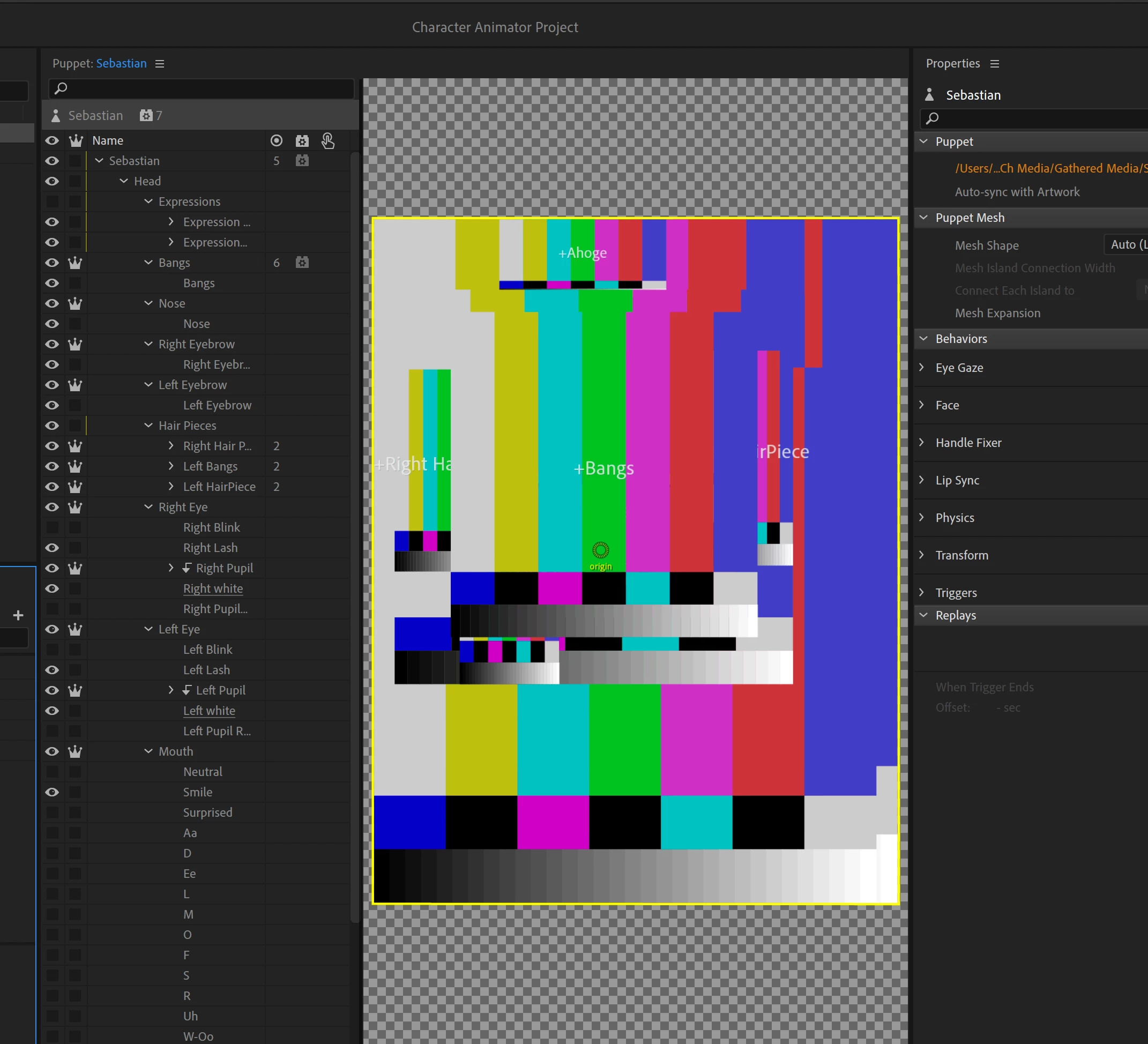
My character shows up as this now:

What did I do to cause this and how can I fix this. 

This topic has been closed for replies.

2 replies

alank99101739
Legend
September 18, 2020

Oh, sorry, it was there on the screen! Look up at top right corner - see the path is orange? That means it could not find the file.

alank99101739
Legend
September 18, 2020

The problem is it cannot find the artwork file. If you single click on puppet in project panel, then look at the properties over on the right, the first one should be "Path". If you moved the artwork file, this path will be out of date. Edit it to correct the path and it will start working again. Just make sure you get the right file - if you pick the wrong one, it may lose all the rigging etc details.