
Known Participant
March 11, 2022
Question

My head disappeared

  • March 11, 2022
  • 2 replies
  • 595 views


You can see in the image below that the eyes, mouth, nose face background are all in the head
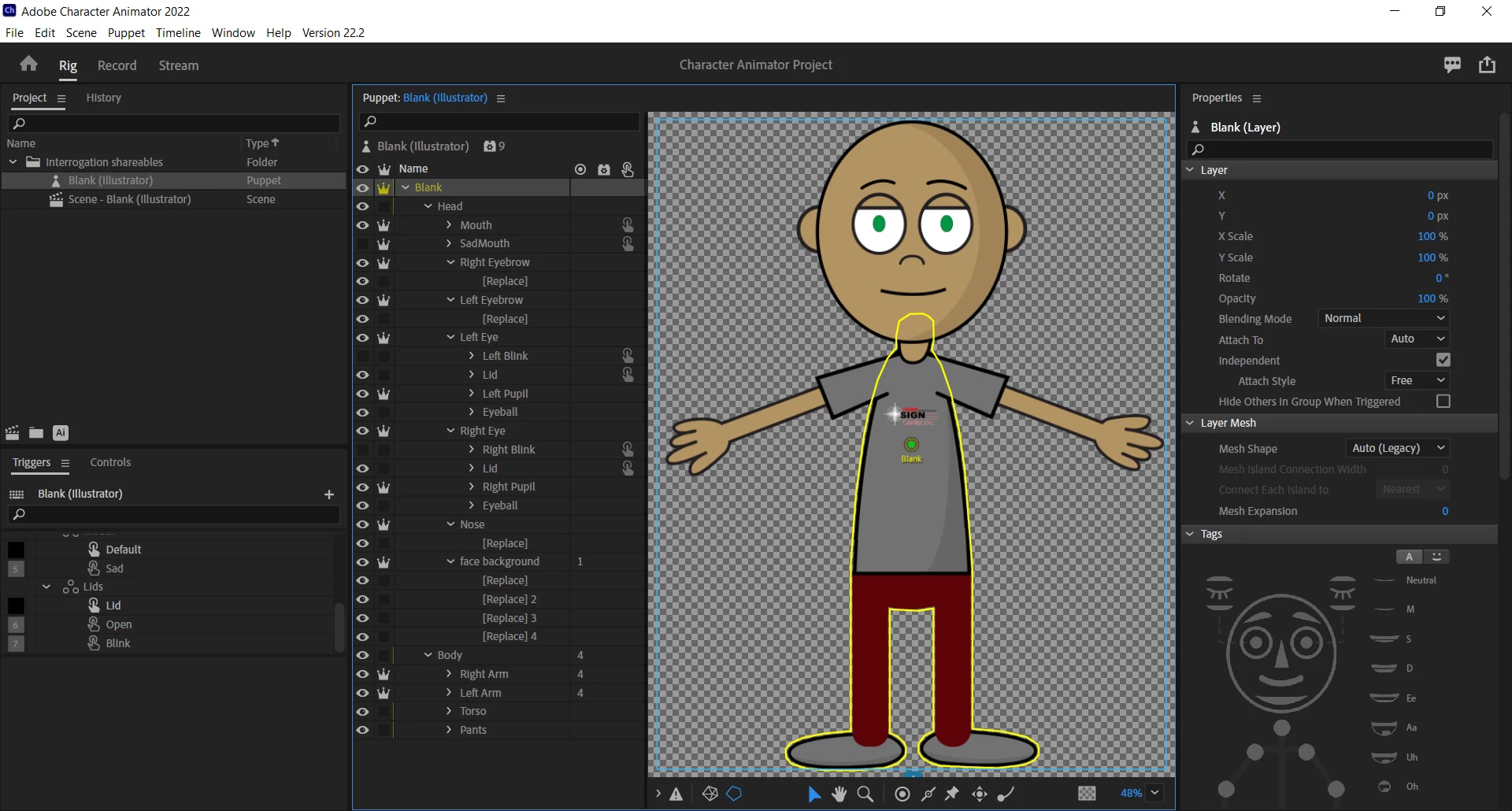
 

but when you click back to record the head dissapears
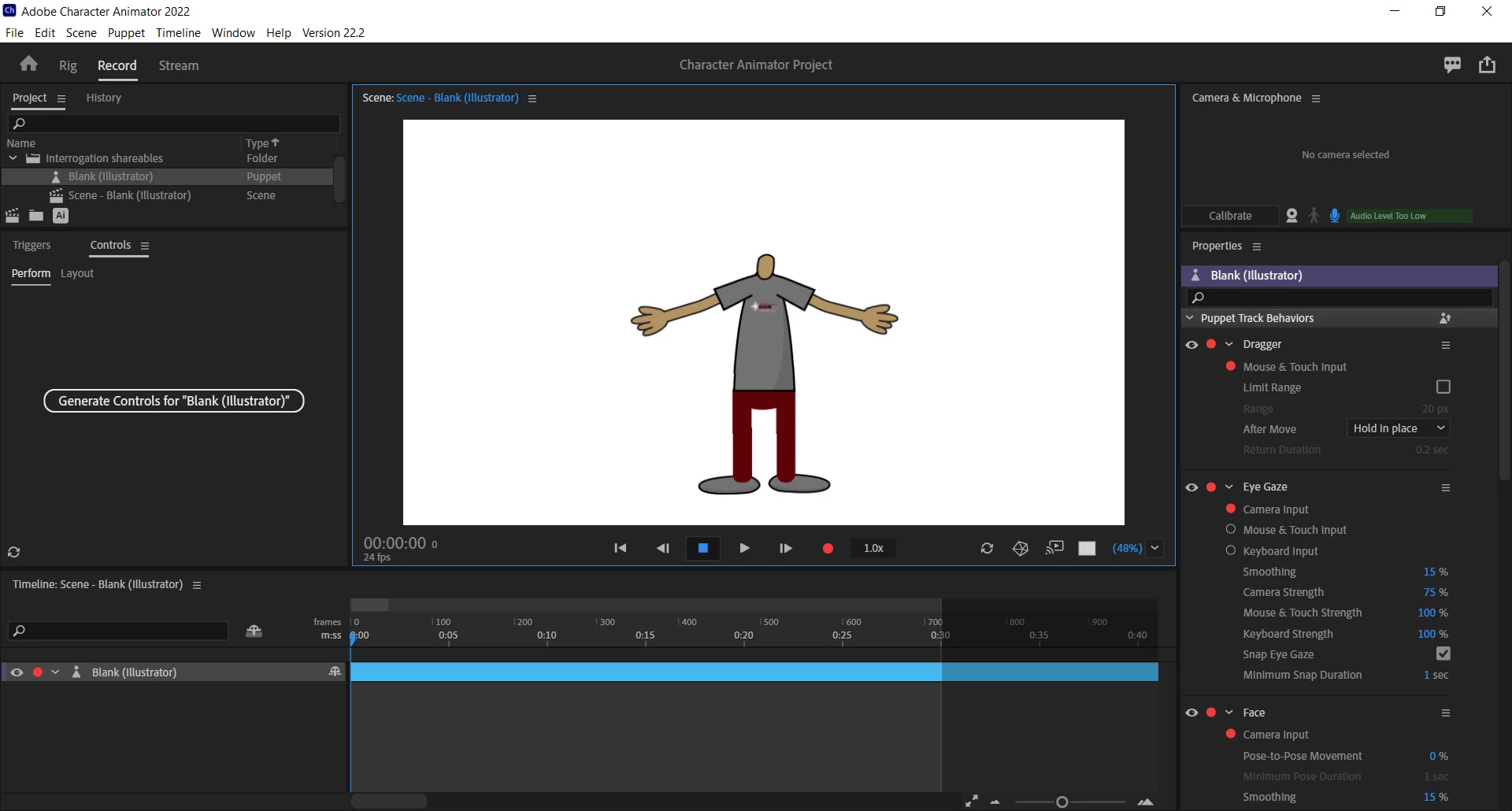


Not sure what I did wrong. I followed the instructiosn ont he YouTube vid. This is my first try at this so please be kind. 🙂

This topic has been closed for replies.

2 replies

alank99101739
Legend
March 11, 2022

I would recommend making the "face background" layer *not* independent. Usually when all children of a layer (Head in your case) are independent its usually a mistake. Without this, things wont attach well (which means head could be visible but off the screen)


I would then check your swapsets. There are only a few ways to make things disappear: swap sets, head turner, body profiles (walk behavior). So I would check them first.

Tamara-joAuthor
Known Participant
March 11, 2022

unfortunately that didn't work. I think that's the crown that makes it independent, correct?

I didn't swap out anything, just changed colors and added the logo.

I should start over again. lol

TheOriginalGC
Community Expert
Community Expert
March 11, 2022

This is very interesting. Did you make any changes to the head in Photoshop (or Illustrator)?

Tamara-joAuthor
Known Participant
March 11, 2022

yes, I followed along with the video:  https://www.youtube.com/watch?v=JL024_E1AUk&lc=Ugwwocj-pukOwSF5dTF4AaABAg.9Z2MCHiVCV_9ZAR2172m6K


I changed the eye color, shirt color, skin colors and added our logo to the t-shirt

it is always odd things that trip me up. lol


TheOriginalGC
Community Expert
Community Expert
March 11, 2022

If AlanK's suggestin doesn't work, then would you mind exporting your puppet (Click on the File tab, click on "Export" and then "Puppet") and uploading it to something like dropbox so we can take a look at it?