



christineavatar
Legend
Apr 6, 2019 7:35 PM UTC
Question

My mouth disappears if I don't smile at it.

This is a weird one. I have been following the Animation Workflow Character Animator tutorial (it's GREAT!) but I just hit a snag. I am trying to have the mouth shapes become available when I hit a trigger. One of them fouls up. When I touch the number 3 it should smile but when I touch 3 the mouth disappears - unless I smile.
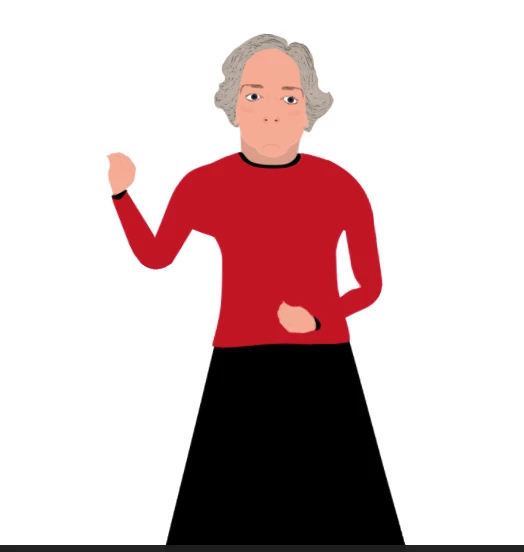
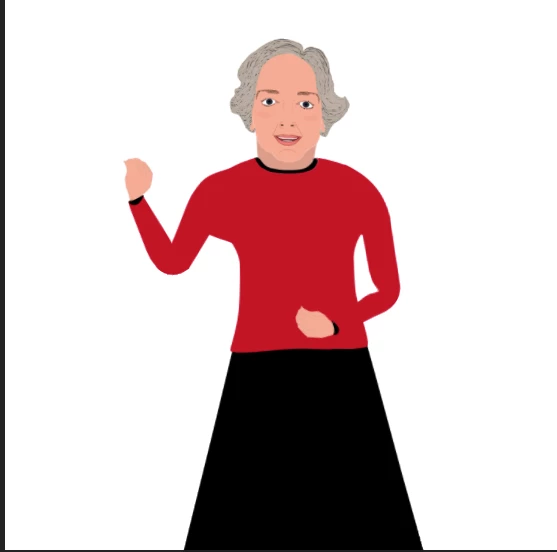
How do I correct?

    This topic is closed to new replies. Start a new post to keep the conversation going.

    5 replies

    alank99101739
    Legend
    Apr 9, 2019 6:15 PM UTC

    Step 1: Find your face behavior (on root of puppet by default) and open up the Handles/Views whatever. You should be able to see all the viseme names and the layers each one is bound to. For example, if there is another layer with the viseme tag on it, the behavior might have picked that one instead of the one you wanted.

    Step 2: Try clicking the scene refresh button (two arrows in a circle). Sometimes it clears issues and is easy to do.

    Step 3: Click on each of the layer names in rigging and check the tags over in the properties panel. CH does not use the layer name, it uses the tag. So even if the layer name is correct, if the tag has been turned off, it won’t work. CH assigns tags to layers based on names automatically When loaded, but you can change it afterwards.

    Translate
    DanTull
    Adobe Employee
    Adobe Employee
    Apr 10, 2019 10:42 PM UTC

    Thanks, Alan. In particular step 3 above is key. From the picture of the layers panel, there are neutral layers, but my best guess about the behavior above is that somehow those layers are not actually being tagged as neutral mouths so they don't show up (I can recreate the behavior you're describing by untagging my neutral mouth layers).

    If you want to send me a link to the puppet privately, I can look over the rigging and try to help spot the issue.

    DT

    Translate
    christineavatar
    Legend
    Apr 8, 2019 9:55 PM UTC

    Right now, today, I am not getting either mouth. I can't seem to get the piece back to the regular mouth. I swear if it wasn't for bad luck I'd be having no luck at all!

    Translate
    DanTull
    Adobe Employee
    Adobe Employee
    Apr 7, 2019 4:51 AM UTC

    Sounds like maybe you are missing a tagged neutral mouth layer?

    DT

    Translate
    christineavatar
    Legend
    Apr 8, 2019 9:43 PM UTC

    I don't think so. Please take a look.

    I have switched around the 'Singles' to be below the 'Mouth' but it didn't help. The instruction I have been working on is by OkaySamurai who does instruction on how to make puppets. I am afraid that there is something I'm just not seeing.

    Translate