


Inspiring
August 11, 2020
Question

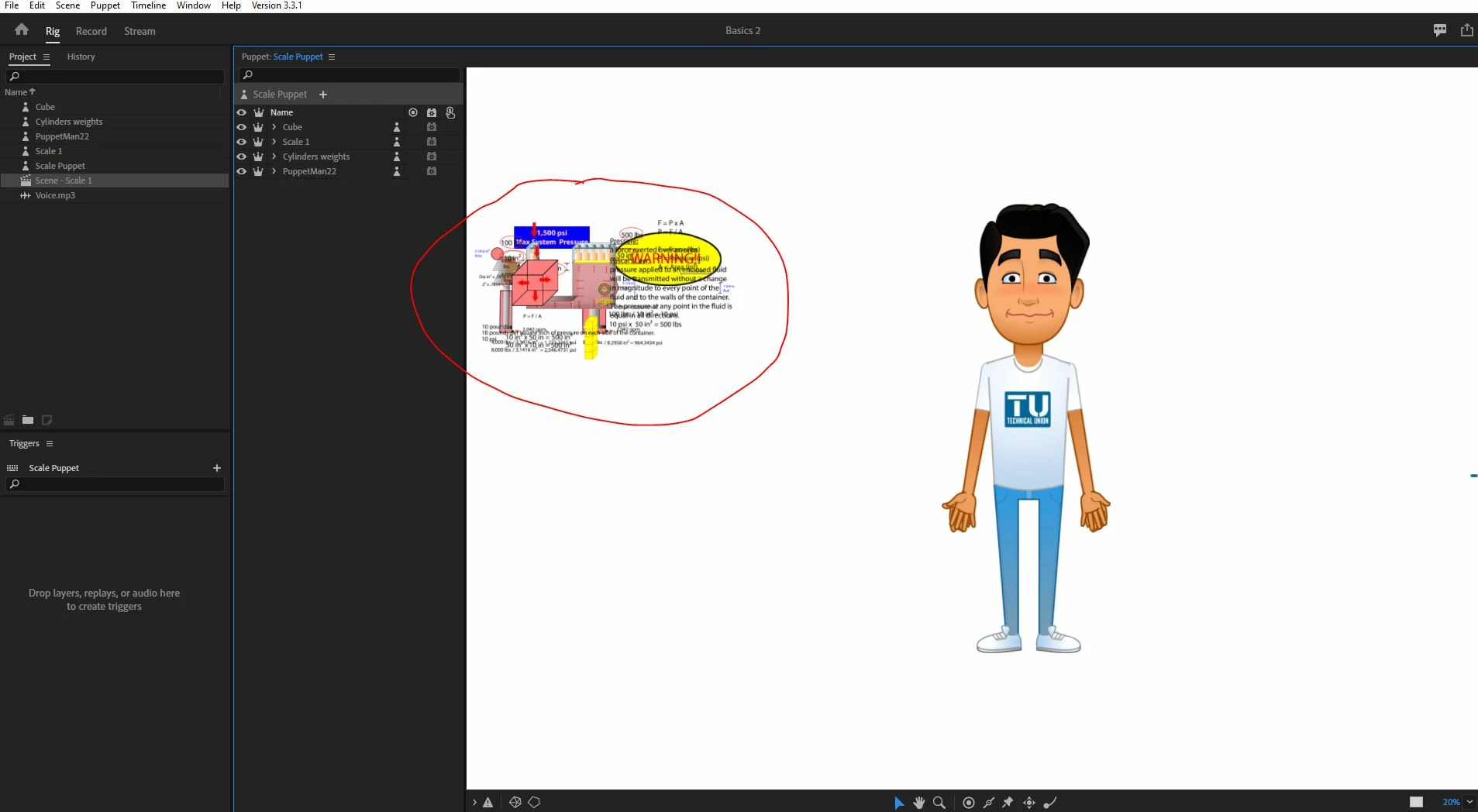
My rig panel is not showing all the items on the proper size.

  • August 11, 2020
  • 1 reply
  • 319 views

See the picture below.


I imported 4 items, 3 illustrator files, and one photoshop file with a puppet. 


For some reason the illustrator files are showing very small in relation to the puppet in the rig panel. 


Once I opne the record panel the zise looks normal, but its hard to view them in the rigging area.


Is there a way I can fix it? 


This topic has been closed for replies.

1 reply

Inspiring
August 11, 2020

Can you PM me a link to the puppet?

Have you changed the size of the Illustrator assets in the Record workspace using the Transform behavior? The size difference in the Puppet panel would be expected if the source assets are a different size. 

elindo586Author
Inspiring
August 11, 2020

The link to the puppet? 


The source would be in a folder in my computer. 


I did some resizing of the items, and suddently the puppet took over the rigging screen. 


At this point is workable in the record mode and I can create the video without problems, but its annoying that I can't get a good look at it in the rigging mode. 


DanielWilk
Participating Frequently
August 17, 2020

if you were willing to share the project with us we could figure out of this is a bug or something otherwise very confusing. Both are helpful.


Quit Ch, zip the project folder and PM a link to me or DanR and we'd love to take a look.