This topic has been closed for replies.
Correct answer alank99101739

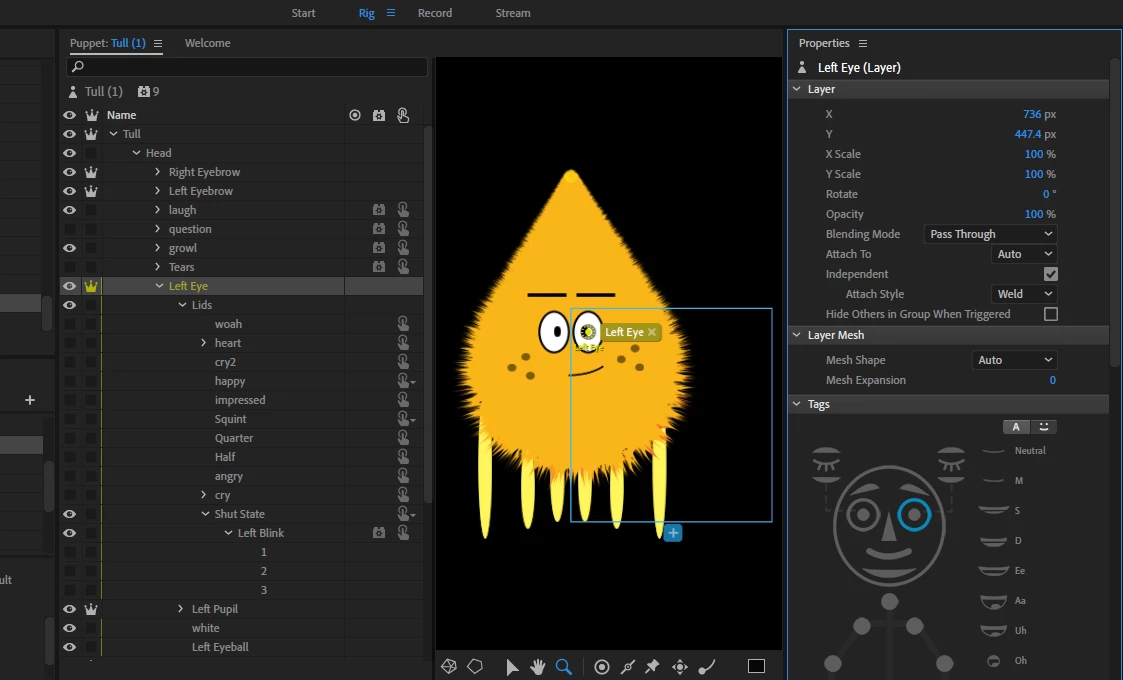
One thing that was not clear to me is whether the eyes and all the hidden variants in the right place in the original artwork? You need to un-hide them all to check (Then hide them again).

You can also move them in CH, but that won’t affect the artwork file. I am wondering if this is the case...

Or... rereading your description, is the artwork for both eyes in the same layer by mistake? So moving one moves both? The screenshot only shows Left Eye- I don’t notice a right eye hierarchy... maybe chopped off screen. Just check the left and right eye artwork is in the right spot in the puppet hierarchy

3 replies

alank99101739
alank99101739Correct answer
Legend
July 17, 2019

One thing that was not clear to me is whether the eyes and all the hidden variants in the right place in the original artwork? You need to un-hide them all to check (Then hide them again).

You can also move them in CH, but that won’t affect the artwork file. I am wondering if this is the case...

Or... rereading your description, is the artwork for both eyes in the same layer by mistake? So moving one moves both? The screenshot only shows Left Eye- I don’t notice a right eye hierarchy... maybe chopped off screen. Just check the left and right eye artwork is in the right spot in the puppet hierarchy

Fancy_writer5CCF
Known Participant
July 17, 2019

I got it! thanks 

alank99101739
Legend
July 15, 2019

Either your artwork file has it moved off the edge, or you moved it in CH. If correct in your artwork file, use the eye icon to show it in Ch and drag it back.

It is common to hide layers in Photoshop/Illustrator and drag the group, leaving the hidden layers behind. You need to unhide everything first, move, then rehide. I don’t know a better way myself - let me know if you find one!!

There may be a “reset layer” menu item, but I use it so infrequently I could not vouch for whether it would losing other tags and rigging etc. Dragging things is the safest answer.

Fancy_writer5CCF
Known Participant
July 16, 2019

I move my character into the other puppet. If I did the other way around it keep deleting it self so I move my puppet to avoid it.

Sjaani
Community Expert
Community Expert
July 16, 2019

Judging from your two images, the large box in the first image is indicating that part of it is elsewhere.

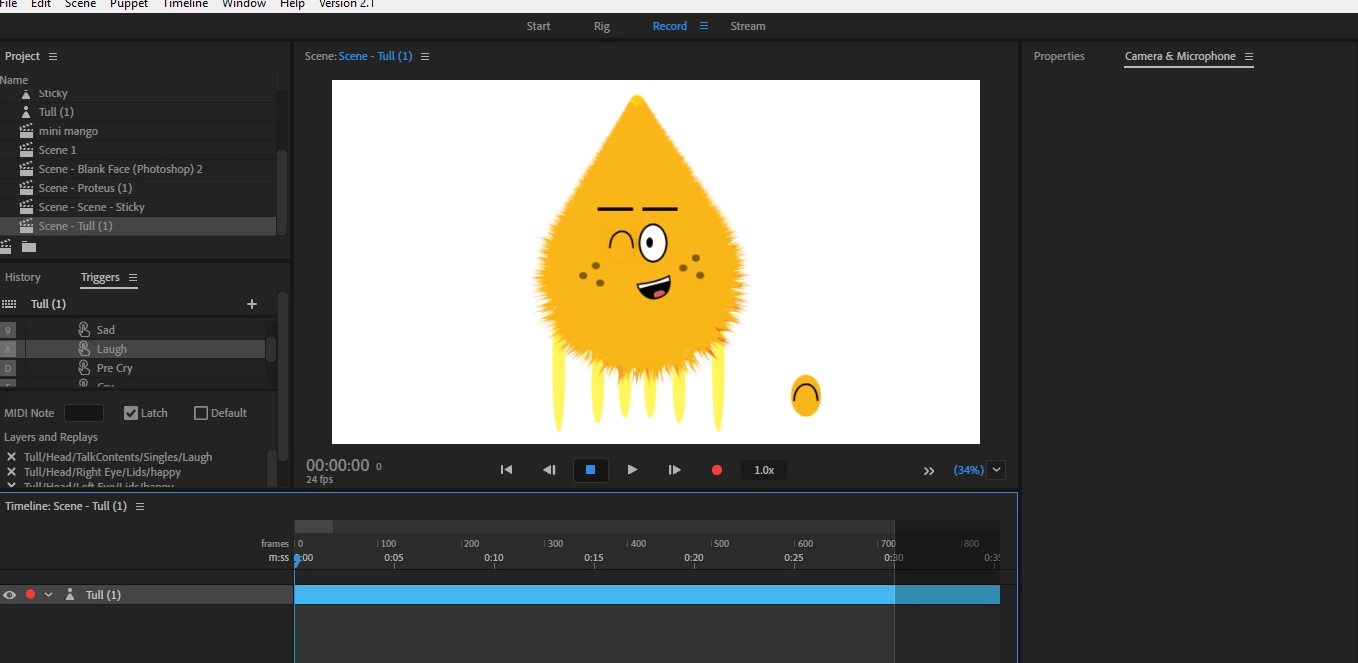
When looking at the second image you can see that the blink image is showing up in the bottom corner of the box in the first image.

Re-align that blinking image in Ai/Ps and the box around the eye should cover only that area.

Nancy OShea
Community Expert
Community Expert
July 15, 2019
Nancy O'Shea— Product User & Community Expert