Participant
April 17, 2022
Answered

No arm movement EVER

  • April 17, 2022
  • 1 reply
  • 272 views

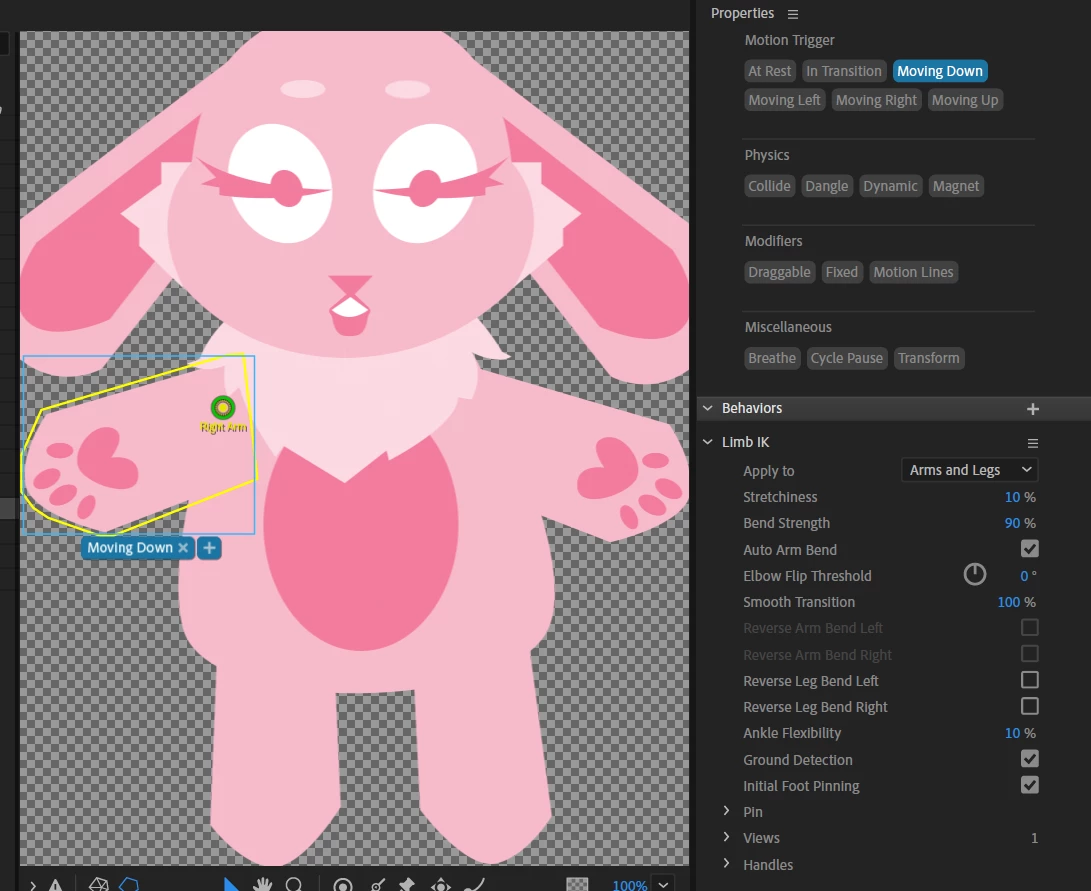
So I've tried everything and I'm getting super discouraged and frustrated. I cannot get the arms to move! I've spent over 5+ hours on this project and I need to get my arms to move, at least, up and down. Anybody, PLEASE HELP ME! 
 

This topic has been closed for replies.
Correct answer alank99101739

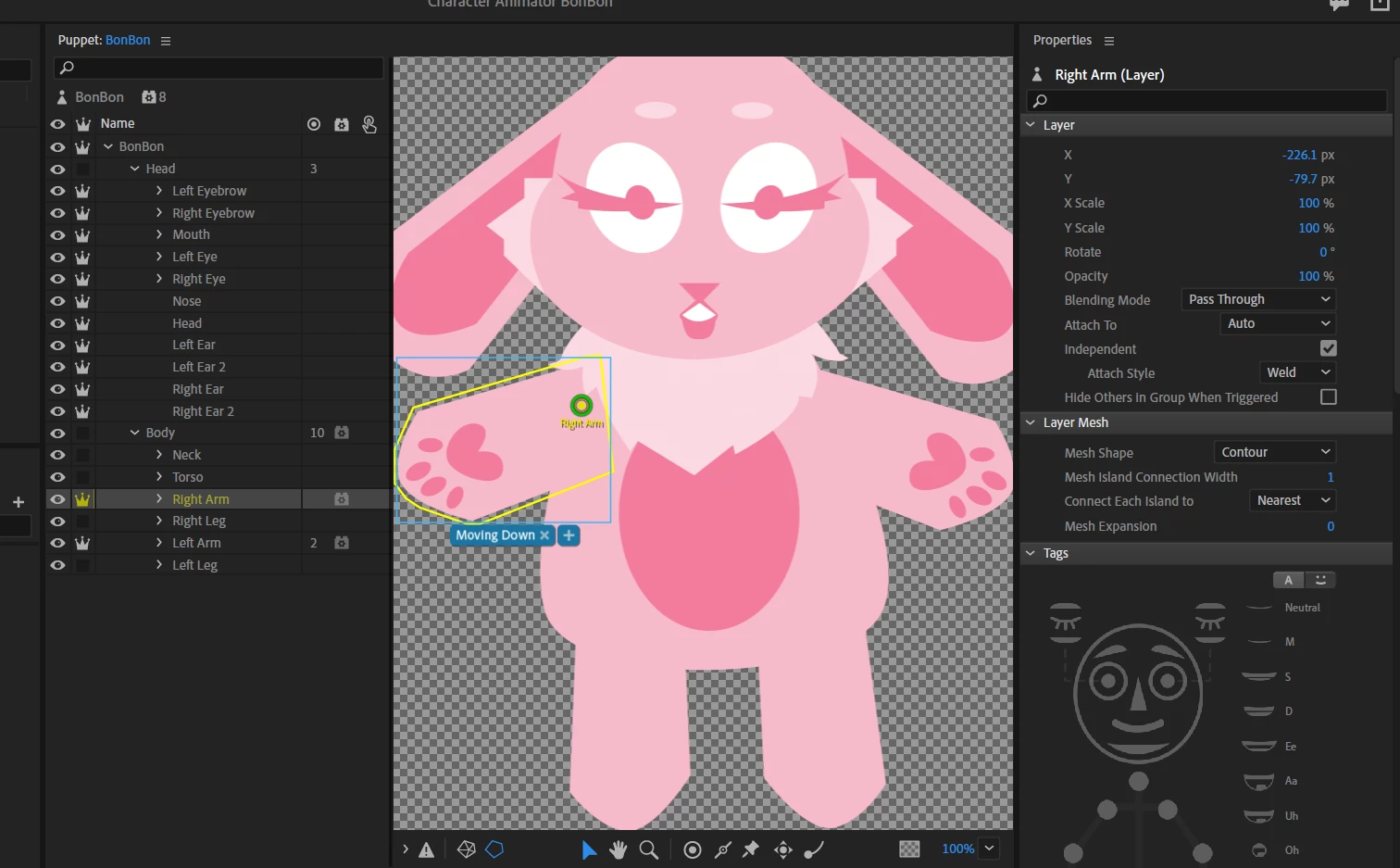
On the arm layer, add a "dragger" on the paw - the icon with the 4 arrows. It adds a handle and adds the "dragger" tag to it for you. This is the point you can then move when you activate the dragger behavior.

1 reply

alank99101739
alank99101739Correct answer
Legend
April 17, 2022

On the arm layer, add a "dragger" on the paw - the icon with the 4 arrows. It adds a handle and adds the "dragger" tag to it for you. This is the point you can then move when you activate the dragger behavior.

Participant
April 17, 2022

Thanks so much for the tips, but for some reason it warps it when I go to drag. Any other suggestions? 


alank99101739
Legend
April 17, 2022

That is usually an indication there is another handle on the layer somewhere that is not moving (e.g. two draggers, but other handles can result in it as well). The screenshot for that arm had the number "2" above, which indicates there were 2 handles on that mesh somewhere. If you turn on the mesh icon (bottom left on scene panel) it will put yellow triangles all over your artwork for the selected layer mesh. You can often spot the exact location of what is not moving using that view.