esmitty0926
Participant
June 19, 2017
Answered

OpenGL problem won't allow Character Animator to work

  • June 19, 2017
  • 3 replies
  • 3691 views

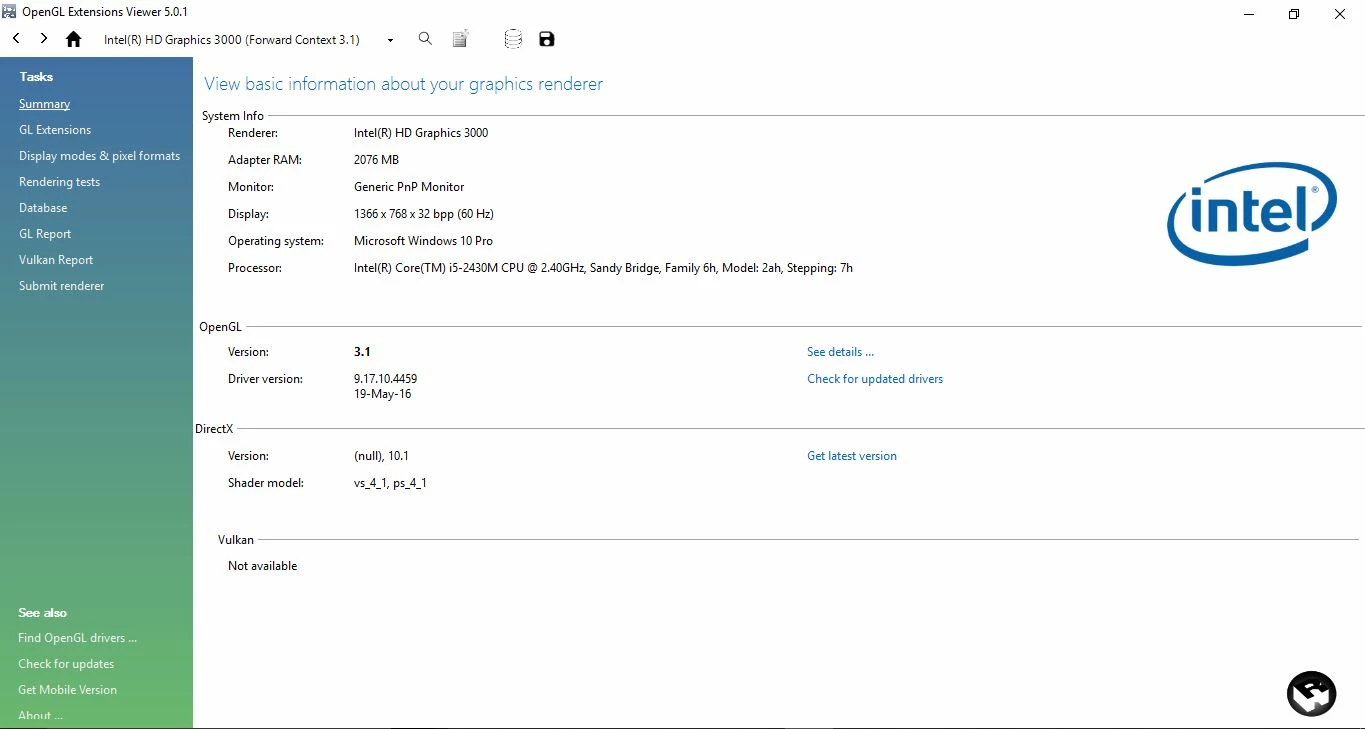
So I have pretty much tried everything. I tried updating my graphics driver to the latest version (Intel HD Graphics 3000). I made sure my display was set to True Color (32 bit). My remote desktop connection setting is at the highest setting (32 bit). And I've tried launching the app after closing every other application on my computer. I'm assuming that my processor and graphics driver are just too outdated since I purchased my computer in 2012. Any help would be appreciated.
This topic is closed to new replies. Start a new post to keep the conversation going.
Correct answer Jim Acquavella

Unfortunately, if you have the latest driver, then it likely means that required OpenGL support we need to composite and warp images isn't available.  Any newer machine will support Character Animator, but these earlier Intel graphics cards often don't have the driver support we need.  Sorry.

3 replies

Jim Acquavella
Adobe Employee
Adobe Employee
June 19, 2017

What are the symptoms?  Does a dialog appear that says "OpenGL setup failed - the Scene panel will likely be blank. Updating your graphics card driver may fix this issue. See adobe.com/go/ch_opengl for details."  Are you running via a Remote Desktop connection?

esmitty0926
Participant
June 20, 2017

Yes I have that exact pop up and no I am not running on a RDC.

Jim Acquavella
Adobe Employee
Jim AcquavellaCorrect answer
Adobe Employee
June 20, 2017

Unfortunately, if you have the latest driver, then it likely means that required OpenGL support we need to composite and warp images isn't available.  Any newer machine will support Character Animator, but these earlier Intel graphics cards often don't have the driver support we need.  Sorry.