


Known Participant
January 19, 2019
Answered

Pan Around Record Scene

  • January 19, 2019
  • 1 reply
  • 282 views

My record scene has gotten away from me.
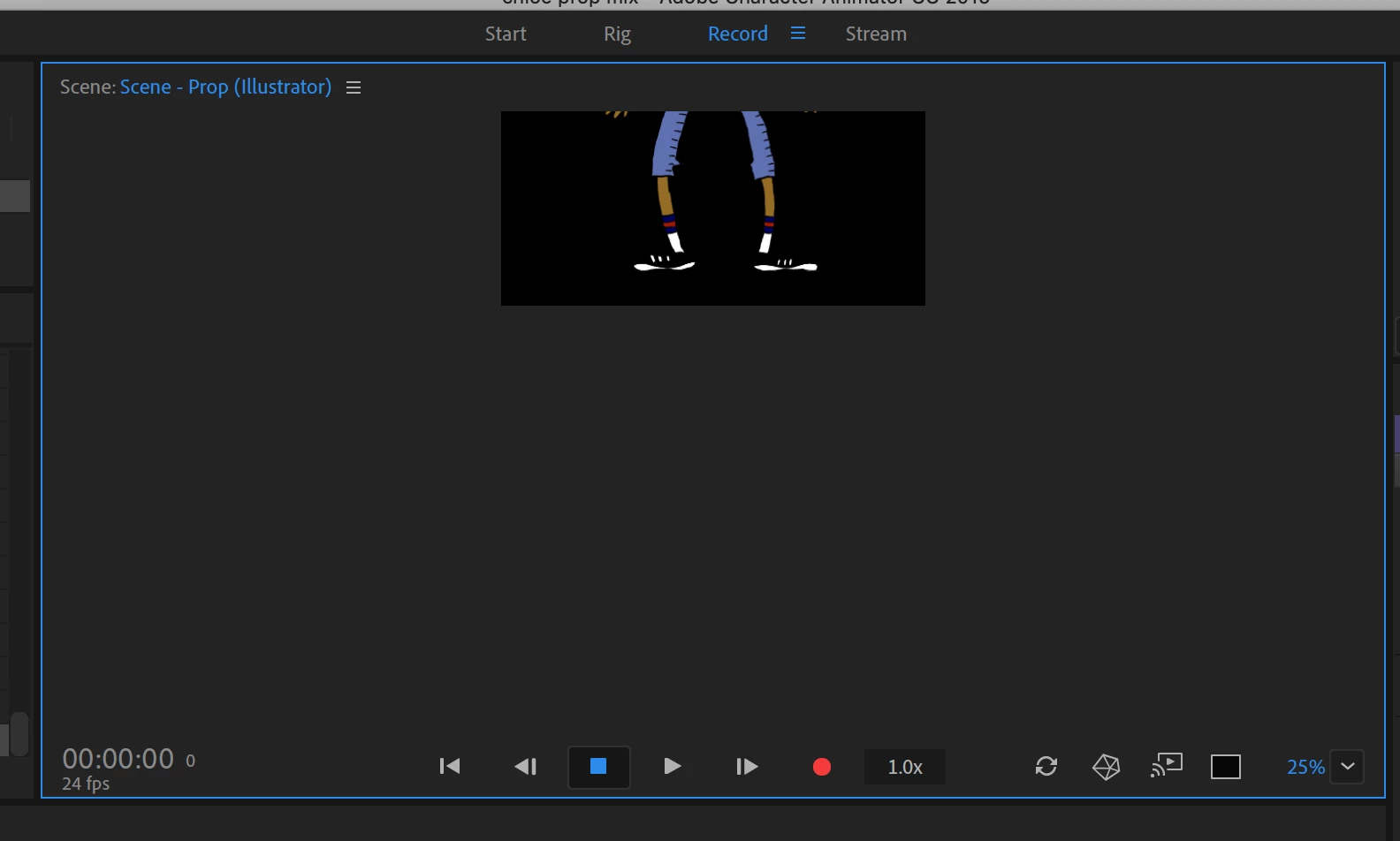
I can't press the spacebar to activate the Hand tool pan around and move it back into the center of the space, like I can in the Rig space (or many other Adobe applications). How do I get this guy back into place?

    This topic is closed to new replies. Start a new post to keep the conversation going.
    Correct answer alank99101739

    Try tapping the ALT button then trying the pan again. It seems like tapping ALT (on Windows anyway) toggles some mode. I don’t quite understand why.

    But the sure fire way is I think the scaling drop down in the bottom right corner (25% in your screen shot) - I think there is “fit” in the drop down that will rescale and recenterl.

    There is also a keyboard shortcut page somewhere - there are various keyboard shortcuts that do clever things - but I never remember them all!

    1 reply

    alank99101739
    alank99101739Correct answer
    Legend
    January 19, 2019

    Try tapping the ALT button then trying the pan again. It seems like tapping ALT (on Windows anyway) toggles some mode. I don’t quite understand why.

    But the sure fire way is I think the scaling drop down in the bottom right corner (25% in your screen shot) - I think there is “fit” in the drop down that will rescale and recenterl.

    There is also a keyboard shortcut page somewhere - there are various keyboard shortcuts that do clever things - but I never remember them all!