


Participant
October 12, 2020
Question

Part of the puppet is now invisible???---Everything was working before!

  • October 12, 2020
  • 2 replies
  • 696 views

I'm at an impasse!!!! I made a puppet that was working previously well (in August), but now is appearing in Character Animator with part of it's "head" missing/invisible. I spent hours troubleshooting this and even recreated the puppet file using another one that is working, copying-and-pasting layer-by-layer to ensure somehow I didnlt botch the layer order or have a hidden mask somewhere.


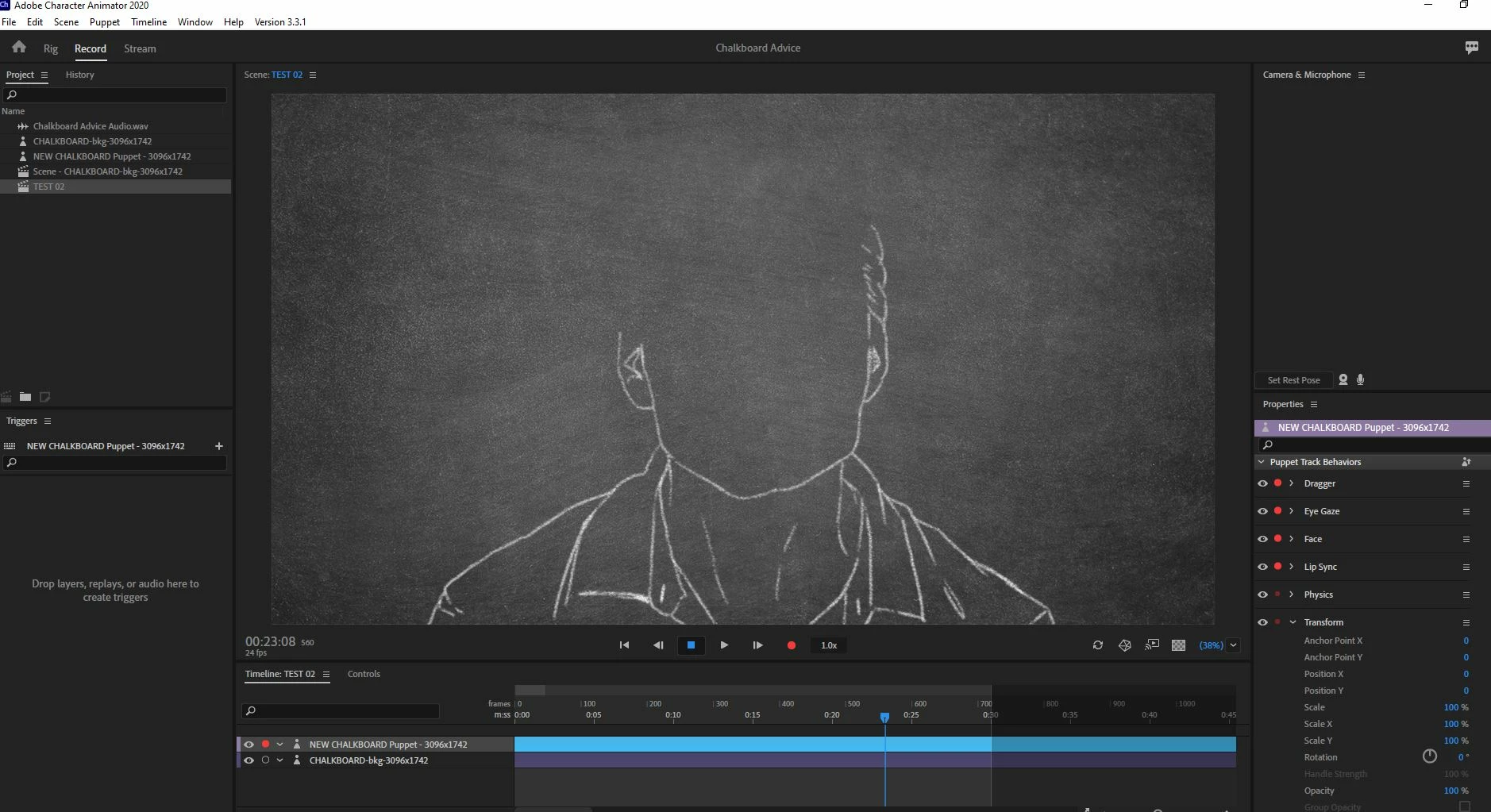
Even the jaw part is weird. The jaw visible in the image below is part of the neutral mouth layer, thus the rest of the mouth should be visible too! It's as if there's some hidden mask that's rendering part of the scene invisible.


Here's what Character Animator is displaying:
 

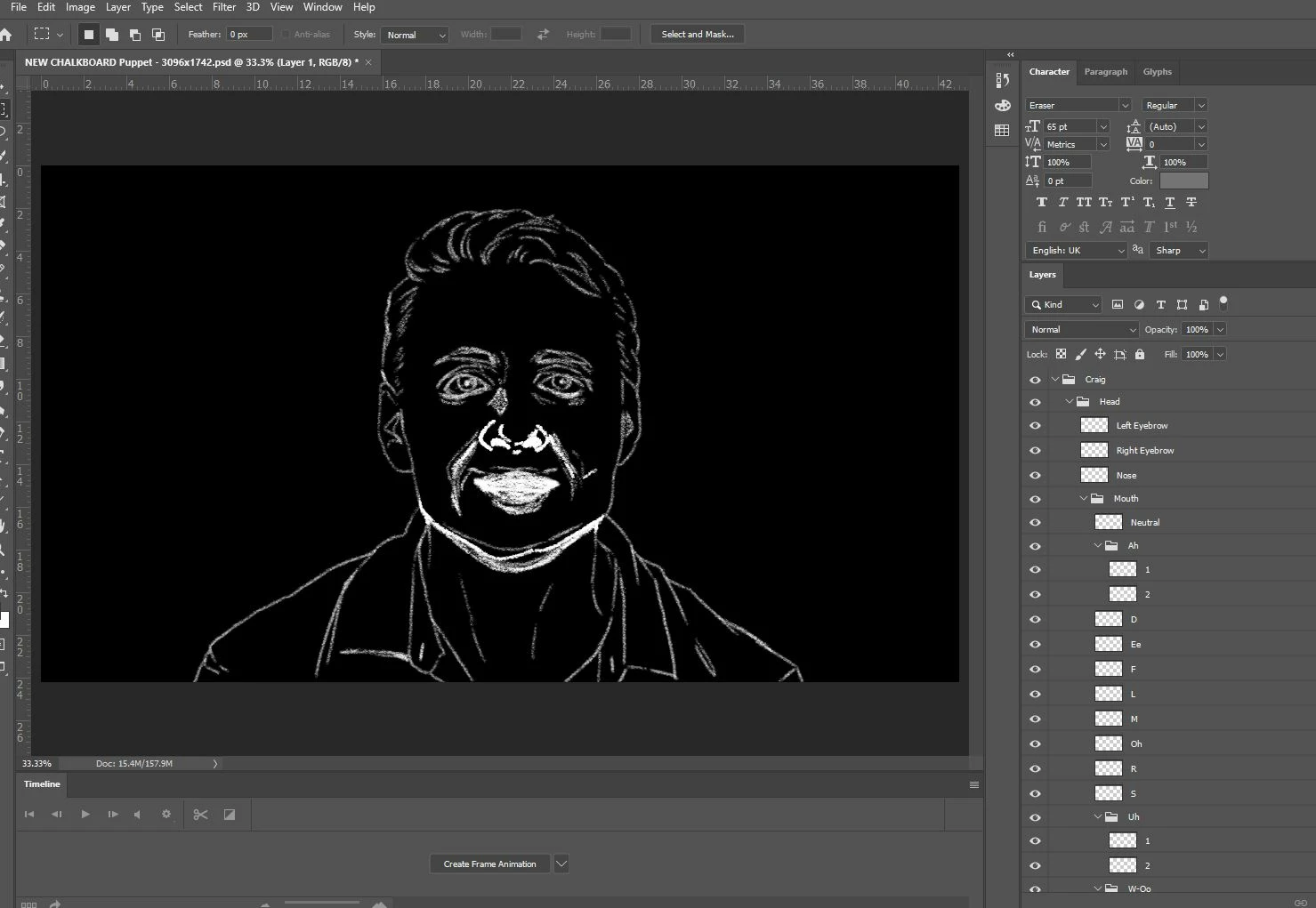
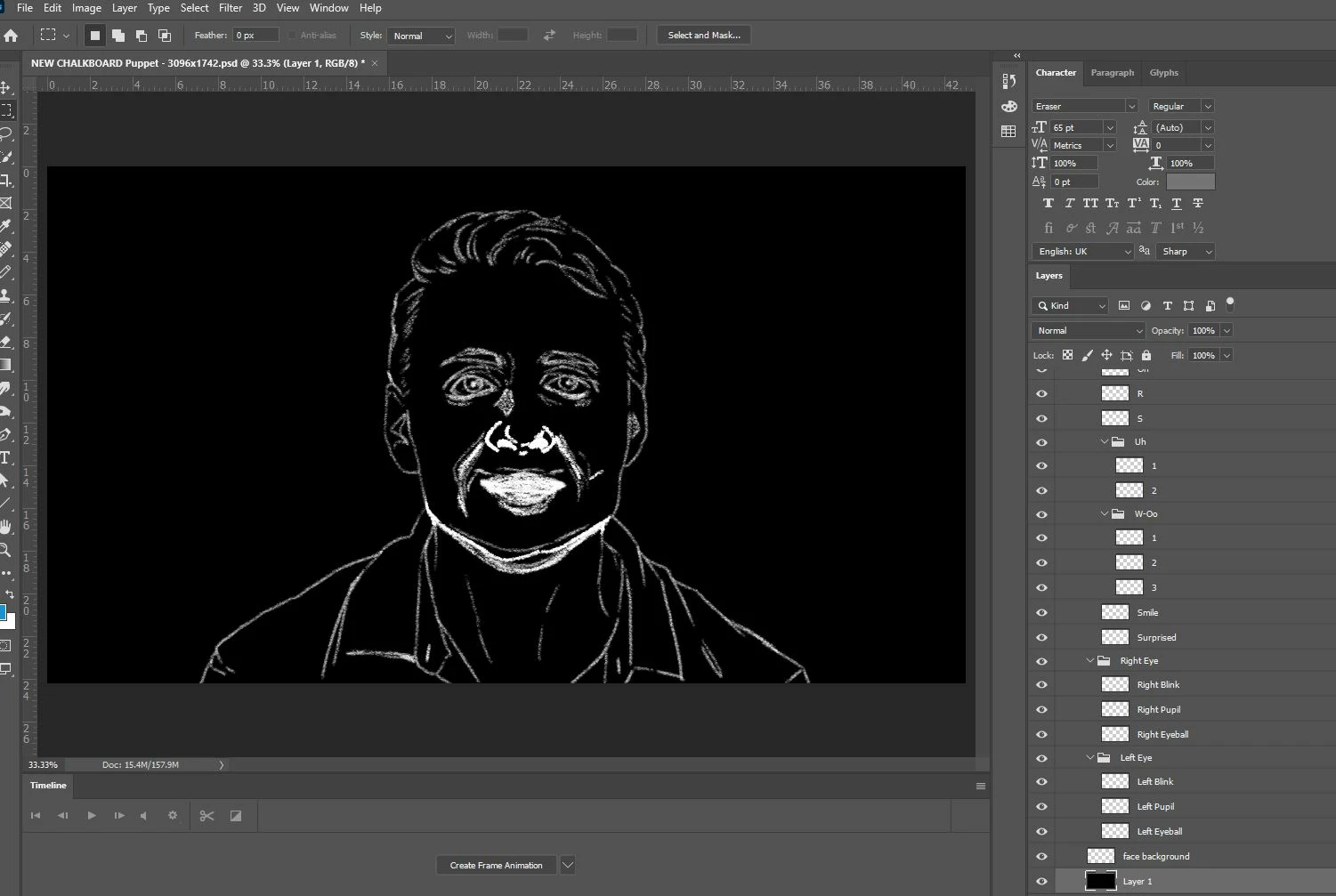
And here's the puppet in Photoshop. I added the black background layer to the photoshop file so you can see the puppet. When imported into Character Animator, that background layer is deleted.


Any help is GREATLY appreciated. This makes nooooo sense at this stage!

This topic has been closed for replies.

2 replies

alank99101739
Legend
October 12, 2020

Could you share a screenshot of the rigging hierarchy? Or use "Export Puppet" and share that instead? I am guessing it is something to do with behaviors or triggers in the rigging in Character Animator that is the problem (not the PSD file).

Craig5E99Author
Participant
October 12, 2020

Thank you very much for the reply! I'm relatively new to CA, but I suspect its a PSD issue somehow. There's no rigging at all. All rigging settings are default. It's a just static puppet face with visime mouth animations and when I import other PSD puppets set up the same way, the scene works just fine.


So while experimenting with  the PSD, I created a new face background layer using the original artwork as a Hail Mary in case there was some mask hiding in there. I saved the original face background as an inactive layer (just in case I goofed something as I was working.), imported it back into CH, and the scene WORKS! Who-hoo!


But the mystery isn't over...I then go back into photoshop to delete the inactive background layer and the duplicate face background, save, and CH returns to the missing head problem! So I return to Photoshop, undo the deleted inactive layers, and the scene then works again.


This makes no sense at all!!! The extra layers are inactive design debris which should have no influence on CH.


Here's the new PSD puppet with the debris layers that is working: [DOWNLOAD]


For now, I'm back up and running. But at some point I really need to understand this little mystery. I have a lot more work to go and the only reason I'm back up is by chance of experiment with no clear cause.


Craig5E99Author
Participant
October 12, 2020

AlanK, I hereby bow to your wisdom!!!


I just looked at the rigging for the one that's working and the one that's not for comparison. Sure enough...


NOT WORKING:


WORKING:


Just two questions...


1. How could this have happened? I've never messed with rigging for any of these puppets.

2. More importantly, how do I fix it and avoid it in the future?


Craig5E99Author
Participant
October 12, 2020

Here's a link to the PSD file in case anyone is kind enough to examine it for me....[DOWNLOAD]